Chia sẻ - (13-Sep-25 25H2 26200.5074) Windows 11 dành cho old PC: UPDATABLE, ỔN ĐỊNH, MƯỢT MÀ | Page 74 | VN-Zoom | Cộng đồng Chia Sẻ Kiến Thức Công Nghệ và Phần Mềm Máy Tính
Cảm ơn cháu đã giải thích, bác thì rất thích update và WD, bản nào vô tay bác mà không update được thì bác không thích dùng cũng như phải có WD để bác đỡ mất công đi tìm key khi dùng AV khác.
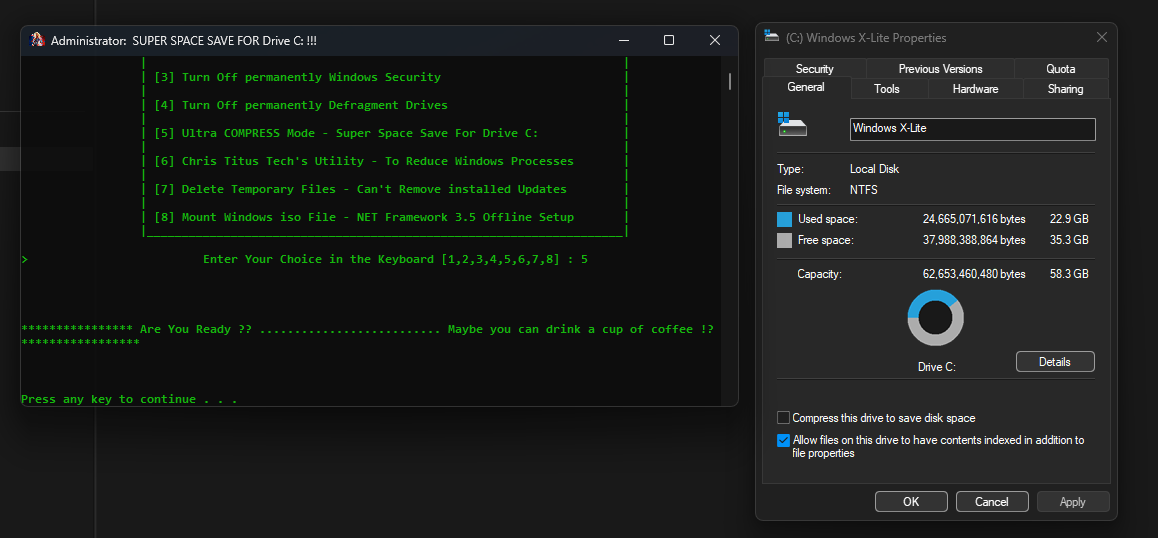
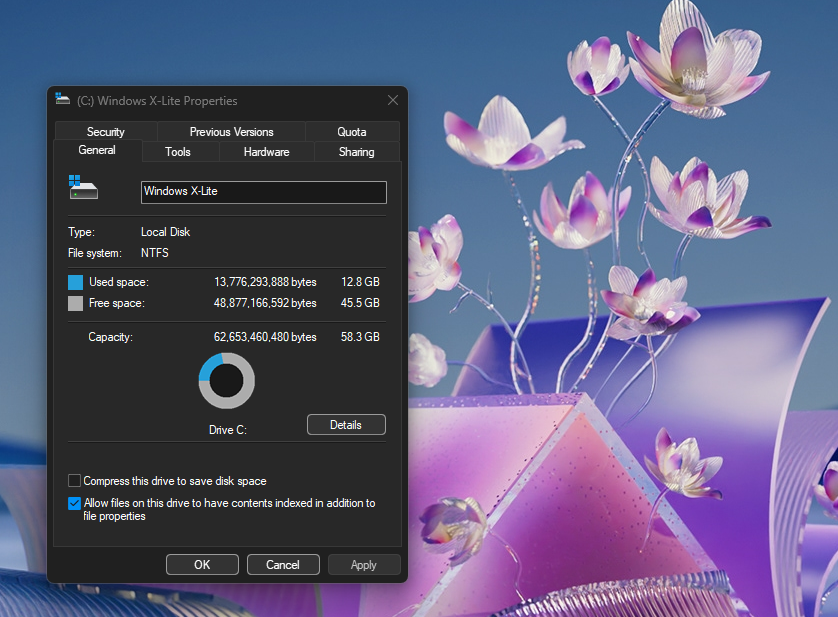
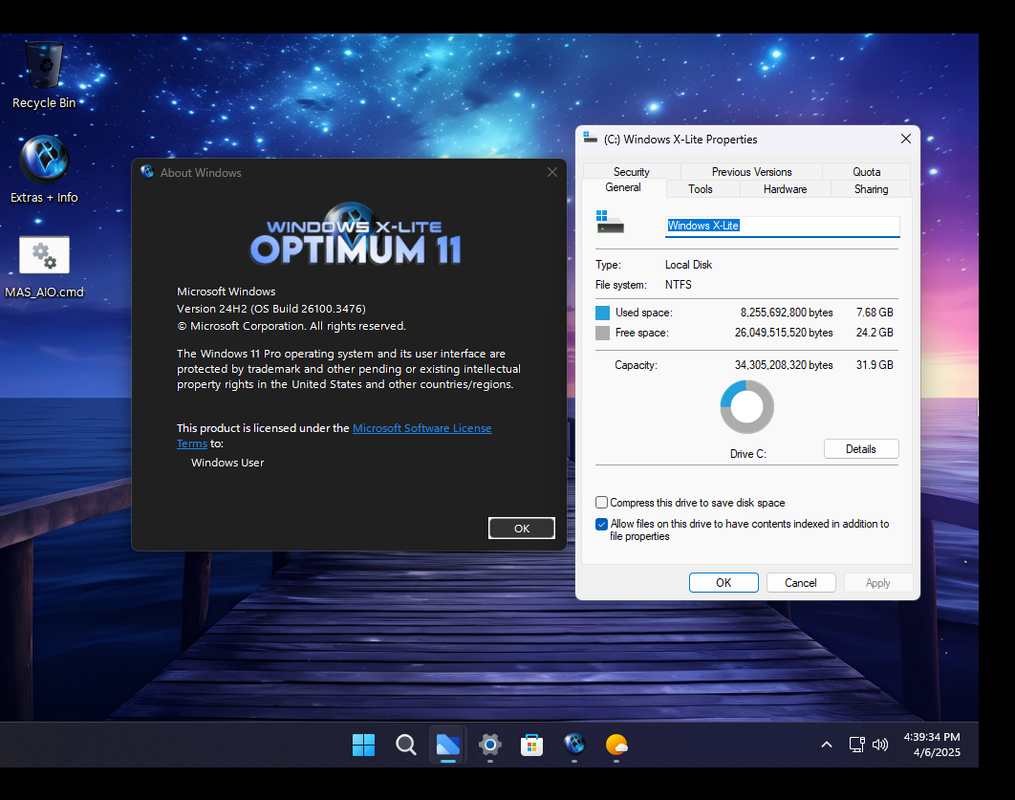
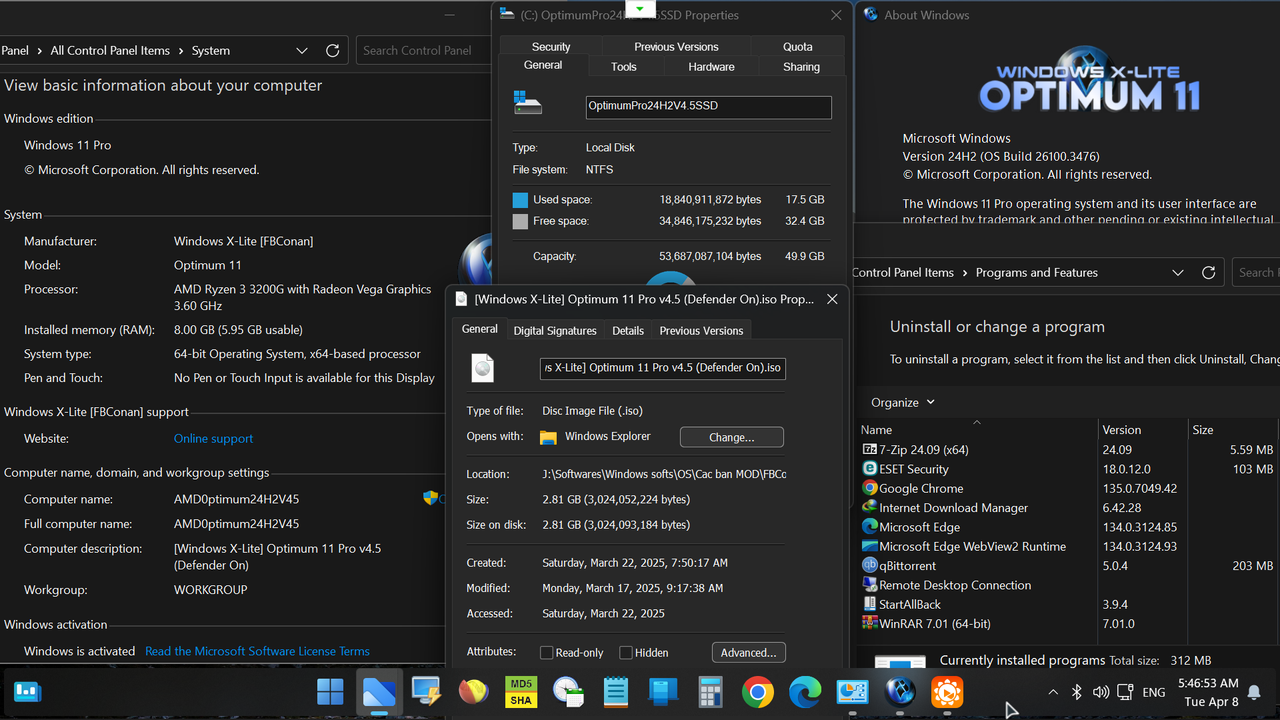
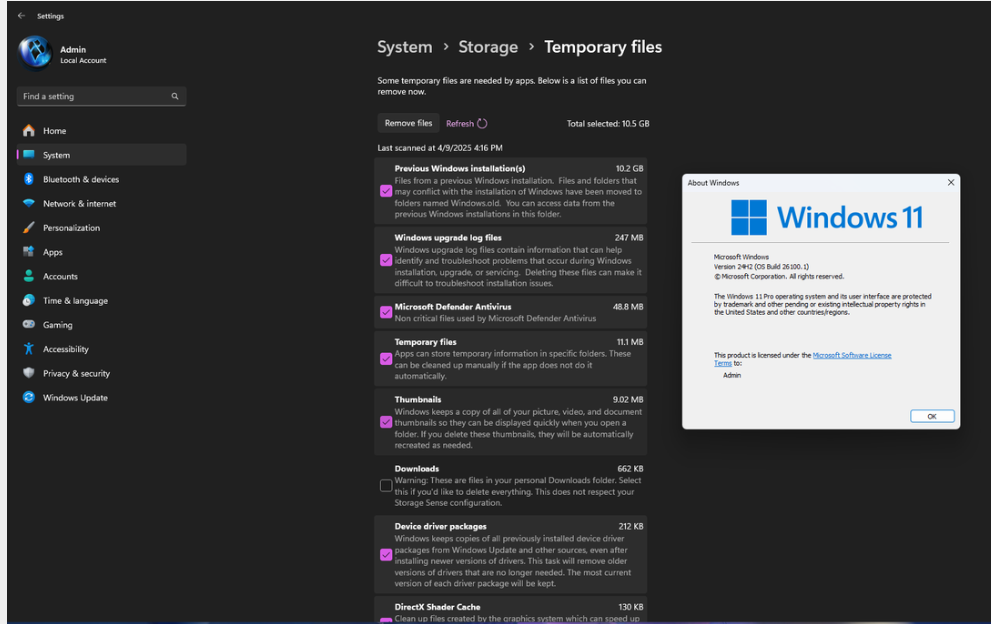
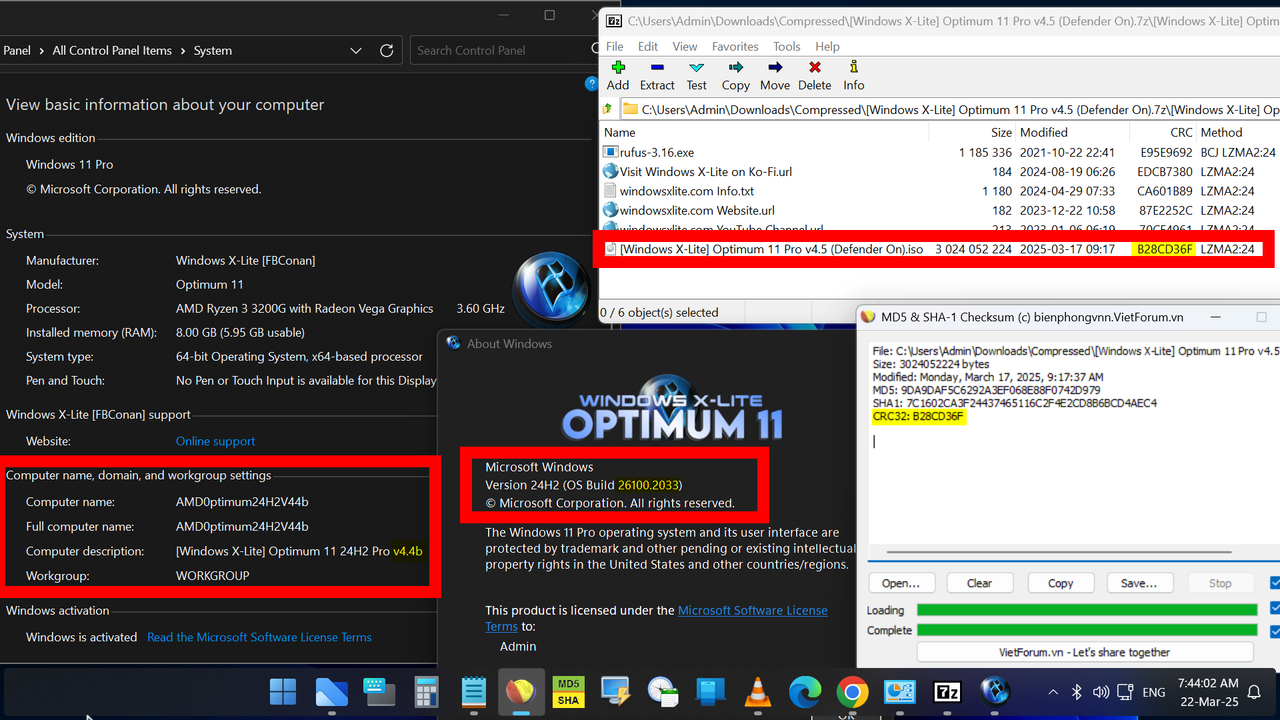
Bác cho cháu xem hình bản V4.4B-3037 bên bác sau khi cài đầy đủ soft cần thiết, bác chạy nén với tool của @zendamo đây cháu:
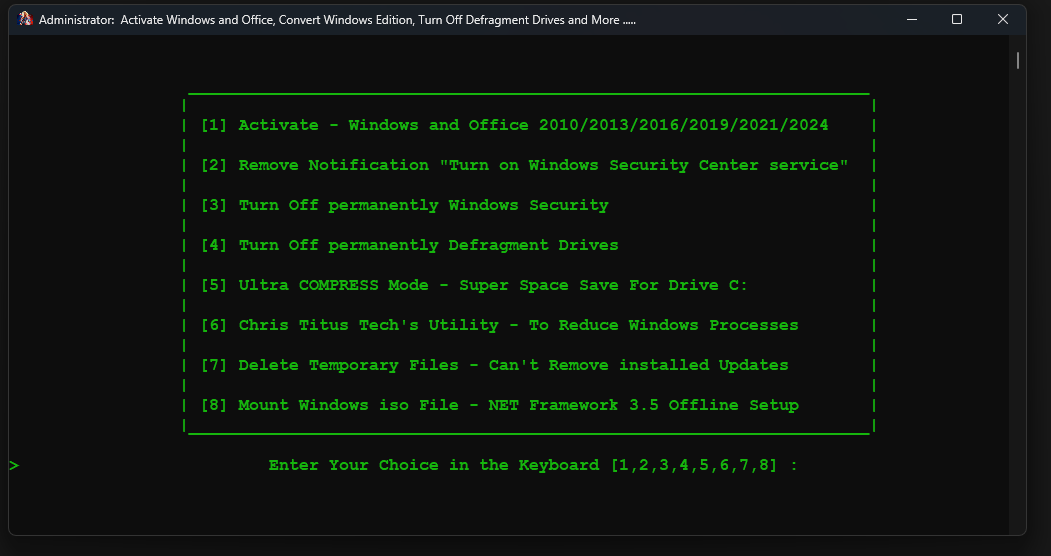
Link folder Action của Zendamo đây bạn, lúc tôi nén bản 3037 với tools xong thì vẫn up lên 3321 được nhưng giờ đến 26100.3624 thì nó bị lỗi gì mà tôi không thể up cho nó được nữa.
Lần đó bác cài V4.4B quên nén trên WinNTsetup nên sau đó mới dùng cách nén từ tools của bạn Zendamo, lúc đầu từ 3037 lên 3321 vẫn được nhưng sau này muốn lên 3364 hay 3375 đều bị lỗi. Bác đã thử nhiều cách ví dụ như dùng tools của Nga, tools của @2012mshs, dùng lệnh DISM , up trực tiếp với WU hay chạy trực tiếp file .msu. Tất cả đều không thành công.
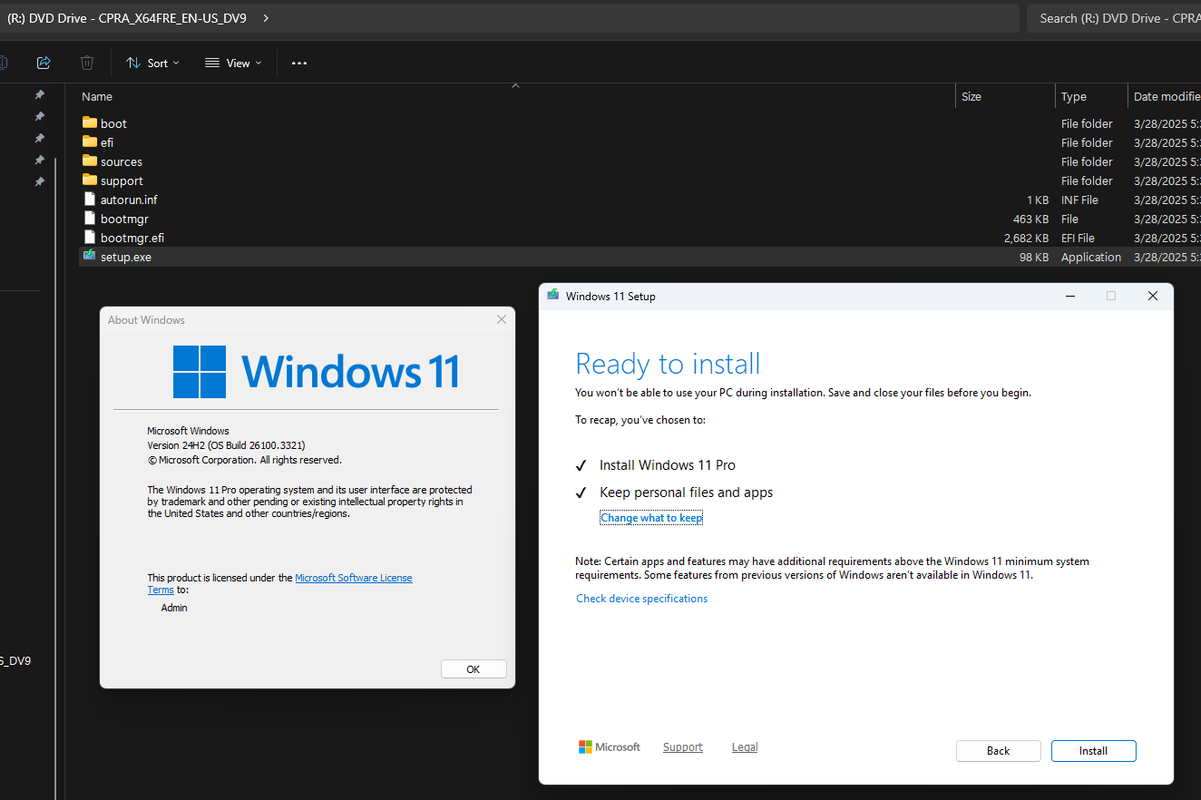
Hôm qua bác làm kiểu upgrade trực tiếp trên Win với file ISO 26200.5518, nó cho phép chạy và cho giữ lại files, sau khi xong, restart lại, check Winver thì nó biến thành 26100.1, tất cả files cũ vẫn còn nguyên.
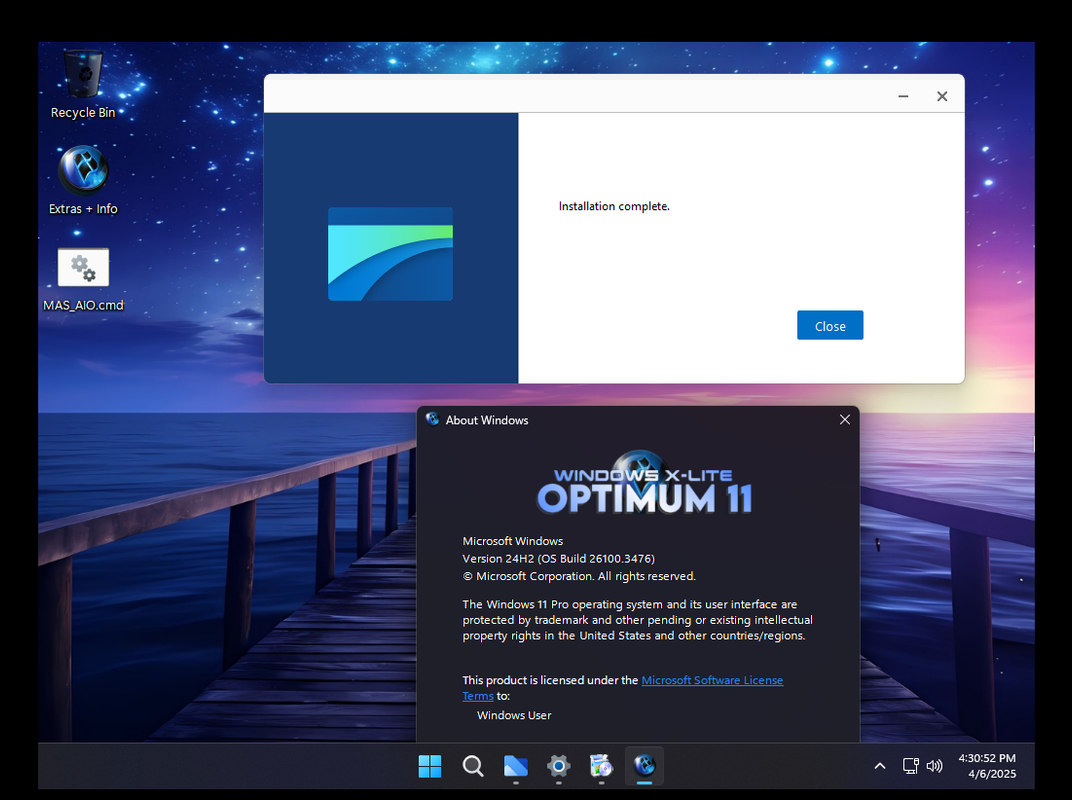
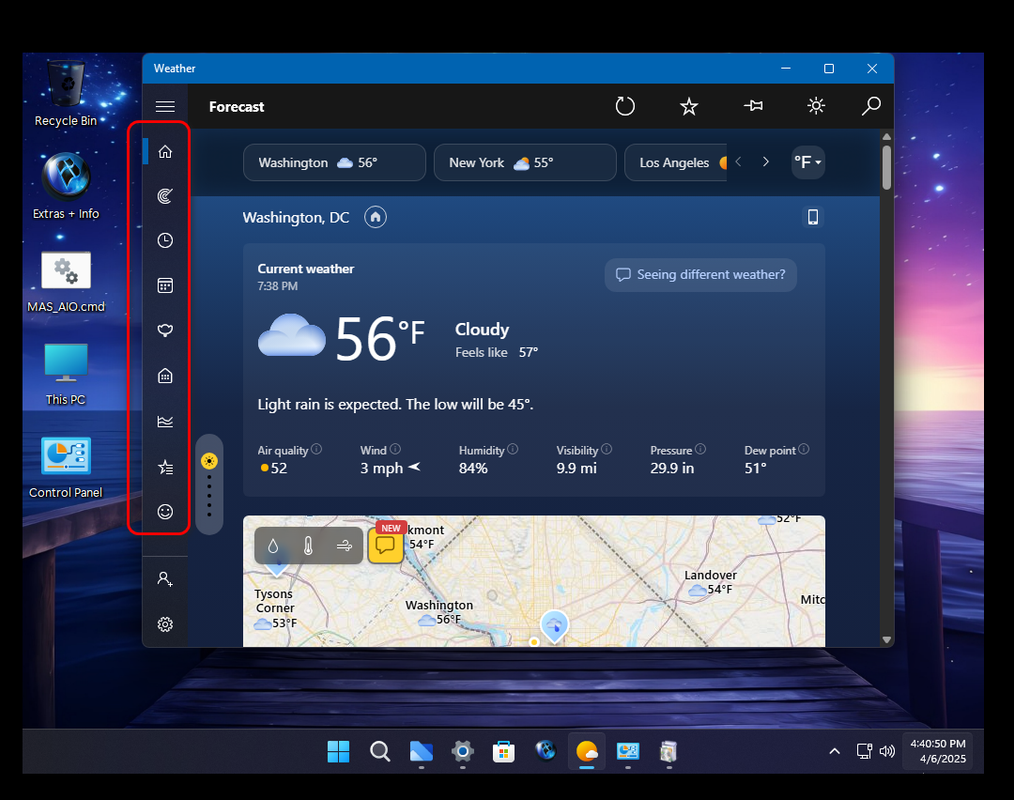
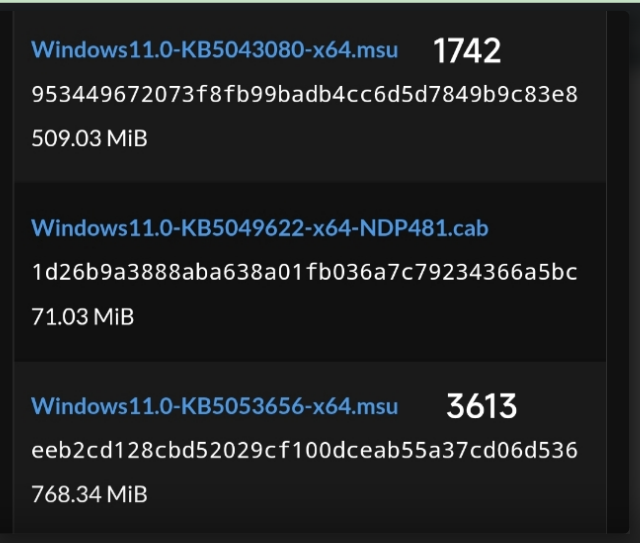
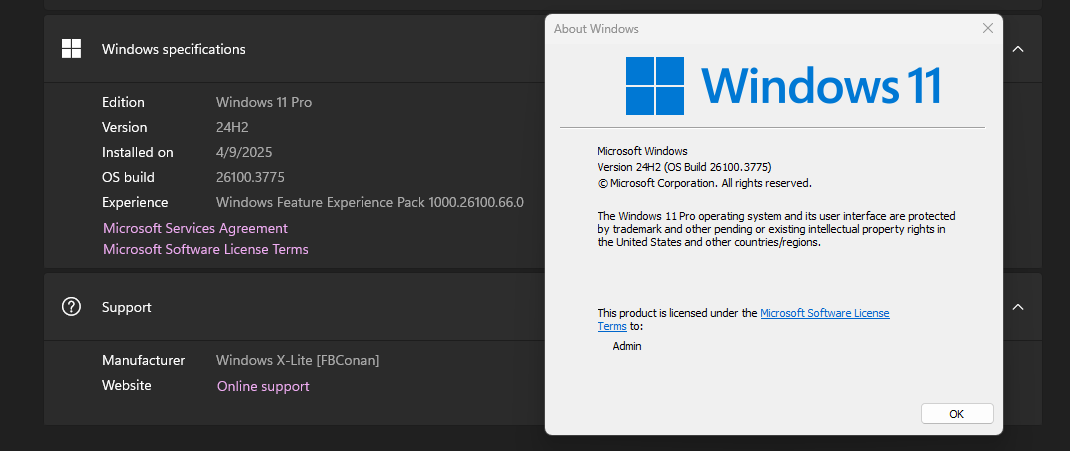
Bác dùng tiếp tools của Nga và up thêm 3 files msu theo lời hướng dẫn của @2012mshs thì up lên 3375 thành công rồi cháu. Ví dụ như hình này của bạn ấy, bác thay thế file msu 3613 với 3775. chép hết 3 files vào tools của Nga : W10UI-10.51 và cho chạy trực tiếp trên Win và kết quả rất tốt:
Lần đó bác cài V4.4B quên nén trên WinNTsetup nên sau đó mới dùng cách nén từ tools của bạn Zendamo, lúc đầu từ 3037 lên 3321 vẫn được nhưng sau này muốn lên 3364 hay 3375 đều bị lỗi. Bác đã thử nhiều cách ví dụ như dùng tools của Nga, tools của @2012mshs, dùng lệnh DISM , up trực tiếp với WU hay chạy trực tiếp file .msu. Tất cả đều không thành công.
Hôm qua bác làm kiểu upgrade trực tiếp trên Win với file ISO 26200.5518, nó cho phép chạy và cho giữ lại files, sau khi xong, restart lại, check Winver thì nó biến thành 26100.1, tất cả files cũ vẫn còn nguyên.
Bác dùng tiếp tools của Nga và up thêm 3 files msu theo lời hướng dẫn của @2012mshs thì up lên 3375 thành công rồi cháu. Ví dụ như hình này của bạn ấy, bác thay thế file msu 3613 với 3775. chép hết 3 files vào tools của Nga : W10UI-10.51 và cho chạy trực tiếp trên Win và kết quả rất tốt:
Tôi không biết huỷ nén cách nào bạn ơi, bạn xem hình từ tools của bạn ấy bên dưới. Lần đó từ 3037 nén xong vẫn up lên được 3321 đó bạn, bởi vậy nên mới ỷ y. Sau đó từ 3321 up lên cao hơn thì bó tay luôn.
Bác đã giải quyết xong hết rồi mới báo lên cho cháu hay, giờ có muốn sửa lại cũng không được. Khi nào bác có vấn đề nan giải thì dĩ nhiên bác sẽ nhờ bạn ấy giúp.
Bác đã giải quyết xong hết rồi mới báo lên cho cháu hay, giờ có muốn sửa lại cũng không được. Khi nào bác có vấn đề nan giải thì dĩ nhiên bác sẽ nhờ bạn ấy giúp.
Link folder Action của Zendamo đây bạn, lúc tôi nén bản 3037 với tools xong thì vẫn up lên 3321 được nhưng giờ đến 26100.3624 thì nó bị lỗi gì mà tôi không thể up cho nó được nữa.
1. Màn hình xanh thì tôi chưa gặp khi nào: nhưng cách cài windows chuẩn là...backup drivers của bản Windows ổn định nhất (hoặc drivers của HÃNG, KHÔNG DÙNG ghost đa cấu hình) hoặc dùng Driver Easy Professional để tìm drivers thiếu (nếu có), bản update các driver.
Nên có những thông tin kiểm chứng/xác định là mình đã download, đã cài: nói chung chung như thế này tôi không thấy giá trị gì.
Bác @Hoang Duch2cài các bản Windows mod của FBConan: đã bao giờ bị lỗi màn hình xanh chưa ạ? Nếu bị lỗi thì thường do nguyên nhân gì, xử lý ra sao? Cháu cảm ơn bác đã chia sẻ, đặc biệt dẫn chứng rất đầy đủ qua các hình ảnh chụp màn hình.
2. Tôi không chơi game, nên không so sánh với các bản khác.
Free nên không thích ta cứ next, chọn bản nào theo sở thích thôi.
- Ngày 17 tháng 03 năm 2025: Optimum 11 24H2 [Pro] v4.5 • OS Build 26100.3476@FBConan
ISO file: 2.8 Gb
xem chi tiết ở comment #1,455
- Ngày 02 tháng 02 năm 2025: Optimum 11 24H2 [Pro] v4.4 • OS Build 26100.1882 AMD64@FBConan
ISO file: 2.56 Gb
xem chi tiết ở comment #1,434
- Ngày 12 tháng 01 năm 2025: Optimum 10 Pro v5.1 • OS Build 19045.5247 • AMD64@FBConan
ISO file: 3 Gb
xem chi tiết ở comment #1,429
- Ngày 07 tháng 12 năm 2024: Micro 11 24H2 [Pro] v3 • OS Build 26100.2454 AMD64@FBConan
ISO file: 1,55 Gb
xem chi tiết ở comment #1,405
- Các review khách quan về các bản mod của James (FBConan - TeamOS)
xem chi tiết ở comment #1,406
- Ngày 18 tháng 08 năm 2024: Optimum 11 24H2 [Pro] v4.2 • OS Build 26100.1457 AMD64@FBConan
ISO file: 2,5 Gb
xem chi tiết ở comment #1,383
- Ngày 30 tháng 06 năm 2024: Optimum 11 24H2 [Pro] v4.1 • OS Build 26100.1000 AMD64@FBConan
ISO file: 2,42 Gb
xem chi tiết ở comment #1,371
- Ngày 27 tháng 06 năm 2024: Optimum 11 24H2 [Pro] v4.0 • OS Build 26100.994 AMD64@FBConan
ISO file: 2,56 Gb
xem chi tiết ở comment #1,370
- Ngày 27 tháng 05 năm 2024: Windows 11 23H2 Pro (Build 22631.3371) AMD64@FBConan
ISO file: 3,5 Gb
xem chi tiết ở comment #1,361
- Ngày 27 tháng 05 năm 2024: Optimum 11 24H2 [Pro] v2 • OS Build 26100.2 AMD64@FBConan
ISO file: 2,29 Gb
xem chi tiết ở comment #1,336
- Ngày 09 tháng 05 năm 2024: Micro 11 24H2 [Pro] • OS Build 26100.1 AMD64@FBConan
ISO file: 1,5Gb
xem chi tiết ở comment #1,298
- Ngày 10 tháng 04 năm 2024: Windows X-Lite 'Optimum 11 24H2' Pro _ OS Build 26100.1 AMD64 @FBConan
ISO file: 2,37Gb
xem chi tiết ở comment #1,276
- Ngày 31 tháng 03 năm 2024: Windows 11 PRO 23H2 22631.3374 By Phrankie
ISO file: 3,6Gb
xem chi tiết ở comment #1,272
- Ngày 23 tháng 03 năm 2024: Windows X-Lite 'Optimum 11 Pro' v5 _ Windows 11 23H2 Pro (Build 22631.3371) AMD64 @FBConan
ISO file: 3,27Gb
xem chi tiết ở comment #1,275
- Ngày 14 tháng 03 năm 2024: Windows X-Lite 'Ultimate 11' Cobalt v2 _ Windows 11 23H2 Pro (Build 22631.3296) AMD64 By @FBConan
ISO file: 3,28Gb
xem chi tiết ở comment #1,267
- Ngày 06 tháng 02 năm 2024: Windows 11 Enterprise LTSC 2024 Insider Preview (OS Build 25941.1000)
By @FBConan
ISO file: 4,3Gb
xem chi tiết ở comment #1,256
- Ngày 24 tháng 01 năm 2024: Windows X-Lite 'Atomic 11' v2 by FBConan - Windows 11 22H2 Home (OS Build 22621.1992) By @FBConan
ISO file: 1,2Gb (CLEAN INSTALL SIZE: 2,4GB after disabling paging file)
xem chi tiết ở comment #1,249
- Ngày 08 tháng 01 năm 2024: Windows 11 Pro 23H2 22631.2792 *Bypassed + Compact + Updatable* created by Phrankie-TEAMOS
ISO file: 3,1Gb (CLEAN INSTALL SIZE: 5-6GB Depends To Your Pagefile Size)
xem chi tiết ở comment #1,243
- Ngày 04 tháng 03 năm 2024: Windows 11 23H2 Pro Moment 5 (Build 22631.3235) AMD64
By @FBConan ISO file: 3,27Gb
xem chi tiết ở comment #1,261
- Ngày 27 tháng 02 năm 2024: Mystique OS – Windows 11 Lite v23H2 build 22631.3155 by TeamOS
By @Jerry_Xristos
ISO file: 2Gb
xem chi tiết ở comment #1,259
- Ngày 14 tháng 01 năm 2024: Windows X-Lite 'Optimum 11 Pro' v3: Windows 11 23H2 Pro (Build 22631.3078) AMD64 @FBConan
ISO file: 3,22Gb (CLEAN INSTALL SIZE: 5GB Depends To Your Pagefile Size)
xem chi tiết ở comment #1,246
- Ngày 21 tháng 12 năm 2023: Windows X-Lite 'Micro 11 23H2' v2 [Epic Edge Edition] (Windows 11 Pro (Build 22631.2428) AMD64) @FBConan
ISO file: 1,9Gb (CLEAN INSTALL SIZE: 3.5GB after disabling paging file)
xem chi tiết ở comment #1,208
- Ngày 11 tháng 11 năm 2023: Windows X-Lite 'Micro 11 23H2' [Epic Edge Edition] (22631.2428) AMD64 By @FBConan
ISO file: 1,9Gb (CLEAN INSTALL SIZE: 3.5GB after disabling paging file)
xem chi tiết ở comment #1,172
- Ngày 05 tháng 11 năm 2023: Windows X-Lite (22631.2428) 'Micro 11 23H2' AMD64 By @FBConan
ISO file: 1,6Gb (CLEAN INSTALL SIZE: 3GB after disabling paging file)
xem chi tiết ở comment #1,166
- Ngày 28 tháng 10 năm 2023: Windows X-Lite (22631.2506) 'Optimum 11 23H2 Pro' v3 AMD64 By @FBConan
ISO file: 3,18Gb (CLEAN INSTALL SIZE: 5GB after disabling paging file)
xem chi tiết ở comment #1,165
- Ngày 02 tháng 10 năm 2023: Windows X-Lite 'Optimum 11 23H2 Pro' v2 - (Build 22631.2361) AMD64 By @FBConan
ISO file: 3,15Gb (CLEAN INSTALL SIZE: 5GB after disabling paging file)
xem chi tiết ở comment #1,145
- Ngày 18 tháng 7 năm 2023:Windows X-Lite 'Optimum 11' V3 _ Windows 11 22H2 Pro (Build 22621.1992) AMD64 By @FBConan
ISO file: 2,83Gb (CLEAN INSTALL SIZE: 4-5GB after disabling paging file)
xem chi tiết ở comment #1,120
- Ngày 03 tháng 7 năm 2023: Windows X-Lite 22621.1928 'Micro 11' 💥 A Tiny Version of Windows 11 Desgined to Breathe New Life into your PC By @FBConan
ISO file: 1,5Gb (CLEAN INSTALL SIZE: 2,8GB)
xem chi tiết ở comment #1,117
- Ngày 13 tháng 05 năm 2023: Windows X-Lite 'Exceptional 11' (22H2 Pro (OS Build 22621.1702) AMD64 By @FBConan)
ISO file: 2,5Gb (CLEAN INSTALL SIZE: 4 GB)
xem chi tiết ở comment #1,082
- Ngày 30 tháng 04 năm 2023: 11 Trimed (Windows 11 PRO 22H2 10.0.22621.1555)
ISO file: 2,7Gb
xem chi tiết ở comment #1,078
- Ngày 26 tháng 04 năm 2023: Windows X-Lite (22621.1635) 'Optimum 11' V2 By FBConan (Pro 'Moment 2' (Build 22621.1635))
ISO file: 2,9Gb
xem chi tiết ở comment #1,081
- Ngày 06 tháng 04 năm 2023: Obetal Windows 11 Compact & Lite [22621.1194] No TPM & Fully Updatable. Jerry_Xristos là Admin của TeamOS
ISO file: 2,8Gb
xem chi tiết ở comment #1,072
- Ngày 04 tháng 04 năm 2023: Windows X-Lite 'Optimum 10' (Windows 10 22H2 Pro (Build 19045.2788) (CLEAN INSTALL SIZE: 4 GB)
ISO file: 2,67Gb
xem chi tiết ở comment #1,059
- Ngày 23 tháng 03 năm 2023: Windows X-Lite 'Optimum 11' (22621.1483) By FBConan (CLEAN INSTALL SIZE: 4,7 GB)
ISO file: 2,68Gb
xem chi tiết ở comment #1,052
- Ngày 17 tháng 03 năm 2023: Windows 11 X-Lite 'Homecoming' (22621.1413) (CLEAN INSTALL SIZE: 4 GB)
ISO file: 2,54Gb
xem chi tiết ở comment #1,051
- Ngày 13 tháng 03 năm 2023: Windows X-Lite 'Atomic 11' (22621.1344) (CLEAN INSTALL SIZE: 1,7 GB)
ISO file: 1,1Gb
xem chi tiết ở comment #1,040
- Ngày 07 tháng 03 năm 2023: Tiny Windows 11 Pro [22621.1194] Compact & UltraLight [Non-TPM]
ISO file: 1,1Gb
xem chi tiết ở comment #1,032
- Ngày 04 tháng 03 năm 2023: Windows X-Lite 'Elegant 11' _ Windows 11 22H2 Pro Moment 2 (OS Build 22621.1344) By @FBConan
ISO file: 2,5Gb
xem chi tiết ở comment #1,021
- Ngày 24 tháng 02 năm 2023: Windows 11 Pro 22H2 22621.1265 x64 EN-US Feb. 2023 -=TeamOS=- Super Admin TeamOS: Dark Wolf
ISO file: 5,1Gb
xem chi tiết ở comment #1,020
- Ngày 21 tháng 02 năm 2023: Windows 11 X-Lite (22621.1265) 'Rapture' By FBConan
ISO file: 2.55Gb
xem chi tiết ở comment #1,018
- Ngày 20 tháng 02 năm 2023: OverAll windows 11 Pro Compact [22621.1194] (Jerry_Xristos: Admin_Teamos)
ISO file: 1.4Gb (CLEAN INSTALL SIZE: 4,4 GB)
xem chi tiết ở comment #1,017
- Ngày 16 tháng 02 năm 2023: Windows 10 22H2 Pro LiTE (OS Build 19045.2546) By FBConan
ISO file: 2.6Gb (CLEAN INSTALL SIZE: 4 GB)
xem chi tiết ở comment #1,013
- Ngày 11 tháng 02 năm 2023: Windows 11 X-Lite 'Neon Dreams-Windows 11 22H2 Pro LiTE (OS Build 22621.1255) By FBConan
ISO file: 2.54Gb (CLEAN INSTALL SIZE: 4,4 GB)
xem chi tiết ở comment #1,007
- Ngày 01 tháng 02 năm 2023: Windows 11 Ultralight (22621.1245) 'Divinity' By FBConan - Windows 11 22H2 Pro Build 22621.1245
ISO file: 1.6Gb (CLEAN INSTALL SIZE: 2.97 GB)
xem chi tiết ở comment #1,000
- Ngày 28 tháng 01 năm 2023: Windows 11 X-Lite 'Resurgence' (22621.1245)
ISO file: 2.5Gb
xem chi tiết ở comment #999
- Ngày 16 tháng 01 năm 2023: Windows 11 Light by FBConan WINDOWS 11 22H2 PRO (OS BUILD 22621.1105)
ISO file: 2.8Gb
xem chi tiết ở comment #982
- Ngày 14 tháng 01 năm 2023: Windows 11 9in1 22H2.25276.1000 * Untouched + Bypassed + Preactivated
ISO file: 3.41Gb
xem chi tiết ở comment #981
- Ngày 01 tháng 01 năm 2023: Windows 11 Ultralight v3 22H2.22621.1037 MPB
ISO file: 2.5Gb
xem chi tiết ở comment #970
- Ngày 01 tháng 01 năm 2023: Nexus LiteOS 11 | Windows 11 LiteOS (22621.963) | No TPM/Secure Boot Needed
ISO file: 2.9Gb
xem chi tiết ở comment #969
- Ngày 23 tháng 12 năm 2022: Gamer OS Windows 11 Pro [22621.1028]
ISO file: 1.5Gb
xem chi tiết ở comment #954
- Ngày 16 tháng 12 năm 2022: Windows 11 22H2 Pro LiTE (22621.963) By FBConan
ISO file: 2.5Gb
xem chi tiết ở comment #944
- Ngày 08 tháng 12 năm 2022: Windows 11 'UltraLight v2' 22H2.22621.1028 [Bypassed + Updatable + Xtreme Performance]
ISO file: 2.45Gb
xem chi tiết ở comment #942
- Ngày 27 tháng 11 năm 2022: Pink Neon Windows 7 Ultimate & SuperLite
ISO file: 1.4Gb
xem chi tiết ở comment #936
- Ngày 16 tháng 11 năm 2022: The Best Windows X-Lite Pro Edition Builds of 2022
ISO file: 2.45Gb
xem chi tiết ở comment #928
- Ngày 02 tháng 11 năm 2022: Windows 11 Pro " Green Forest " [22H2.22623.875] [Bypassed + Updatable + Highest Performance Mode]
ISO file: 6.36Gb
xem chi tiết ở comment #920
- Ngày 30 tháng 10 năm 2022: ⚡Windows 11 22H2 Pro LiTE by FBConan ⚡ (Build 25231.1000)
ISO file: 2.2Gb
xem chi tiết ở comment #921
- Ngày 27 tháng 10 năm 2022: Windows_11_Pro & Enterprise-22000.1165_x64_OCT-2022_Pre-activated-(No TPM Required)
ISO file: 6.05Gb
xem chi tiết ở comment #912
- Ngày 12 tháng 10 năm 2022: Windows 11 X-Lite 'Harmony' (22621.675) ⚡Windows 11 22H2 Pro LiTE by FBConan ⚡
ISO file: 2.4Gb
xem chi tiết ở comment #906
- Ngày 10 tháng 10 năm 2022: PHOENIX LITEOS 11 HOME+ 💥 Build 22621.607 (Windows 11 22H2) 💥
ISO file: 2.5Gb
xem chi tiết ở comment #905
- Ngày 30 tháng 9 năm 2022: Windows 11 Pro 22H2 10.0.22623.730 Pre-activated(No TPM Required)
ISO file: 3.7Gb
xem chi tiết ở comment #891
- Ngày 28 tháng 9 năm 2022: Gaming Zone Windows 11 Enterprise Compact & SuperLite [22000.978] build by Jerry_Xristos (admin teamos) ISO file: 1.8Gb xem chi tiết ở comment #890
- Ngày 25 tháng 9 năm 2022: Windows 11 22H2 Pro (22622.607) Bypassed + Untouched by FBConan There are NO Changes to this Build! This Build is 100% Original! The way Microsoft Intended!
ISO file: 2.8Gb
xem chi tiết ở comment *** Hidden text: cannot be quoted. ***
- Ngày 10 tháng 9 năm 2022: Phoenix LiteOS 11 Ultralight Ultimate (22621.590) By FBConan
xem chi tiết ở comment #868
- Ngày 27 tháng 8 năm 2022: FBConan's Windows 11 X-Lite (22621.457) 'Summer Rain'
xem chi tiết ở comment #833
- Ngày 26 tháng 8 năm 2022: PHOENIX LITEOS 11 PRO+💥 Build 22621.457 (Windows 11 22H2) 💥
xem chi tiết ở comment #830
- Ngày 25 tháng 8 năm 2022: Windows 11 Pro 22H2 FBConan _ Release Preview Channel 22621.457
xem chi tiết ở comment #823
- Ngày 18 tháng 8 năm 2022: Windows 11 (25182.1000) Pro LiTE by FBConan & TeamOS
xem chi tiết ở comment *** Hidden text: cannot be quoted. ***
- Ngày 13 tháng 8 năm 2022: Windows 11 Pro 22H2 FBConan _ upgrade 22621.575
xem chi tiết ở comment #811
- Ngày 07 tháng 8 năm 2022: Windows 11 Pro 22H2 FBConan _ upgrade 22622.450
xem chi tiết ở comment #791
- Ngày 29 tháng 7 năm 2022: Phoenix LiteOS 11 Pro+(22621.169) ⚡ Windows 11 22H2 Pro LiTE by FBConan ⚡
xem chi tiết ở comment *** Hidden text: cannot be quoted. ***
- Ngày 26 tháng 7 năm 2022: Bản 22000.282 từ 29/10/2021 lên bản mới nhất
xem chi tiết ở comment #788
- Ngày 12 tháng 7 năm 2022: Bản 22000.282 từ 29/10/2021 lên bản mới nhất
xem chi tiết ở comment #784
- Ngày 11 tháng 7 năm 2022: Phoenix LiteOS 11 Ultralight Ultimate - Windows 11 22H2 Pro (En-US) ★ Build 22621.169
xem chi tiết ở comment *** Hidden text: cannot be quoted. ***
- Ngày 05 tháng 7 năm 2022: Windows 11 Pro 22H2 FBConan _ upgrade 22621.169 to 22622.290
xem chi tiết ở comment #775
- Ngày 30 tháng 6 năm 2022: Windows 11 Pro 22H2 FBConan _ upgrade 22621.160 to 22621.169
xem chi tiết ở comment #769
- Ngày 23 tháng 6 năm 2022:
1. Windows 11 Pro 22H2 FBConan _ upgrade 22621.1 to 22621.160
2. Bản 22000.282 từ 29/10/2021 lên bản mới nhất
xem chi tiết ở comment #751
- Ngày 17 tháng 6 năm 2022: Phoenix LiteOS 11 Pro+ (22621.105) 🔥 Windows 11 22H2 LiTE by FBConan 🔥
xem chi tiết ở comment *** Hidden text: cannot be quoted. ***
- Ngày 12 tháng 6 năm 2022: Phoenix LiteOS 11 Pro+ (22621.4) 🔥 Windows 11 22H2 LiTE by FBConan 🔥
xem chi tiết ở comment *** Hidden text: cannot be quoted. ***
- Ngày 07 tháng 6 năm 2022: Windows 11 Pro 22H2 (22621.1) Bypassed + Untouched by FBConan ➡️ 100% Original and Untouched Windows 11 22H2 Build!
xem chi tiết ở comment *** Hidden text: cannot be quoted. ***
- Ngày 06 tháng 6 năm 2022: Windows Subsystem for Android (WSA) with Google Apps (Play Store)
xem chi tiết ở comment *** Hidden text: cannot be quoted. ***
- Ngày 02 tháng 6 năm 2022: Phoenix LiteOS 11 Pro+(🔥 Windows 11 22H2 LiTE (22621.1) by FBConan 🔥)
xem chi tiết ở comment *** Hidden text: cannot be quoted. ***
- Ngày 01 tháng 6 năm 2022: Windows 7 Ultimate (x64) xTreme LiTE Build
xem chi tiết ở comment *** Hidden text: cannot be quoted. ***
- Ngày 29 tháng 5 năm 2022: BlackSt✫r 11 Pro + Android - Windows 11 21H2 Pro (22000.706) LiTE Build
xem chi tiết ở comment *** Hidden text: cannot be quoted. ***
- Ngày 22 tháng 5 năm 2022: BlackSt✫r 11 Pro - Windows 11 21H2 Pro (22000.706) LiTE Build
xem chi tiết ở comment *** Hidden text: cannot be quoted. ***
- Ngày 15 tháng 5 năm 2022: Windows 11 Pro 22H2 (25115.1000)
100% Original and Untouched Windows 11 22H2 Build!
xem chi tiết ở comment *** Hidden text: cannot be quoted. ***
- Ngày 11 tháng 5 năm 2022: FBConan's Phoenix LiteOS 11 Pro Plus lên 22000.675
xem chi tiết ở comment *** Hidden text: cannot be quoted. ***
Windows_11_PRO_22000.675_21H2_Non-TPM_2.0_Compliant_x64_En-US_Pre-activated~Victor24~
ISO Size: 4.1 Gb
xem chi tiết ở comment #641
- Ngày 09 tháng 5 năm 2022: Windows 11 22H2 ✯ Compact ✯ Lite ✯ Gaming ✯ Updatable
FBConan's Phoenix LiteOS 11 Pro Plus (22616.1)
xem chi tiết ở comment *** Hidden text: cannot be quoted. ***
- Ngày 03 tháng 5 năm 2022: Windows 11 22H2 ✯ Compact ✯ Lite ✯ Gaming ✯ Updatable
FBConan's Phoenix LiteOS 11 Pro Plus (22610.1)
xem chi tiết ở comment *** Hidden text: cannot be quoted. ***
- Ngày 27 tháng 04 năm 2022: FBConan's Phoenix LiteOS 11 Pro Plus (22000.652) ⚡ Compact ✯ Lite ✯ Gaming ✯ Updatable ✯ Multi Edition (4 in 1)
ISO Size: 2.8 Gb
xem chi tiết ở comment *** Hidden text: cannot be quoted. ***
- Ngày 22 tháng 04 năm 2022: ReviOS | Windows 11 Release: 21H2 | 22000.651
ISO Size: 3.64 Gb
xem chi tiết ở comment *** Hidden text: cannot be quoted. ***
- Ngày 21 tháng 04 năm 2022: winactivate v2.0 | Windows HWID / KMS38 Activation Script + LTSC 2021 Permanent Activation!
xem chi tiết ở comment *** Hidden text: cannot be quoted. ***
W10 Digital Activation Program v1.4.2, link download:
*** Hidden text: cannot be quoted. ***
- Ngày 15 tháng 04 năm 2022: Pepermint Windows 11 Pro [22000.613] ISO Size: 3.6 Gb
xem chi tiết ở comment *** Hidden text: cannot be quoted. ***
- Ngày 12 tháng 04 năm 2022:
Windows 11 21H2 Custom Lite Gaming Build! 💥 Phoenix LiteOS 11 Home Plus (22000.613) ISO Size: 2.6 Gb
xem chi tiết ở comment *** Hidden text: cannot be quoted. ***
Windows_11_PRO_22000.613_21H2_Non-TPM_2.0_Compliant_x64_En-US_Pre-activated~Victor24~ ISO Size: 4.1 Gb
xem chi tiết ở comment #582
- Ngày 07 tháng 04 năm 2022: Phoenix LiteOS 11 Pro Plus (22593.1) ⭐ Compact ✯ Lite ✯ Gaming ✯ Updatable. ISO Size: 2.3 Gb
xem chi tiết ở comment *** Hidden text: cannot be quoted. ***
Warrior Windows 11 Pro Compact & Slim [22000.593] ISO Size: 3.1 Gb
xem chi tiết ở comment *** Hidden text: cannot be quoted. ***
- Ngày 01 tháng 04 năm 2022: Windows_11_Pro & Enterprise RTM-22000.593_TPM_x64_Apr-2022_Pre-activated. ISO Size: 5.7 Gb
xem chi tiết ở comment *** Hidden text: cannot be quoted. ***
- Ngày 30 tháng 03 năm 2022: Update PhoenixOS 11 22000.593
- Ngày 20 tháng 03 năm 2022: Phoenix LiteOS 11 Ultra Lite 💥 (22000.588)
ISO Size: 1.4 Gb
xem chi tiết ở comment *** Hidden text: cannot be quoted. ***
Windows 11 _Pro Lite Edition-RTM-22000.588_TPM_x64_Mar 2022_Pre-Activated
ISO Size: 2.74 Gb
xem chi tiết ở comment *** Hidden text: cannot be quoted. ***
- Ngày 18 tháng 03 năm 2022: Windows 11 Pro Lite 21H2 Build 6in1 [22000.556] March 2022 {Ghost Spectre} ISO Size:3.4 Gb
xem chi tiết ở comment *** Hidden text: cannot be quoted. ***
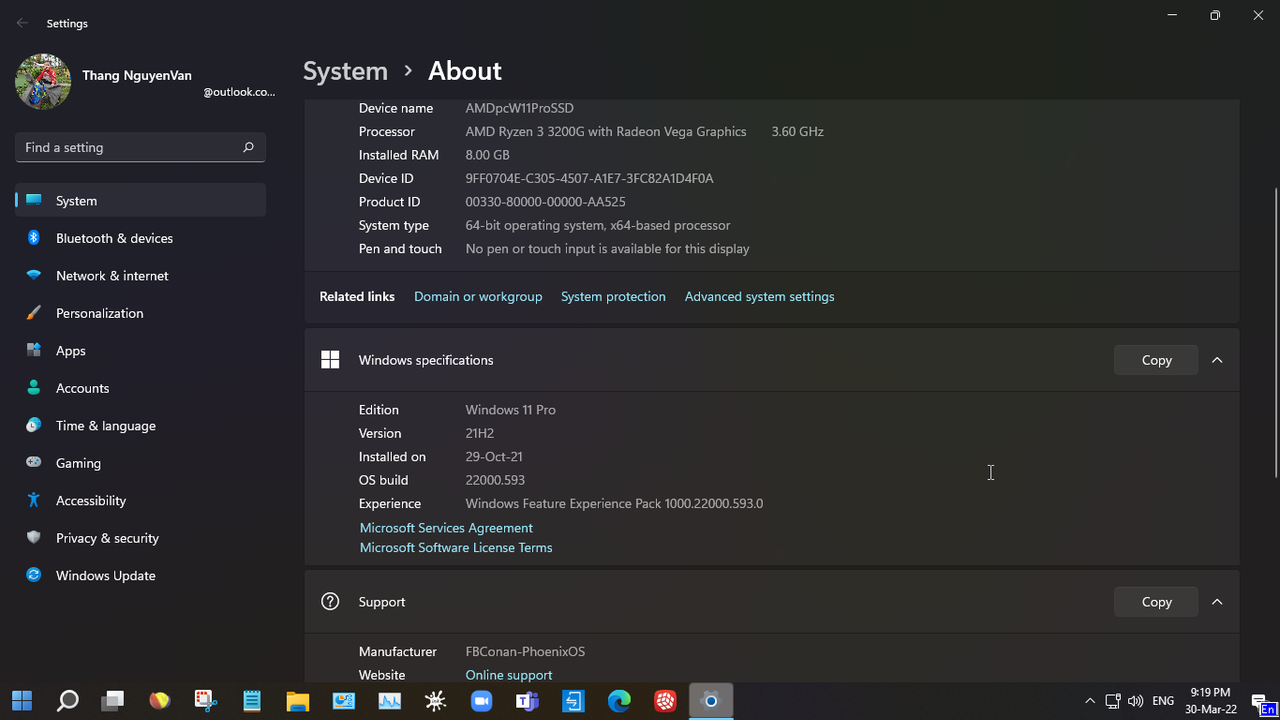
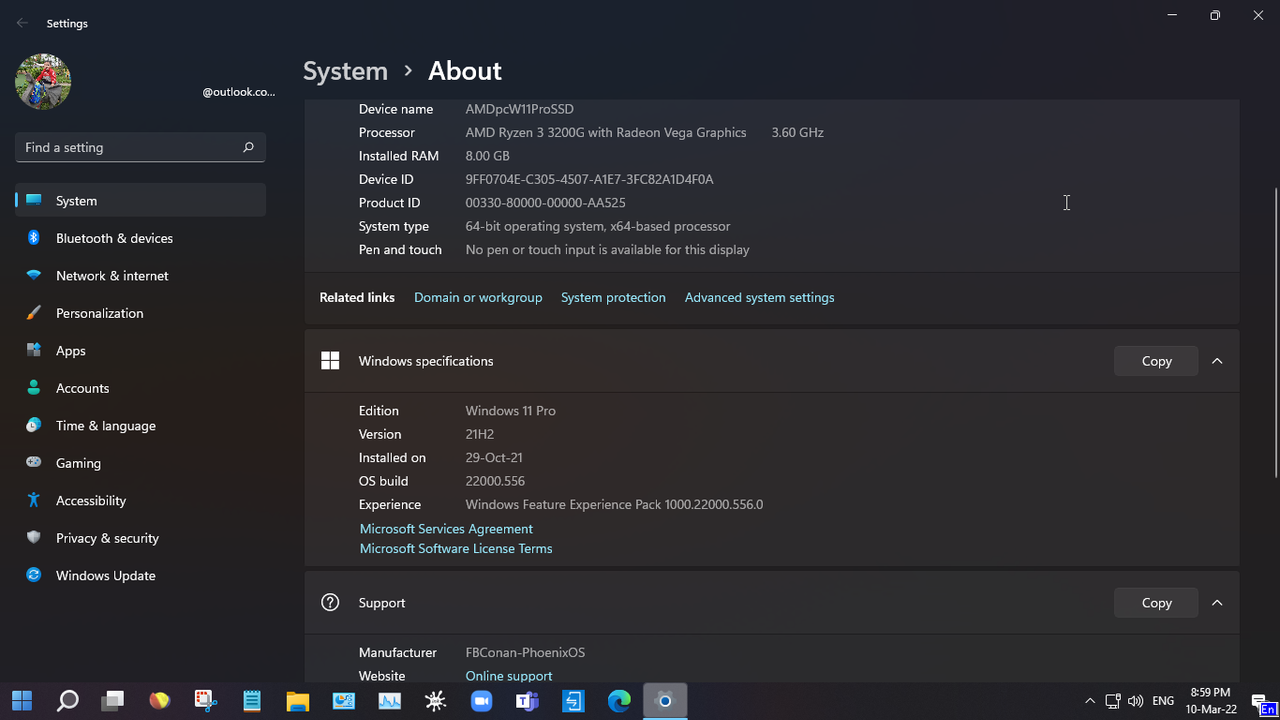
- Ngày 10 tháng 03 năm 2022: Update 22000.556 cho PhoenixOS 11
ISO Size: 4.1Gb
xem chi tiết ở comment *** Hidden text: cannot be quoted. ***
- Ngày 09 tháng 03 năm 2022: ✨Phoenix LiteOS 10 LTSC Plus✨ - (Build 19044.1566) - ISO Size:2.6Gb
xem chi tiết ở comment *** Hidden text: cannot be quoted. ***
- Ngày 06 tháng 03 năm 2022: ✨ Nexus LiteOS 11 [ Barebone + Superlite ] 🔥 Windows 11 LiteOS (22000.527) ✯ No TPM/Secure Boot Needed ✯ March 2022 ISO Size:2.6Gb (Superlite) / 1.8Gb (Barebone)
xem chi tiết ở comment *** Hidden text: cannot be quoted. ***
- Ngày 25 tháng 02 năm 2022: Giao diện XP cổ điển cho Win11
Windows XP Pro 11 Compact & Compress [22000.527] ISO Size: 3.6Gb, updatable
xem chi tiết ở comment *** Hidden text: cannot be quoted. ***
- Ngày 24 tháng 02 năm 2022: Giao diện macOS Montery cho Win11
Windows 11: MacOS Monterey Edition 🔥 | x64 Multi-Language | February 2022 ISO Size: 2.9Gb, updatable
xem chi tiết ở comment *** Hidden text: cannot be quoted. ***
- Ngày 20 tháng 02 năm 2022: Windows 11 _Pro Lite Edition-RTM-22000.527_TPM_x64_Feb 2022_Pre-Activated ISO Size: 2,7Gb, updatable
xem chi tiết ở comment *** Hidden text: cannot be quoted. ***
- Ngày 17 tháng 02 năm 2022: Windows_11_PRO_22000.527_21H2_Non-TPM_2.0_Compliant_x64_En-US_Pre-activated~Victor24~ ISO Size: 4.1 Gb, updatable
xem chi tiết ở comment *** Hidden text: cannot be quoted. ***
- Ngày 12 tháng 02 năm 2022: Phoenix LiteOS 11 Pro Plus (22000.493) ⭐ Compact ✯ Lite ✯ Gaming ✯ Updatable ✯ Optional Defender ISO Size: 2,7Gb
xem chi tiết ở comment *** Hidden text: cannot be quoted. ***
- Ngày 10 tháng 02 năm 2022: Windows 11 Ultra Lite - TeamOS Edition (22000.493) - 1.3Gb
xem chi tiết ở comment *** Hidden text: cannot be quoted. ***
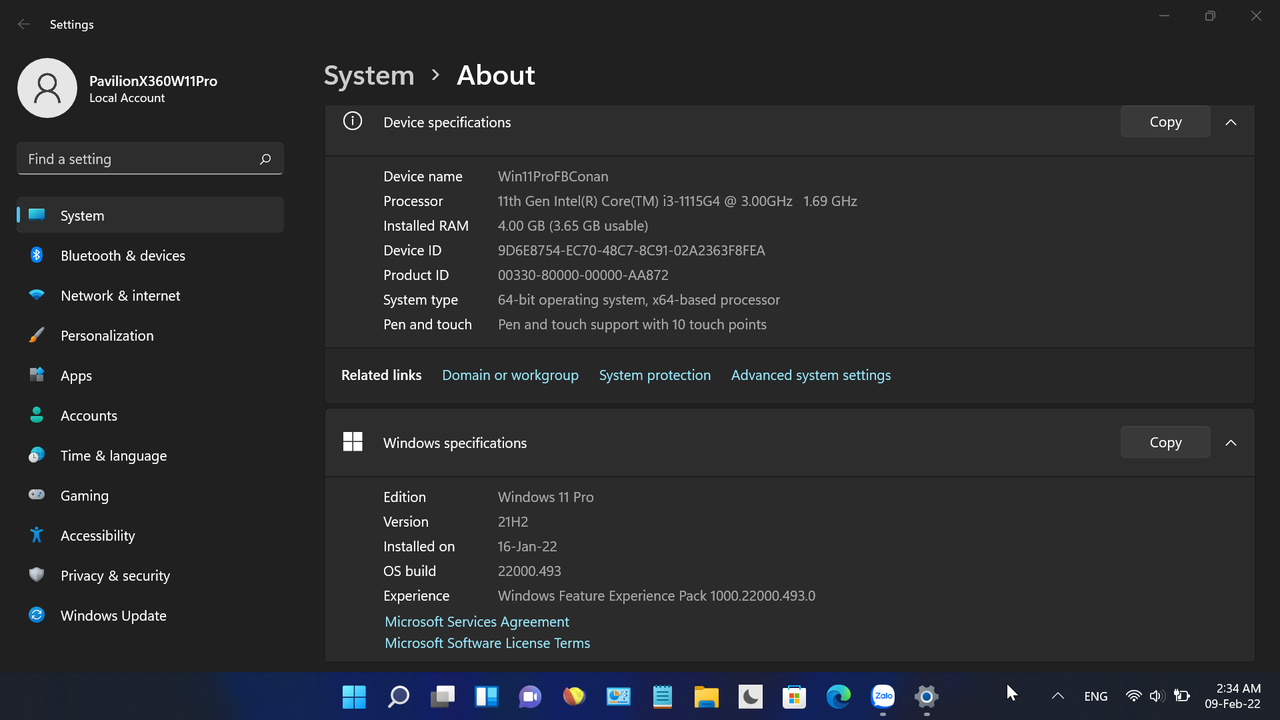
- Ngày 09 tháng 02 năm 2022: cập nhật build 22000.493. AE vẫn update từ các version cũ bình thường nhé
- Ngày 06 tháng 02 năm 2022: ✨ Phoenix LiteOS 11 Neon Gamer! ✨ ⇨ Build 22000.469 (Pro Edition) ⇦
xem chi tiết ở comment *** Hidden text: cannot be quoted. ***
- Ngày 27 tháng 01 năm 2022: cho những AE muốn cài mới, AE đã cài bản cũ thì update bình thường là lên.
xem chi tiết ở comment *** Hidden text: cannot be quoted. ***
- Ngày 15 tháng 01 năm 2022: cho những AE muốn cài mới, AE đã cài bản cũ thì update bình thường là lên.
Windows 11 Pro ✯ Enterprise ✯ Multi Edition (Build 22000.466) | No TPM Required | Updatable | Untouched
xem chi tiết ở comment *** Hidden text: cannot be quoted. ***
xem chi tiết ở comment *** Hidden text: cannot be quoted. ***
- Ngày 12 tháng 01 năm 2022: cho những AE muốn cài mới, AE đã cài bản cũ thì update bình thường là lên.
Phoenix LiteOS 11 Pro Plus (22000.434) | Windows 11 Compact / Lite / Gaming / Updatable / Optional Features / Optional Defender
xem chi tiết ở comment *** Hidden text: cannot be quoted. ***
xem chi tiết ở comment *** Hidden text: cannot be quoted. ***
- Ngày 15 tháng 12 năm 2021: cho những AE muốn cài mới, AE đã cài bản cũ thì update bình thường là lên. Windows 11 Pro - Enterprise - Home (Multi Edition) 22000.376 | No TPM Required - iso file 3.4Gb
xem chi tiết ở comment *** Hidden text: cannot be quoted. ***
Windows_11_PRO_22000.376_21H2_Non-TPM_2.0_Compliant_x64_En-US_Pre-activated~Victor24~.iso - 4Gb
xem chi tiết ở comment #441 update 22000.438 cho Phoenix OS 11
- Ngày 08 tháng 12 năm 2021: Phoenix LiteOS 11 Pro Gamer - iso file 1.54Gb
xem chi tiết ở *** Hidden text: cannot be quoted. ***
- Ngày 29 tháng 11 năm 2021: Phoenix LiteOS 10 Pro Gamer - ISO file 1,33Gb
xem chi tiết ở *** Hidden text: cannot be quoted. ***
- Ngày 24 tháng 11 năm 2021:
Windows_11_PRO_22000.348_21H2_Non-TPM_2.0_Compliant_x64_En-US_Pre-activated~Victor24 (3.98Gb iso file)
xem chi tiết ở *** Hidden text: cannot be quoted. ***
fix lỗi This device not meet minimum requirements for installing the software khi cài app Dell Mobile Connect từ Windows Store trên Windows 11 Enterprise LTSC build by @dungltcd
xem chi tiết ở *** Hidden text: cannot be quoted. ***
- Ngày 22 tháng 11 năm 2021: Phoenix LiteOS 10 LTSC | Windows 10 Enterprise LTSC 21H2 (19044.1381) Compact | Super Lite | 200 MB Idle RAM
xem chi tiết ở *** Hidden text: cannot be quoted. ***
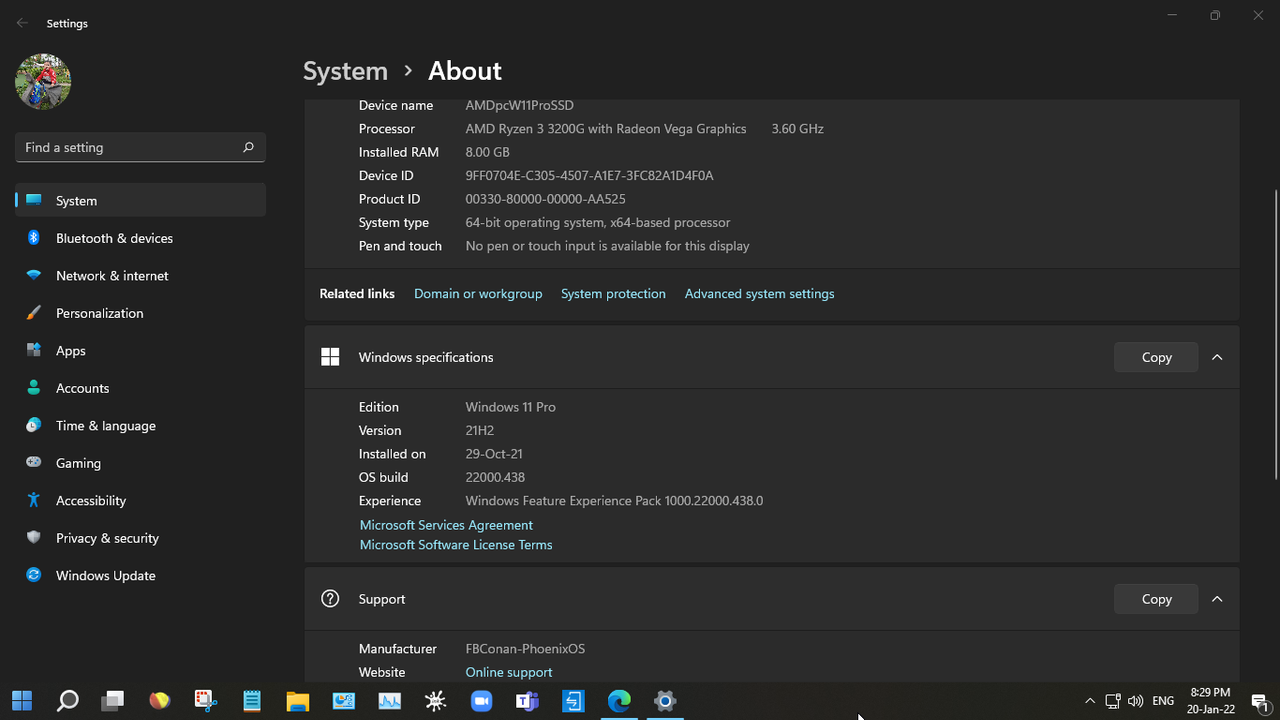
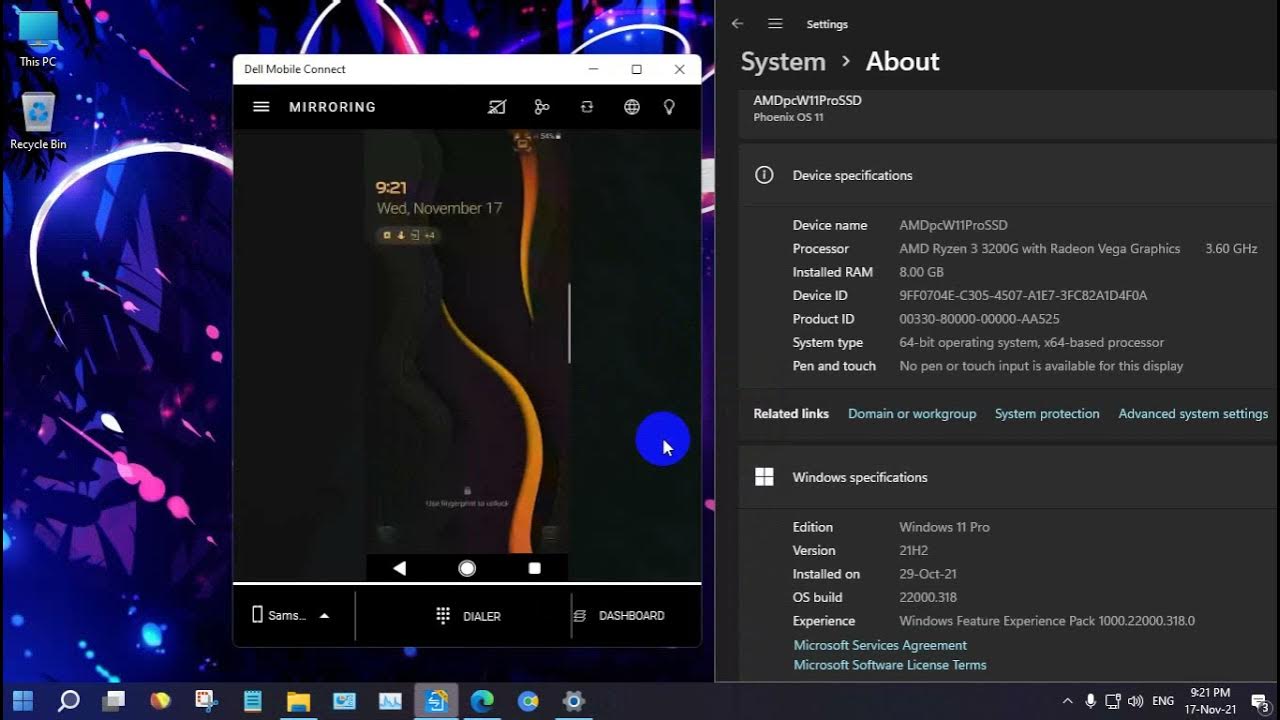
- Ngày 17 tháng 11 năm 2021: thử nghiệm Dell Mobile Connect v4.1.7498 trên PhoenixOS 11
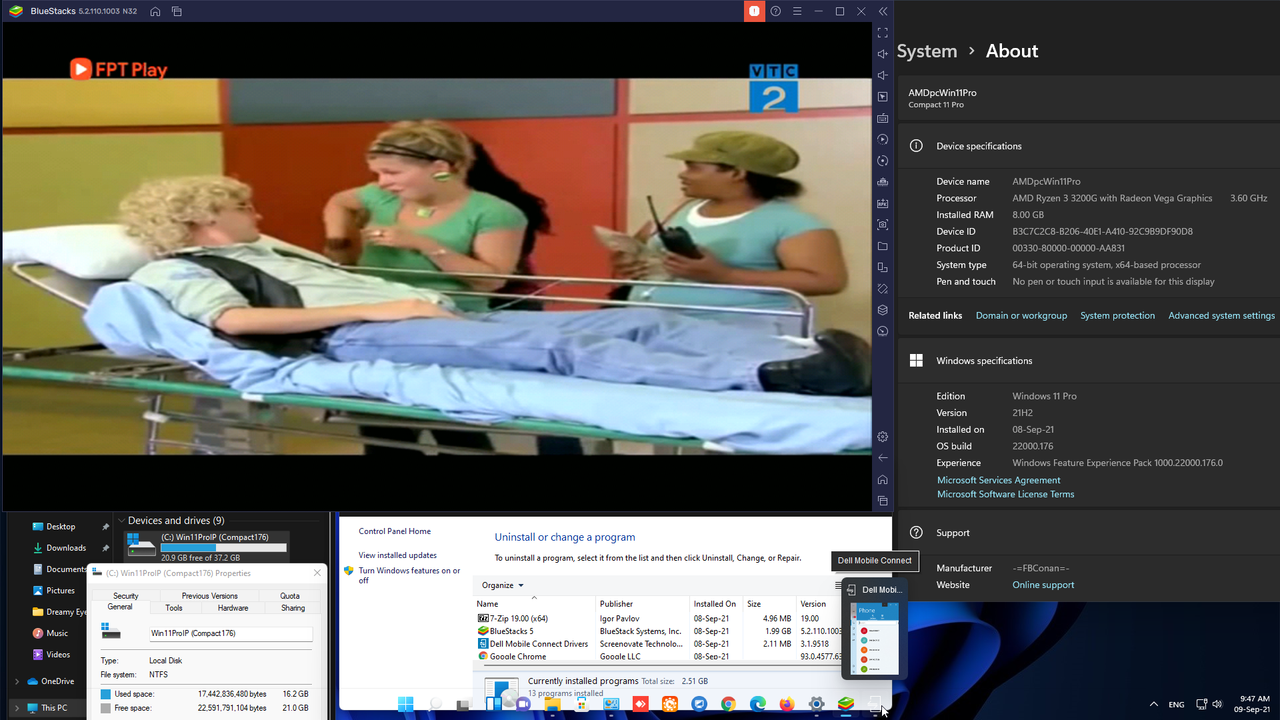
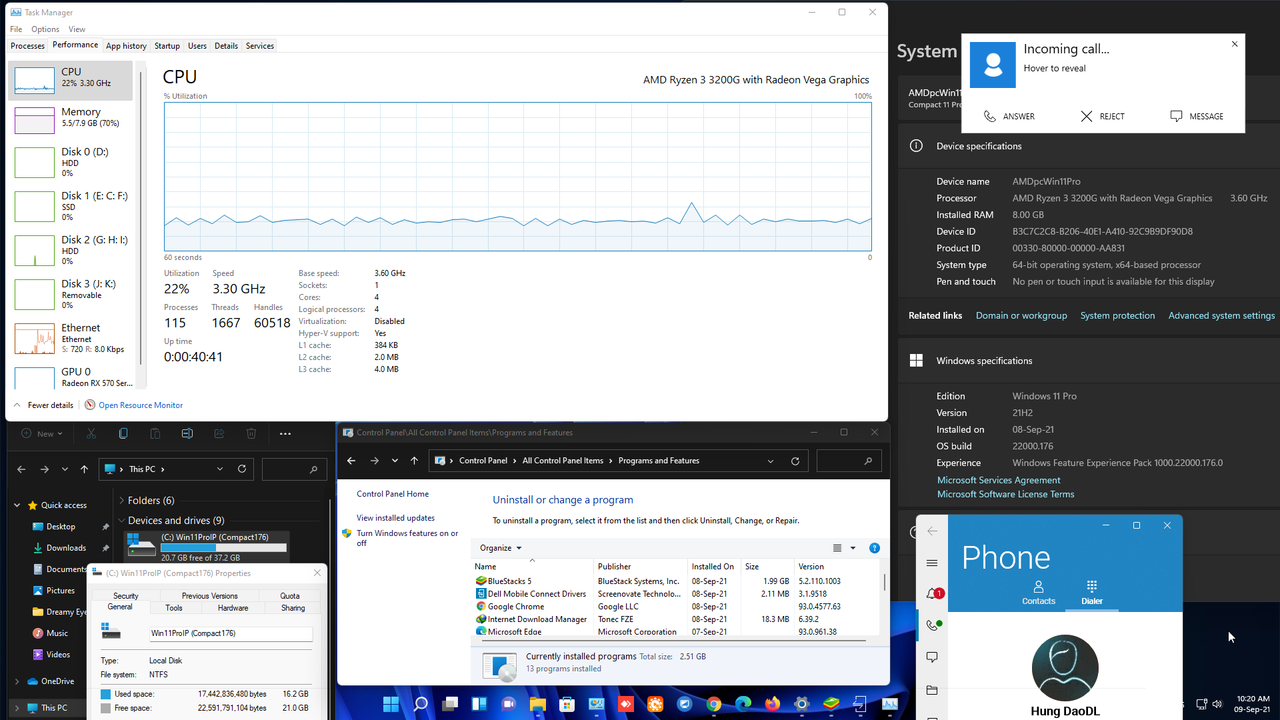
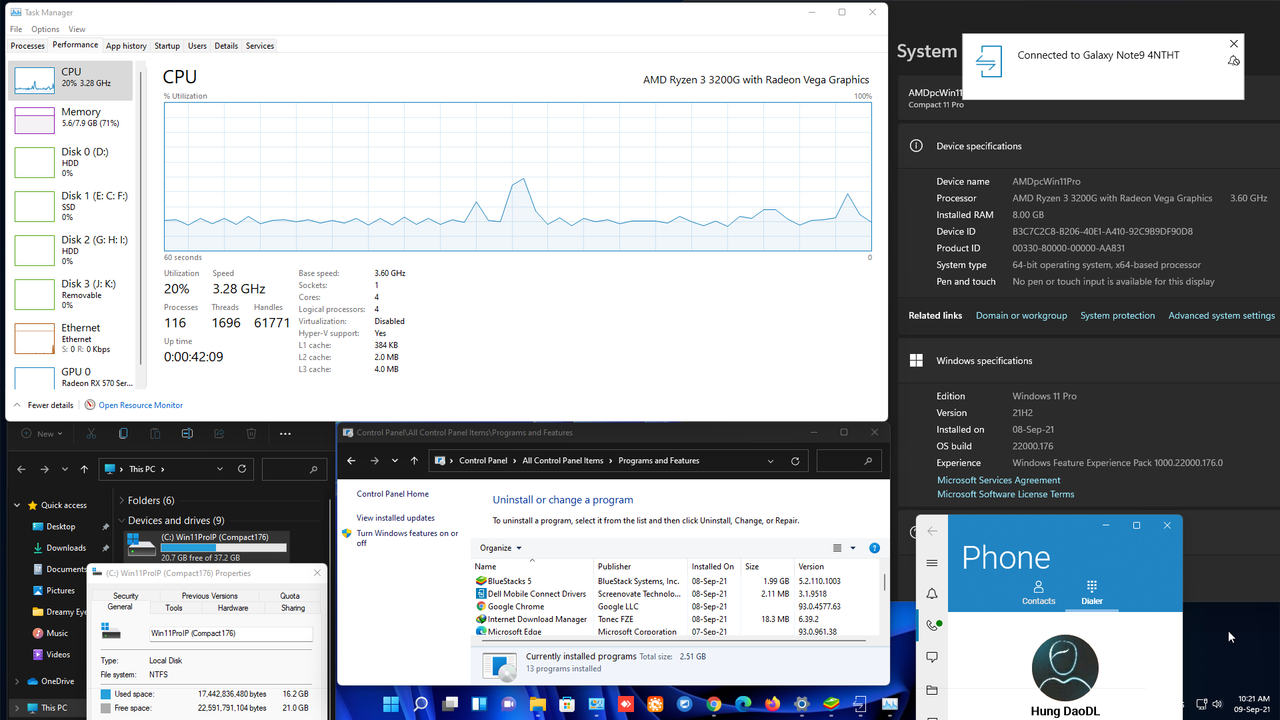
Dell Mobile Connect v4.1.7498 trong Ms Store chạy ngon rồi và không cần phải cài đặt loằng ngoằng như ngày trước: (tham khảo ở comment #8, "cách cài đặt ngày trước" ở đây #1). Chi tiết ở clip sử dụng
- Ngày 16 tháng 11 năm 2021: FBConan giới thiệu trang website của riêng mình, AE có nhu cầu các bản Windows mod mới nhất thì xem chi tiết ở đây #380
- Ngày 12 tháng 11 năm 2021: test Scrble_ink trên Windows 11 Pro 22000.318 by Victor24-TeamOS thành công. và trên Phoenix OS 11 cũng...thành công. Cảm ơn bác @phonzglinh đã share file cài đặt.
xem chi tiết ở comment #358
xem chi tiết ở comment #347
- Ngày 09 tháng 11 năm 2021: Phoenix LiteOS 11 Dev Leak - Windows 11 Pro Dev Leak (21996.1) Super Lite Download Games from Game Pass or Microsoft Store?, Run UWP Apps? Yep! It just works.
Chi tiết ở comment #321 - Ngày 03 tháng 11 năm 2021: tiếp theo thành công của Phoenix OS 11 là bản dành cho DEV
- Link gg drive (cảm ơn bác @ThaiDoViet):*** Hidden text: cannot be quoted. ***
- Checksum:
File: Phoenix OS 11 Pro Dev FINAL (22489.1000) TeamOS-FBConan.iso
Size: 2599280640 bytes
Modified: Thursday, November 4, 2021, 1:45:58 PM
MD5: E74A5F345AA7978A0AD821693080E17D
SHA1: A87EEEE3136C8133799CFB4393862BBE5EE917F6
CRC32: 11DE5715
P.S: cài được Windows-Subsystem-for-Android, Dell Mobile Connect trên bản PhoenixOS11 này AE tham khảo cách cài ở comment #255 Dell Mobile Connect: một tính năng hữu ích, cũng cài đặt thành công trên bản mod này. Tham khảo cách cài đặt tool này ở #1 Hiện tại: ngoài Phoenix OS 11 iem test chưa bản Win11 lite nào (như Oprekin LitePlus; ItsMine Lite OS Project; LiteOS; GHOSTSPECTRE) cài được WSA và Dell Mobile Connect Sorry AE, vì share trên youtube, nên link gg drive đã quá tải (chứng tỏ sức thu hút của Phoenix OS11) nên iem post thêm link fshare ở comment #286, không còn dung lượng gg drive (đang mượn của bác @ThaiDoViet)
- Các bản Windows mod ở topic này từ teamos, đã test cẩn thận và đang được dùng thực tế (xem comment #180, #185, #199). Các bản Insider Preview có link ở cuối comment #1 này - Hướng dẫn dùng WinNTSetup cài đặt bản mod FBConan. Khuyên dùng WinNTSetup trong WinPE hơn, AE sử dụng bản của Sergei Strelec download ở đây comment #196. Win11 Original (ZIN) cũng như bản này,ngắt kết nối mạng để cài đặt nhanh hơn nhé AE. 2. này thì ốp đết 22000.318 trên PhoenixOS 11
You should creat a account on teamos, after you can download it. If you don't like 4rum. I have done leech it. P.s: rename "_" to "." so that get full link d...
www.youtube.com
Dell Mobile Connect
64-bit (x64) processor with a clock speed of 1 gigahertz (GHz) or higher;
2 GB (64-bit) random access memory (RAM);
32 GB (64-bit) hard disk space;
DirectX 9 graphics device with WDDM 1.0 or higher driver.
- This windows 11 build was for machine that doesn't met the requirement for windows 11.
- This build was designed to work on clean install only. None of the windows features have been removed, and no cosmetics have been implemented.
The activation was base on MS procedure, for that matter, an internet connection was required during the process of installation. Net framework was also integrated.
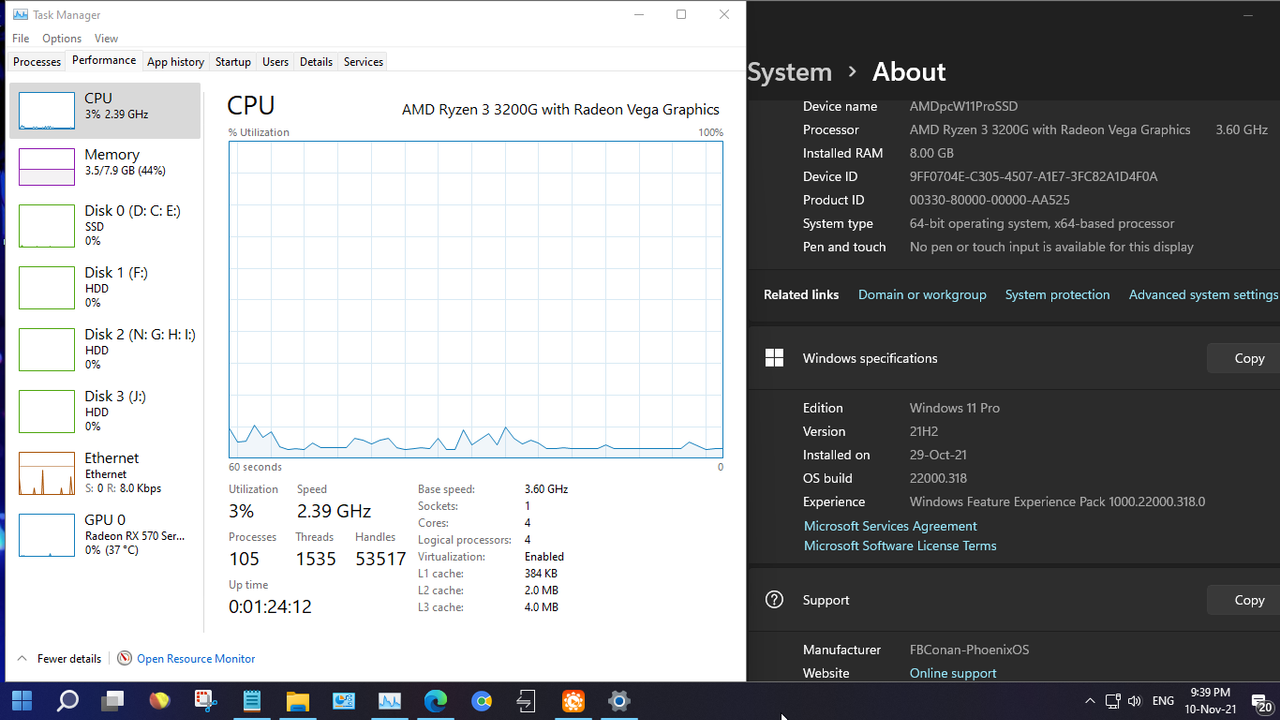
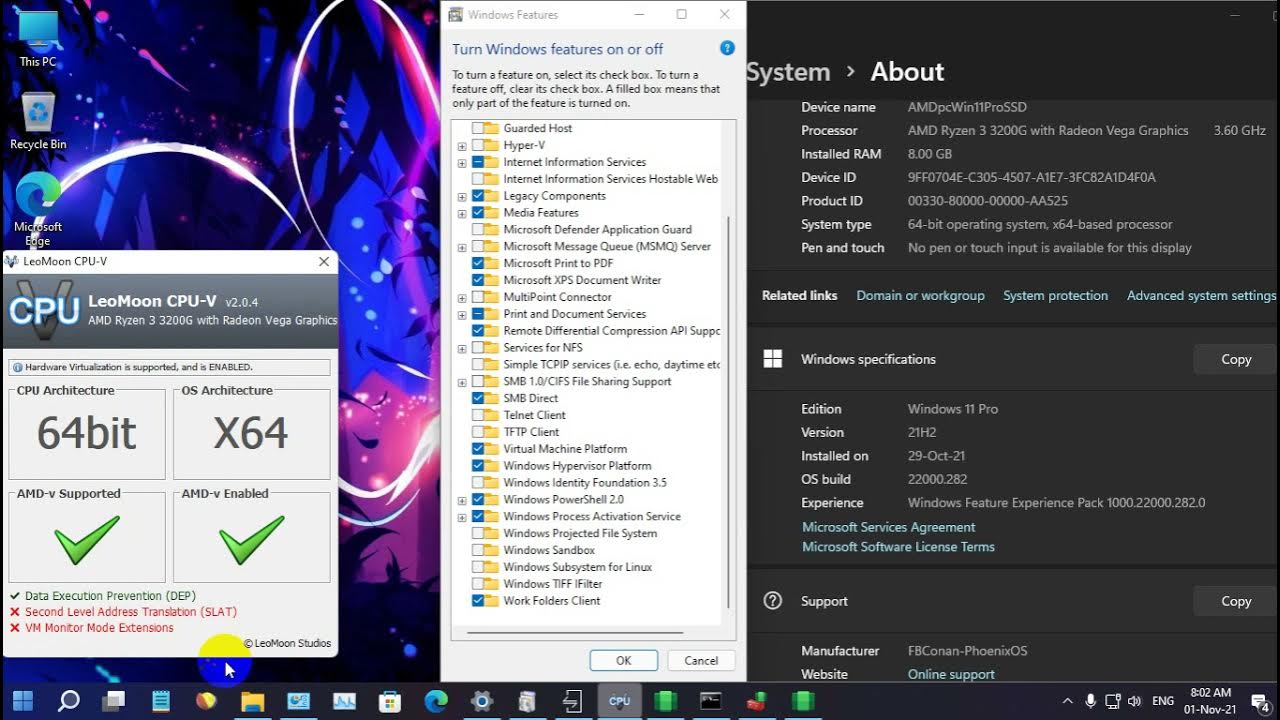
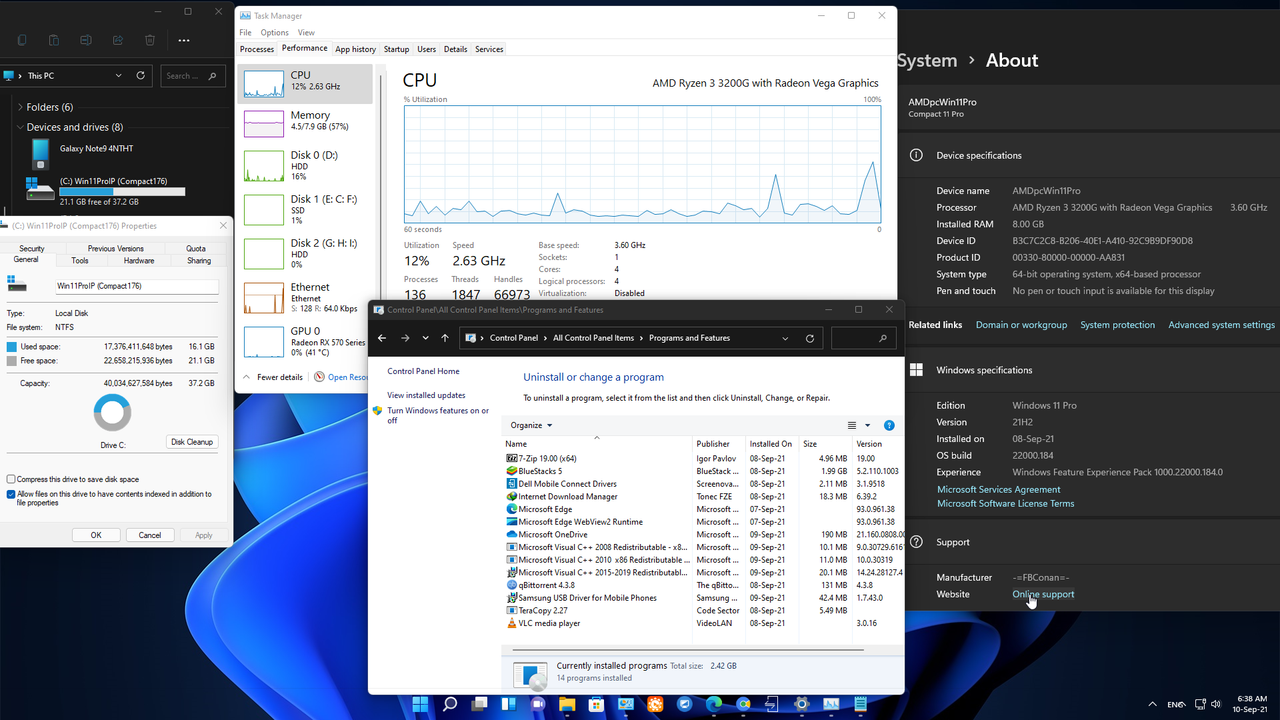
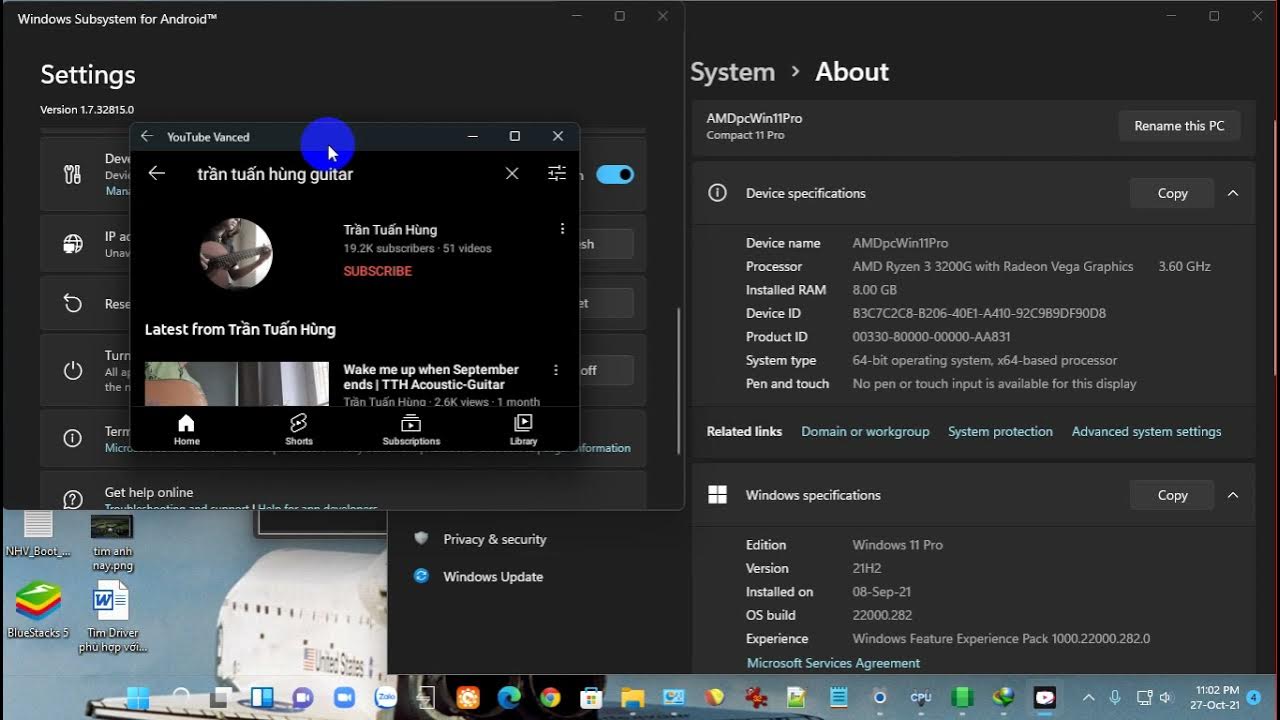
+ Video clip quay màn hình máy bàn AMD Ryzen3200G, Chú ý: 1. Dùng WinNTSetup cài trên PE NHVBoot v570 (đã được bác @nguyenanhphong rebuild ở topic https://vn-z.vn/threads/nhv-boot-2021-danh-cho-ventoy.41643/#post-606184]NHV-BOOT 2021 dành cho Ventoy[/URL] + không cần acc insider preview update phà phà từ .65->71->100->120->132->160->168->176->184->194->258->282
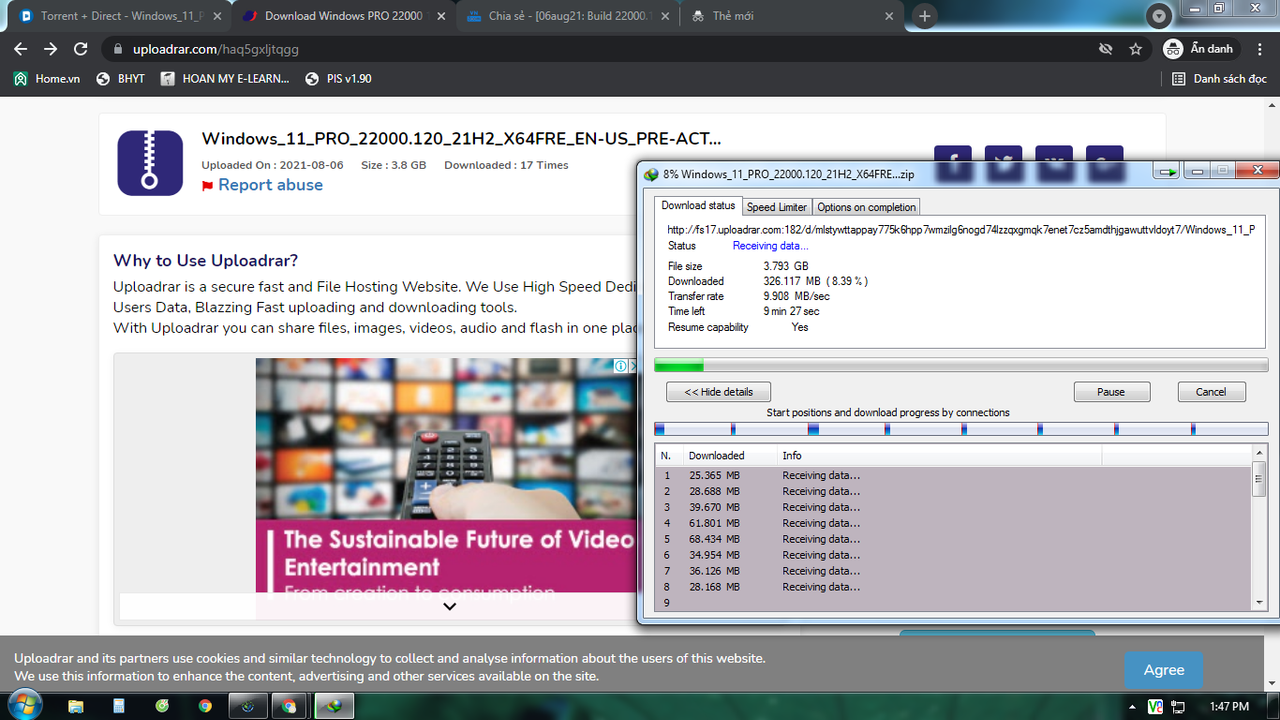
+Ngoài link gg drive, fshare còn có link download uploadrar. com acc free khá nhanh
1. Ngày 09 tháng 7 năm 2021: Windows_11_ENTERPRISE/PRO_22000.65_21H2
10. Ngày 17 tháng 9 năm 2021: - AE cài đặt bản cũ, thì update lên 22000.194/22458.1000 bình thường và dùng ok nhé
- Cập nhật 22000.194 cho những ae muốn cài mới
===================================================================================== Edition: Windows 11 PROFESSIONAL Version: 21H2 OS Build: 22000.194 System Type: x64 Interface language: English-US Author: Victor24...
- Checksum:
Name: Windows_11_PRO_22000.194_21H2_Non-TPM_2.0_Compliant_X64_En-US_PRE-ACTIVATED.iso
Size: 4121591808 bytes (3930 MiB)
SHA256: CD29F1500B90C125BB572430B36F2692A726D43C7D4BF40069FE94D79D4EA5B8
Description
- This windows 11 build was for machine that doesn't met the requirement for windows 11 (Non-TPM_2.0).
- This build was designed to work on clean install only. None of the windows features have been removed, and no cosmetics have been implemented.
The activation was base on MS procedure, for that matter, an internet connection was required during the process of installation. Net framework was also integrated.
12. Ngày 13 tháng 10 năm 2021: update 22000.258 cho các ae muốn cài mới
13. Ngày 16 tháng 10 năm 2021: cập nhật 22000.282 Windows 11 Pro 21H2 (22000.282) Compact Lite (This build cannot receive future OS Features and Updates) dành cho máy "yếu sinh lý" đã test trên Pentium Dual T3200 2GHz, RAM DDR2 3Gb:file ISO 1,7Gbdownload ở đây *** Hidden text: cannot be quoted. ***
14. Ngày 27 tháng 10 năm 2021: cài đặt thành công Windows Subsystem for Android trên Compact 11 Pro (22000.176) With Defender, xem chi tiết ở comment #228
You should creat a account on teamos, after you can download it. If you don't like 4rum. I have done leech it. P.s: rename "_" to "." so that get full link d...
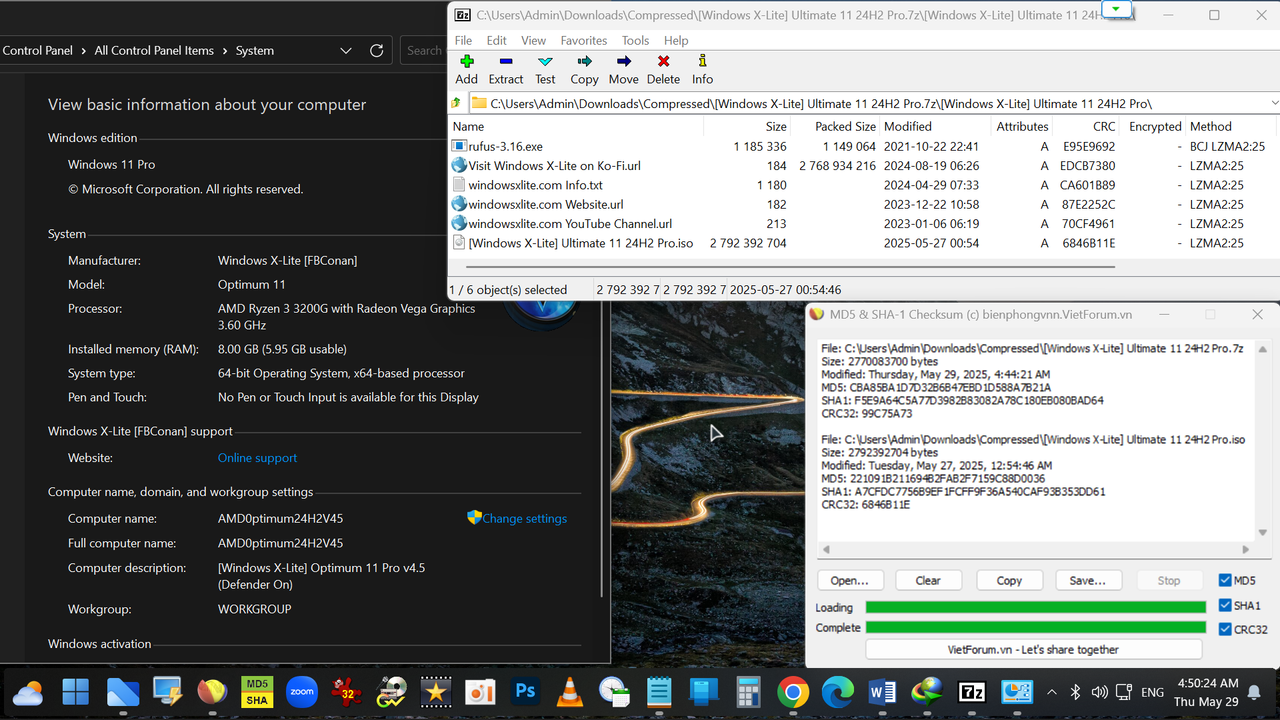
• Based on Windows 11 24H2 (OS Build 26100.2033) this
release is designed to provide a unique, simple, and beautiful user experience,
and provide enhanced performance, accessibility, privacy and control, and is designed to run as light and responsive as possible, without sacrificing feature or function.
• Ultimate 11 gives you more freedom and control by offering optional
Defender, Edge, Updates, Widgets, Microsoft Store, Windows Apps, and much more.
It's designed to respect your privacy, boost performance, and improve
stability and control, no matter what you use your PC for.
• This release adds a beautiful opaque look to file explorer, includes a customizable dock and game suite, and includes beautiful wallpapers and themes to enhance your Windows experience.
• Our Ultimate 11 24H2 Home edition and Pro edition builds are equal in performance, responsiveness, and resource use, so download and install the correct edition for your laptop or license for the Ultimate Windows 11 24H2 experience on your PC!.
BUILD INFO:
• 2.6 GB ISO
• 4.7 GB Installed Size
• Debloated and Optimized out of the box
• Optional Windows Defender
• Optional File Explorer Gallery
• Full Featured, Updatable Build
• Virtual Memory Enabled by Default
• Automatic Updates Paused Until 3000
• Integrated Intel RST Drivers into Setup
• Includes Optional File Explorer Transparency
• Extreme Performance for your Apps and Games
• Full Support for UWP Apps, Xbox, MS Store and much more
• Full Support for Additional Language Packs, Speech, Voice, etc.
• Full support for all optional features including WSA and WSL2
• Enabled Rounded Corners, Acrylic, and Mica by default (Even in a VM!)
• Automatic Updates can be paused for up to 10 years after resuming
• Additional Improvements and Optimizations Included
• No Pre-installed UWP Apps
• MS Store Installer Included
 💥 Designed to work with all Apps and Games, on All PCs. Old or new, weak or strong, Desktop or Laptop.
➡️ Bypasses TPM, Secure Boot, RAM, CPU, and Storage Checks
➡️ Bypasses Microsoft's Forced Account Creation during Setup / Installation
- Multi Build ISO With Selective Windows Defender During Setup
+ Removed Features Include: Edge, Smart Screen, UWP Apps, Webview & Widgets
+ Disabled Features Include: Defender (Optional), Windows Ink Workspace, BitLocker, Error Reporting, Indexing, UAC, Ads, Telemetry, Hibernation, Power Throttling.
+ Performance Prioritized: This build has been designed to Maximize Performance, Responsiveness, and Resource Savings.
INSTALLATION
• Use Rufus ONLY to write the ISO to a USB Drive.
• Boot from the USB Drive, and Perform a Clean Installation to your desired partition.
• *Your PC Will Reboot Once, Shortly After Installation Completes.
• We Recommend you download and install DX9 and VC++ Runtimes from our software Page:
Mã:
https://windowsxlite.com/software/
• For AMD Ryzen PC's, please download the latest Chipset Drivers from our software Page:
Mã:
https://windowsxlite.com/software/
• To Troubleshoot any issues you may have, please read our guides Page for help!:
Mã:
https://windowsxlite.com/guides/
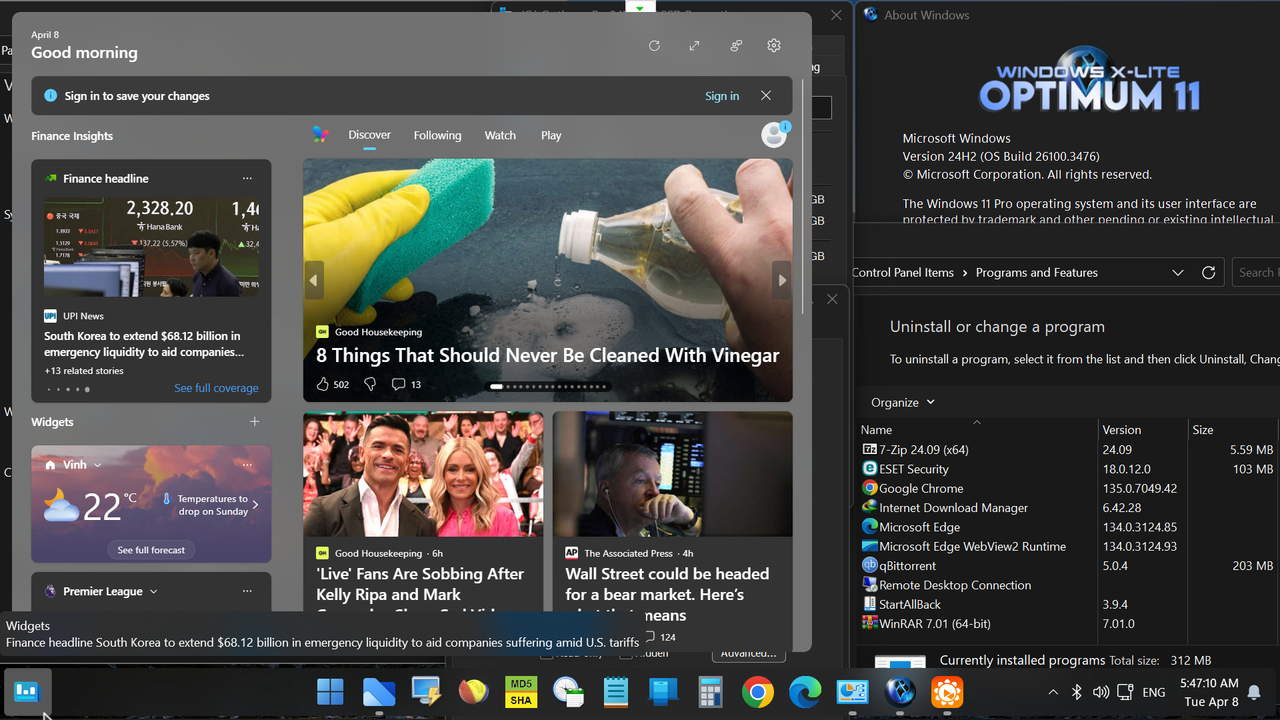
Widgets Enabler
• If You'd like to enable Widgets (News and Interests Feed) in this build, you'll first need to install the Edge browser and Webview2 Runtime, which are both included inside the extras folder in this release. You'll also need to run the shortcut labeled 'Widgets On' in the extras folder, then download and install the Widgets App linked below, followed by restarting your PC to complete changes.
File Explorer Gallery Enabler
• If you'd like to enable File Explorer's new 'Gallery' feature,
download our 'Gallery Enabler' for everything you need
to enable Gallery in this release!
• Our Optimum 11 24H2 Home edition and Pro edition builds are equal in performance, responsiveness, and resource use, so download and install the correct edition for your laptop or license for the Ultimate Windows 11 24H2 experience on your PC!
• If you're familiar with our 22H2 and 23H2 Optimum 11 builds, this release will make you feel right at home, as it offers a similar experience, and is designed to be as small, light, and responsive as possible, and designed to work on any PC
If you can install and run Windows 10 on your PC and have SSE4.2 support, you'll be able to do the same with this release.
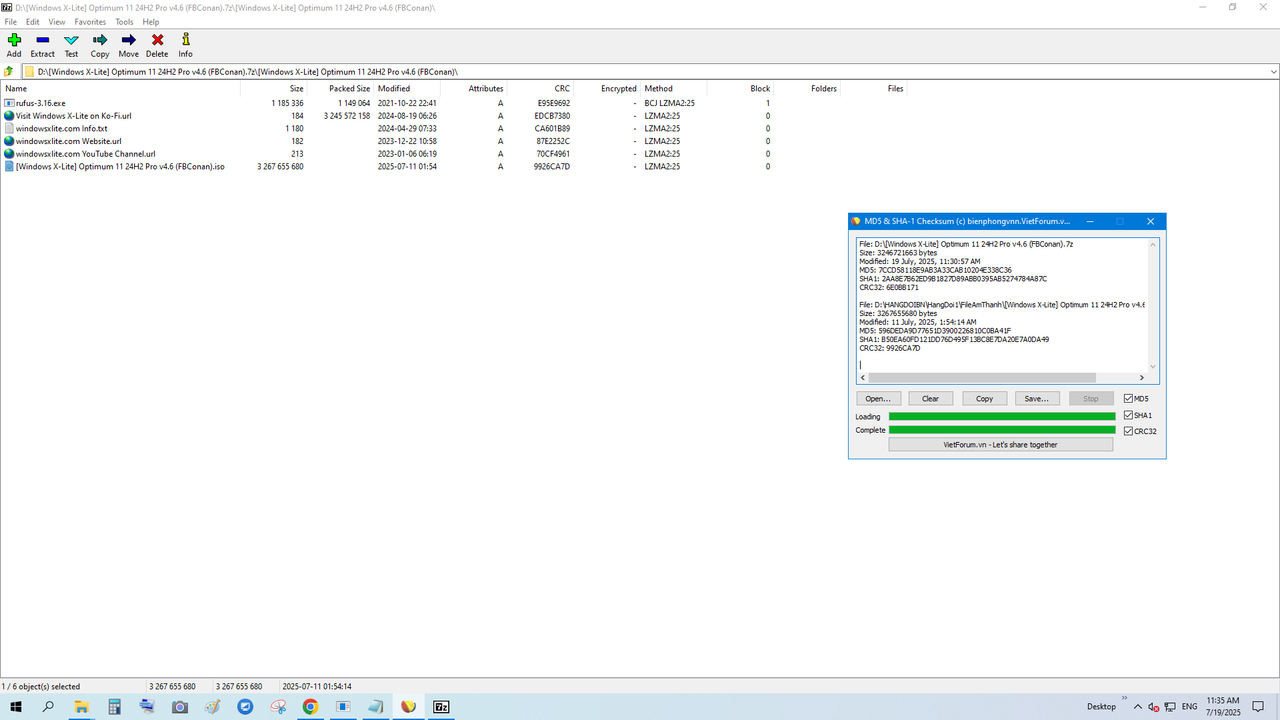
🔹Changes in v4.6 include:
▸ Based on a newer OS Build (26100.4652),
▸ Defender On and Defender Off Builds included in single ISO
▸ Explorer Icon reverted to Stock Windows 11 look
▸ Improved cleanup
🔹If you'll be adding a language pack and changing the default language after installation, I recommend installing our Optimum 11 24H2 Pro v4.4b release instead, as it's based on an older build of 24H2 that has better language pack support.
BUILD INFO:
• 3 GB ISO
• 5.3 GB Installed Size
• Debloated and Optimized out of the box
• Optional Windows Defender
• Optional File Explorer Gallery
• Full Featured, Updatable Build
• Virtual Memory Enabled by Default
• Automatic Updates Paused Until 3000
• Integrated Intel RST Drivers into Setup
• Includes Optional File Explorer Transparency
• Extreme Performance for your Apps and Games
• Full Support for UWP Apps, Xbox, MS Store and much more
• Full Support for Additional Language Packs, Speech, Voice, etc.
• Full support for all optional features including WSA and WSL2
• Enabled Rounded Corners, Acrylic, and Mica by default (Even in a VM!)
• Automatic Updates can be paused for up to 10 years after resuming
• Additional Improvements and Optimizations Included
• No Pre-installed UWP Apps
• MS Store Installer Included
💥 Designed to work with all Apps and Games, on All PCs. Old or new, weak or strong, Desktop or Laptop.
➡️ Bypasses TPM, Secure Boot, RAM, CPU, and Storage Checks
➡️ Bypasses Microsoft's Forced Account Creation during Setup / Installation
- Removed Features Include: Edge, Smart Screen, UWP Apps, Webview & Widgets
- Disabled Features Include: Defender (Optional), Bitlocker, Windows Ink Workspace, Error Reporting, Indexing, UAC, Ads, Telemetry, Hibernation, Power Throttling.
- Performance Prioritized!: This build has been designed to Maximize Performance, Responsiveness, and Resource Savings.
INSTALLATION
• Use Rufus software to write the ISO to a USB Drive.
• Boot from the USB Drive, and Perform a Clean Installation to your desired partition.
• *Your PC Will Reboot Once, Shortly After Installation Completes.
• We Recommend you download and install DX9 and VC++ Runtimes from our Software Page
• For AMD Ryzen PC's, please download the latest Chipset Drivers from our Software Page
• To Troubleshoot any issues you may have, please read our Guides Page for assistance
Widgets Enabler
• If You'd like to enable Widgets (News and Interests Feed) in this build, you'll first need to install the Edge browser and Webview2 Runtime, which are both included inside the extras folder in this release. You'll also need to run the shortcut labeled 'Widgets On' in the extras folder, then download and install the Widgets App linked below, followed by restarting your PC to complete changes. Link download Windows X-Lite 24H2 Widgets App Installer.zip
Mã:
https://pixeldrain.com/u/hKYmMcHk
File Explorer Gallery Enabler
• If you'd like to enable File Explorer's new 'Gallery' feature,
download our 'Gallery Enabler' for everything you need
to enable Gallery in this release! Link download Windows X-Lite 24H2 Gallery Enabler v2.zip
Bản mod của James (FBConan) dùng cho máy cũ, cấu hình RAM 2Gb trở lên. Laptop của bác thì ok rồi.
Mã:
💥 Designed to work with all Apps and Games, on All PCs. Old or new, weak or strong, Desktop or Laptop.
➡️ Bypasses TPM, Secure Boot, RAM, CPU, and Storage Checks
➡️ Bypasses Microsoft's Forced Account Creation during Setup / Installation
Bác xem youtube chính chủ của FBConan, rồi mạnh dạn thử nghiệm sẽ thấy quyết định của mình đúng và đáng giá.
Con gái đang tính mua laptop mới, cho mình cái laptop này, bao giờ nó cho mình sẽ cài thử nghiệm, vì hiện nay máy đang cài win 10 home mà còn chạy chậm.
Con gái đang tính mua laptop mới, cho mình cái laptop này, bao giờ nó cho mình sẽ cài thử nghiệm, vì hiện nay máy đang cài win 10 home mà còn chạy chậm.