Sau 15 năm mới quay lại dùng thử BKAV Pro, cảm nhận ra sao?
We've detected that you are using AdBlock Plus or some other adblocking software which is preventing the page from fully loading.
We need money to operate the site, and almost all of it comes from our online advertising.
Please add vn-z.vn to your ad blocking whitelist or disable your adblocking software.
All the knowledge we share is completely free. If you are willing, please support us here.

https://windowsxlite.com/25H2_Dev_v2/
https://pixeldrain.com/u/6sVzg6ND
https://windowsxlite.com/software/
https://windowsxlite.com/guides/
https://fastupload.io/57bc407a302f9aa3?pt=b0VwT3dCWmd5OVBLRXBtMmFxK2M0R3N3YVhWeVVVbENVVWRWYjNVelZ6bHNaVXd6YmxFOVBRPT0%3D
https://fastupload.io/d3b15205b942ee6f?pt=MGJLTmpGQ3gxOXZVSDV5ZjcxL1JTRWhOWkVOdlZtaGpLMjE1VHpKbmFtTTJZVEkwTkVFOVBRPT0%3D

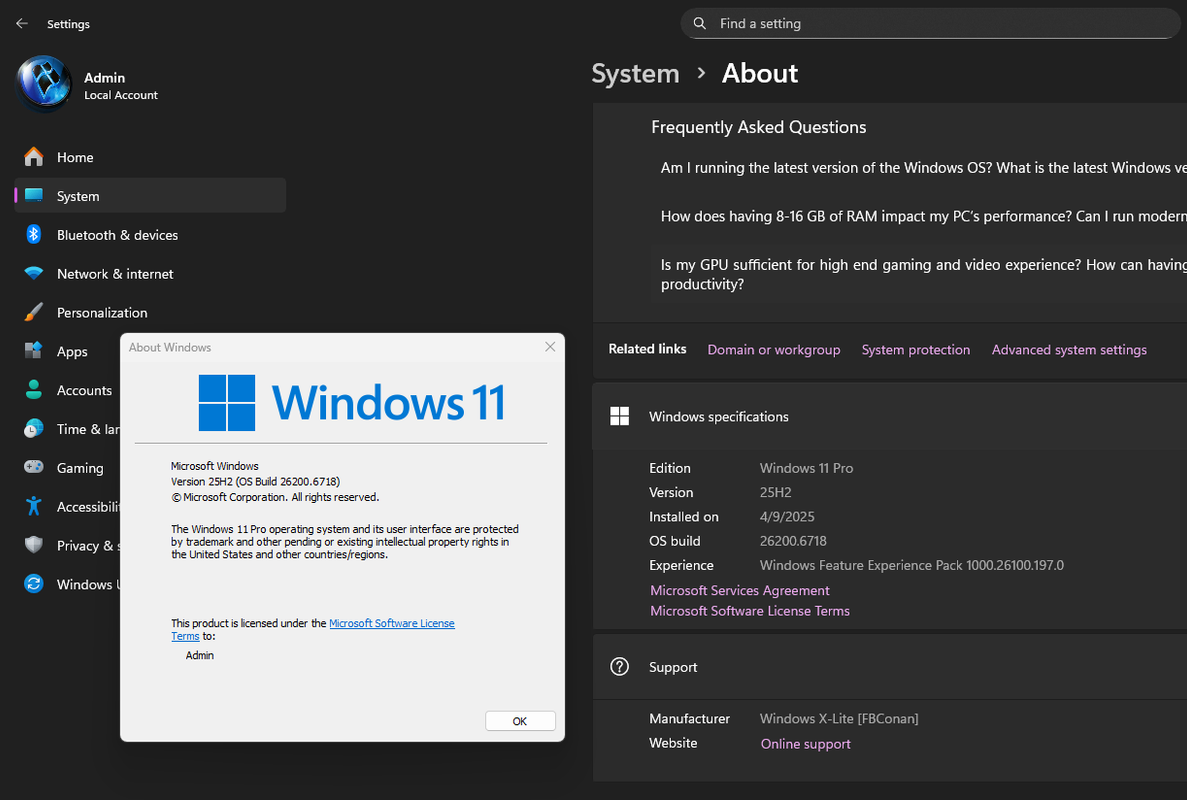
[Windows X-Lite] Optimum 11 25H2 Pro (Dev v2)
Link download:Mã:https://windowsxlite.com/25H2_Dev_v2/
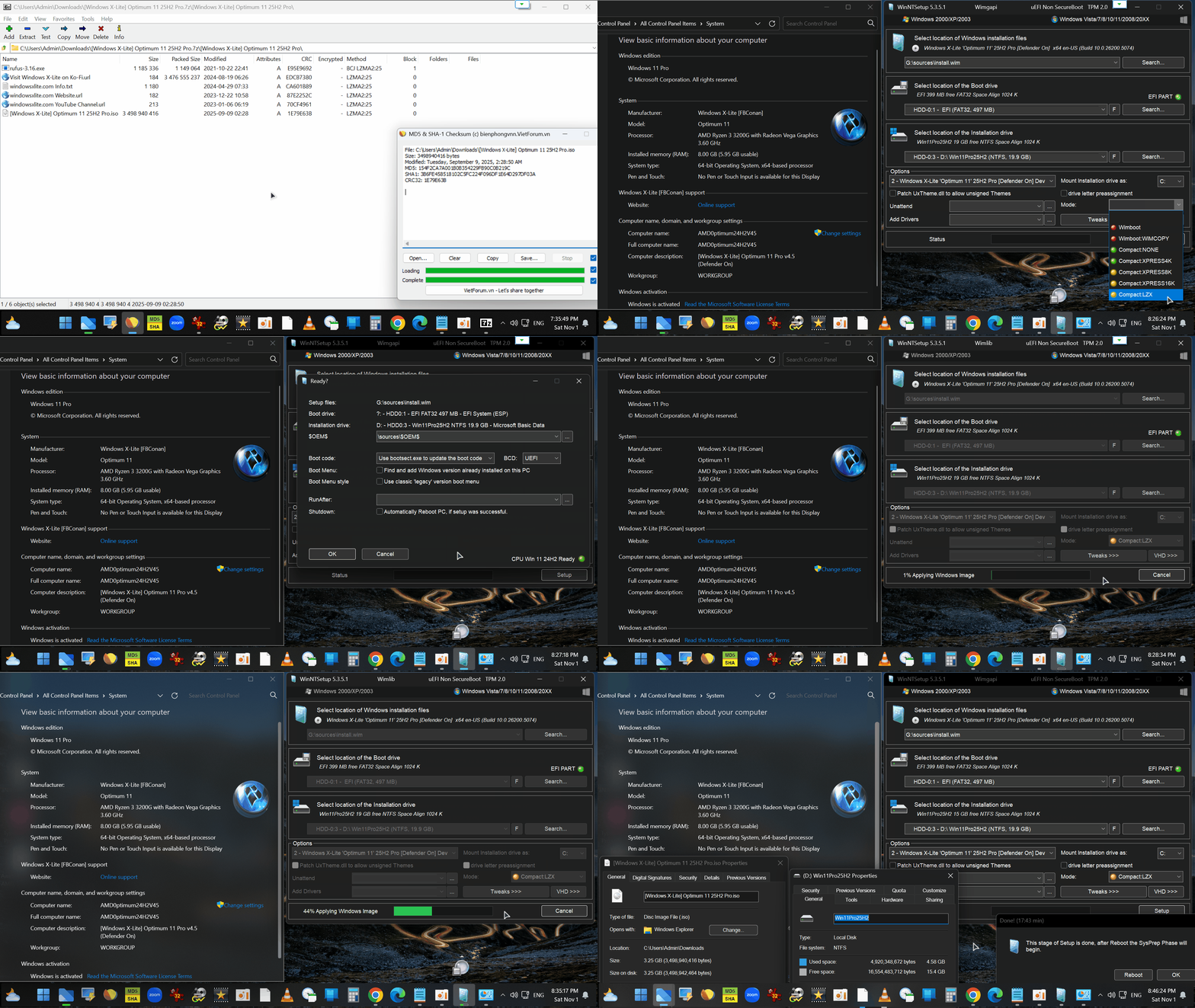
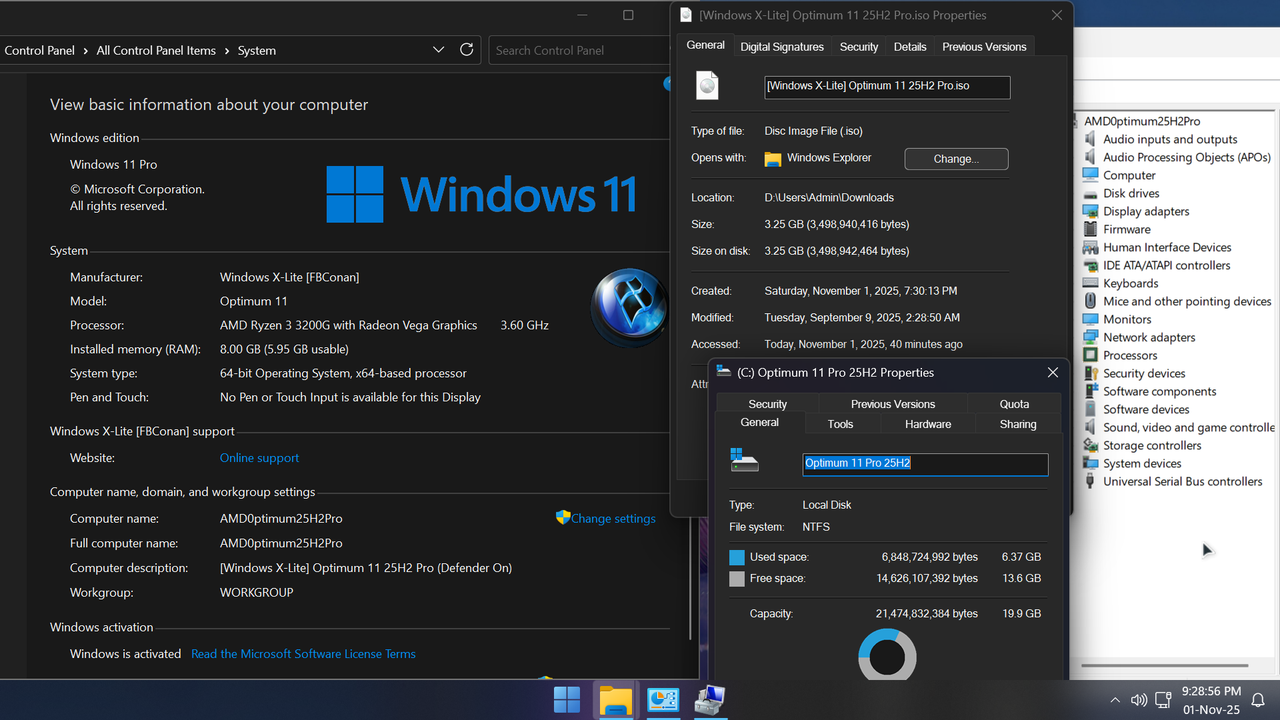
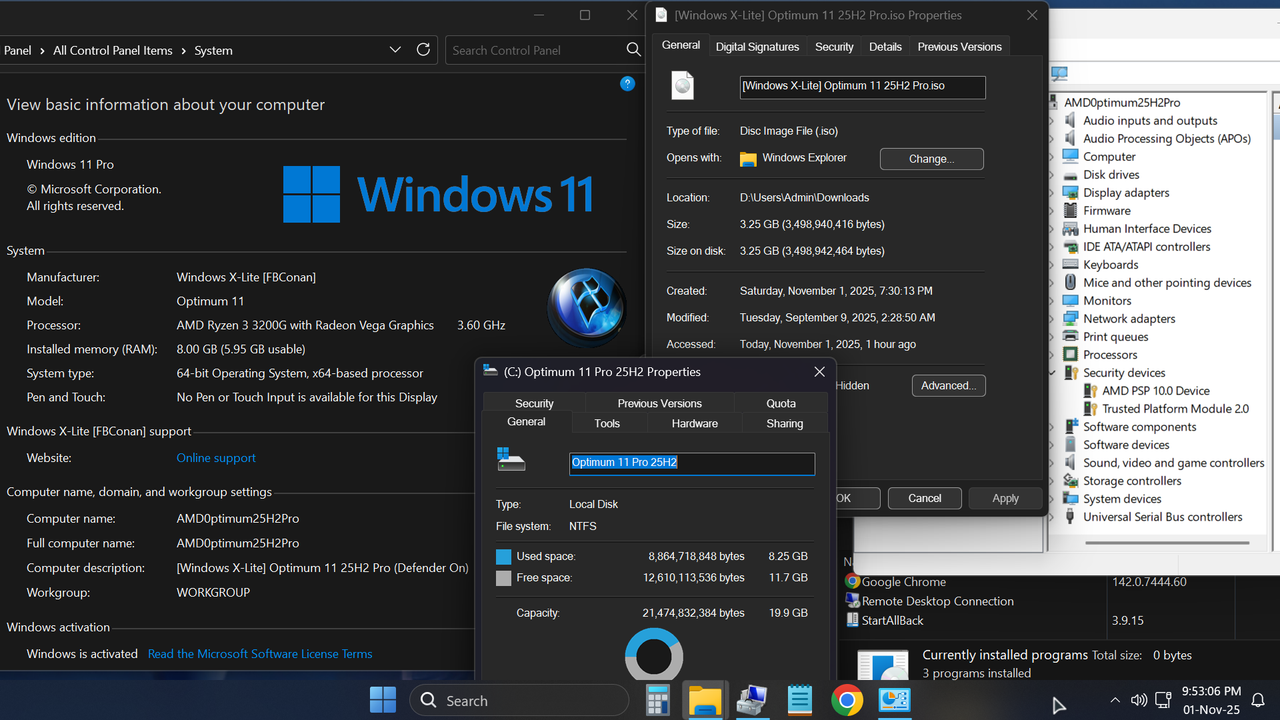
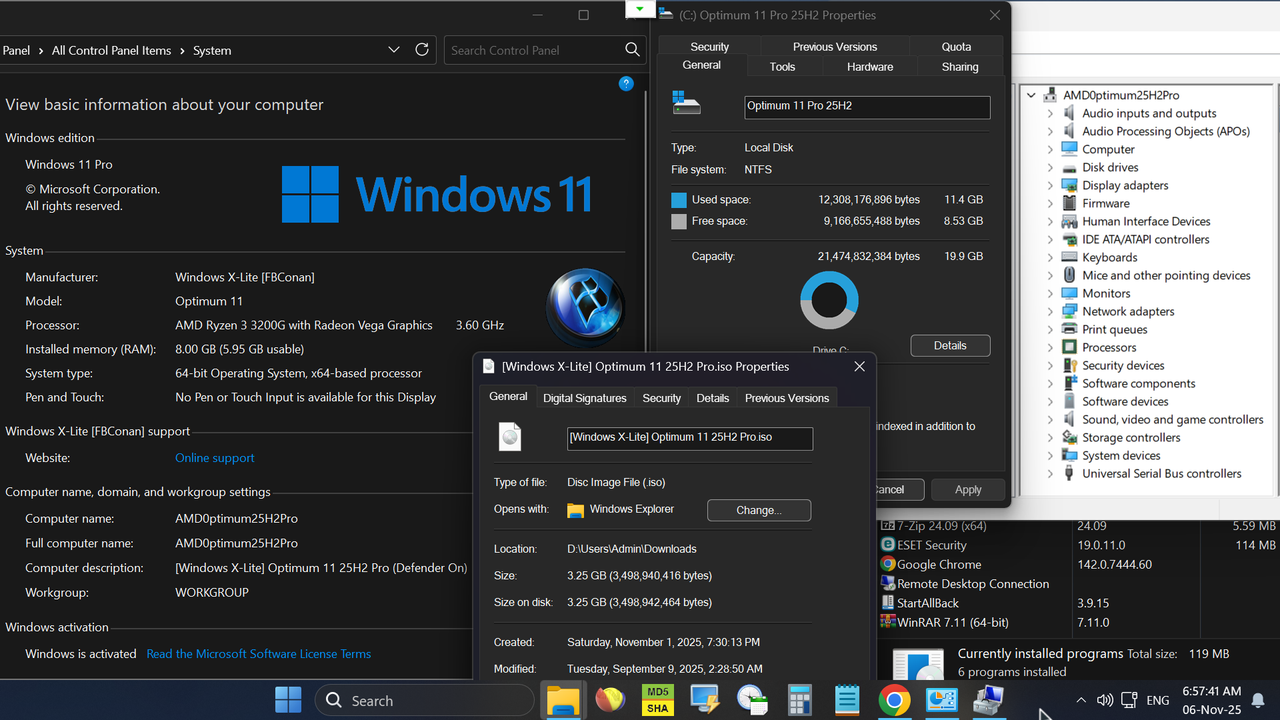
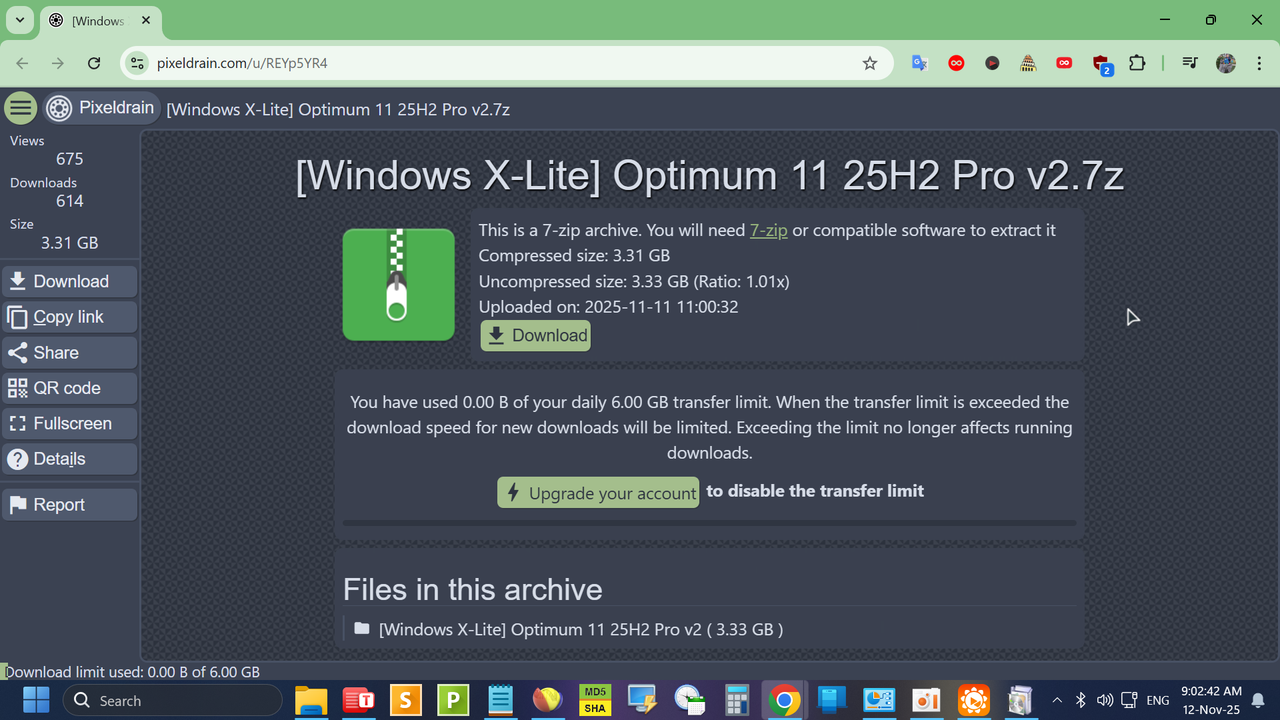
Checksums: mượn ảnh của bác @dinhchungcmMã:https://pixeldrain.com/u/6sVzg6ND
![]()
![]()
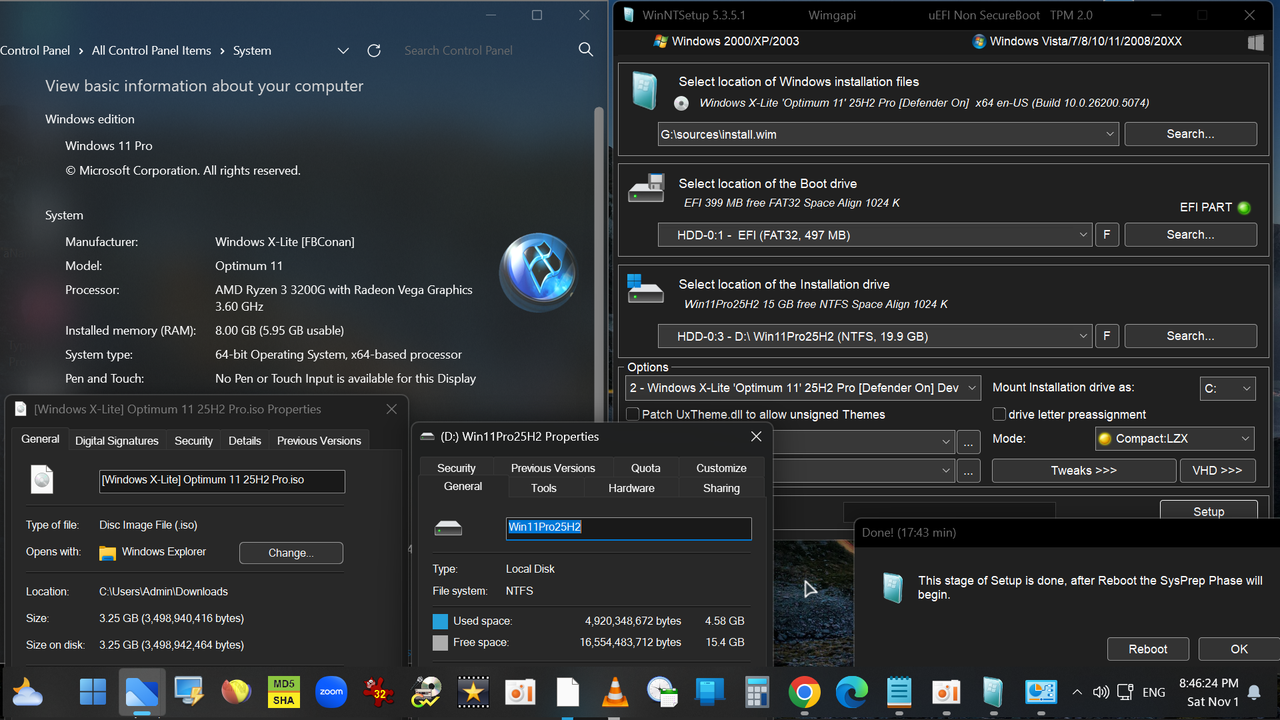
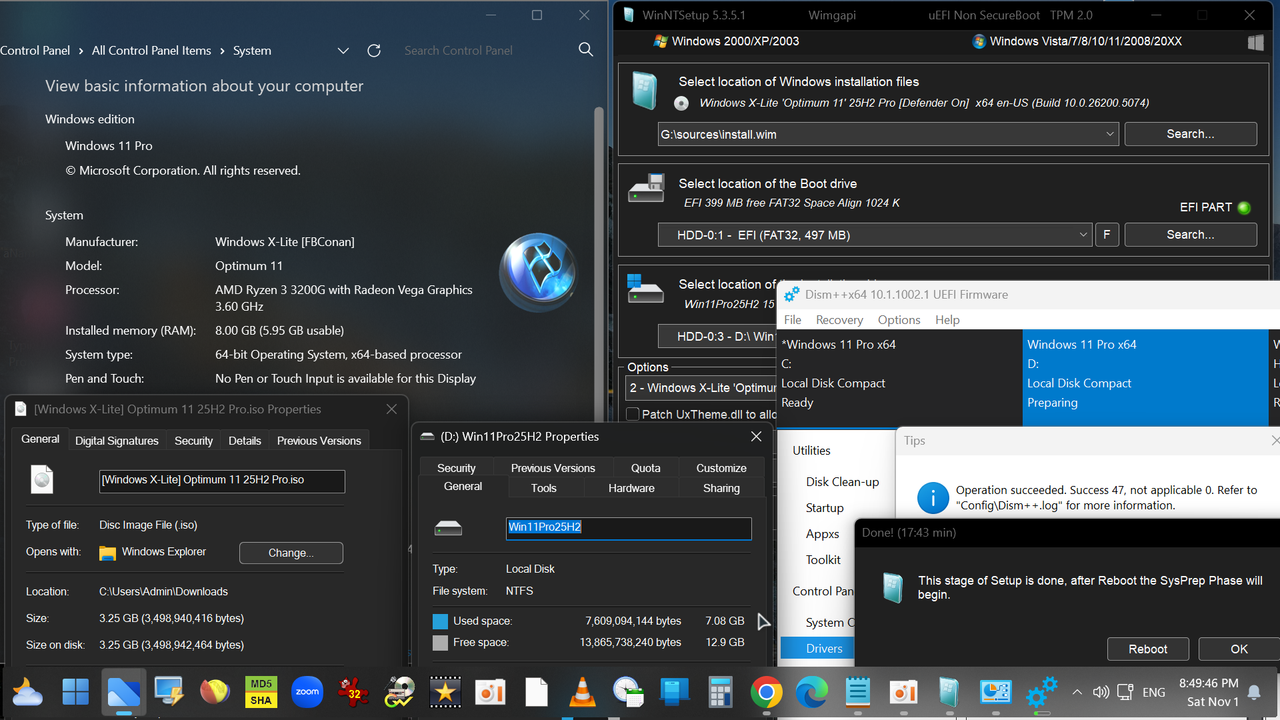
AE qua topic #16,850 để xem bác @dinhchungcm rề viu
BUILD INFO:
• Based on Windows 11 25H2 (OS Build 26200.5770)
• 3.2 GB ISO (5.6 GB Installed Size)
• Debloated and Optimized out of the box
• Optional Windows Defender
• Optional File Explorer Gallery
• Full Featured, Updatable Build
• Virtual Memory Enabled by Default
• Automatic Updates Paused Until 3000
• Integrated Intel RST Drivers into Setup
• Includes Optional File Explorer Transparency
• Extreme Performance for your Apps and Games
• Full Support for UWP Apps, Xbox, MS Store and much more
• Full Support for Additional Language Packs, Speech, Voice, etc.
• Full support for all optional features including WSA and WSL2
• Enabled Rounded Corners, Acrylic, and Mica by default (Even in a VM!)
• Automatic Updates can be paused for up to 10 years after resuming
• Additional Improvements and Optimizations Included
• Optional Edge and Widgets
• No Pre-installed UWP Apps
• MS Store Installer Included
💥 Designed to work with all Apps and Games, on All PCs. Old or new, weak or strong, Desktop or Laptop.
➡️ Bypasses TPM, Secure Boot, RAM, CPU, and Storage Checks
➡️ Bypasses Microsoft's Forced Account Creation during Setup / Installation
- Removed Features Include: Edge, Smart Screen, UWP Apps, Webview & Widgets
- Disabled Features Include: Defender (Optional), Bitlocker, Windows Ink Workspace, Error Reporting, Indexing, UAC, Ads, Telemetry, Hibernation, Power Throttling.
- Performance Prioritized!: This build has been designed to Maximize Performance, Responsiveness, and Resource Savings..
INSTALLATION:
• Use Rufus ONLY to write the ISO to a USB Drive.
• Boot from the USB Drive, and Perform a Clean Installation to your desired partition.
• *Your PC Will Reboot Once, Shortly After Installation Completes.
• We Recommend you download and install DX9 and VC++ Runtimes from our software Page:• For AMD Ryzen PC's, please download the latest Chipset Drivers from our software Page:Mã:https://windowsxlite.com/software/• To Troubleshoot any issues you may have, please read our guides Page for help!:Mã:https://windowsxlite.com/software/Mã:https://windowsxlite.com/guides/
Widgets Enabler:
• If You'd like to enable Widgets (News and Interests Feed) in this build, you'll first need to install the Edge browser and Webview2 Runtime, which are both included inside the extras folder in this release. You'll also need to run the shortcut labeled 'Widgets On' in the extras folder, then download and install the Widgets App linked below, followed by restarting your PC to complete changes.
Mã:https://fastupload.io/57bc407a302f9aa3?pt=b0VwT3dCWmd5OVBLRXBtMmFxK2M0R3N3YVhWeVVVbENVVWRWYjNVelZ6bHNaVXd6YmxFOVBRPT0%3D
File Explorer Gallery Enabler:
• If you'd like to enable File Explorer's new 'Gallery' feature, download our 'Gallery Enabler' for everything you need to enable Gallery in this release!
Mã:https://fastupload.io/d3b15205b942ee6f?pt=MGJLTmpGQ3gxOXZVSDV5ZjcxL1JTRWhOWkVOdlZtaGpLMjE1VHpKbmFtTTJZVEkwTkVFOVBRPT0%3D

https://ko-fi.com/post/x-F2F61KZ9F4

https://windowsxlite.com/25H2_Pro/
https://pixeldrain.com/u/fsaCcvVv
https://windowsxlite.com/software/
https://windowsxlite.com/guides/
https://fastupload.io/57bc407a302f9aa3?pt=b0VwT3dCWmd5OVBLRXBtMmFxK2M0R3N3YVhWeVVVbENVVWRWYjNVelZ6bHNaVXd6YmxFOVBRPT0%3D
https://fastupload.io/d3b15205b942ee6f?pt=MGJLTmpGQ3gxOXZVSDV5ZjcxL1JTRWhOWkVOdlZtaGpLMjE1VHpKbmFtTTJZVEkwTkVFOVBRPT0%3D


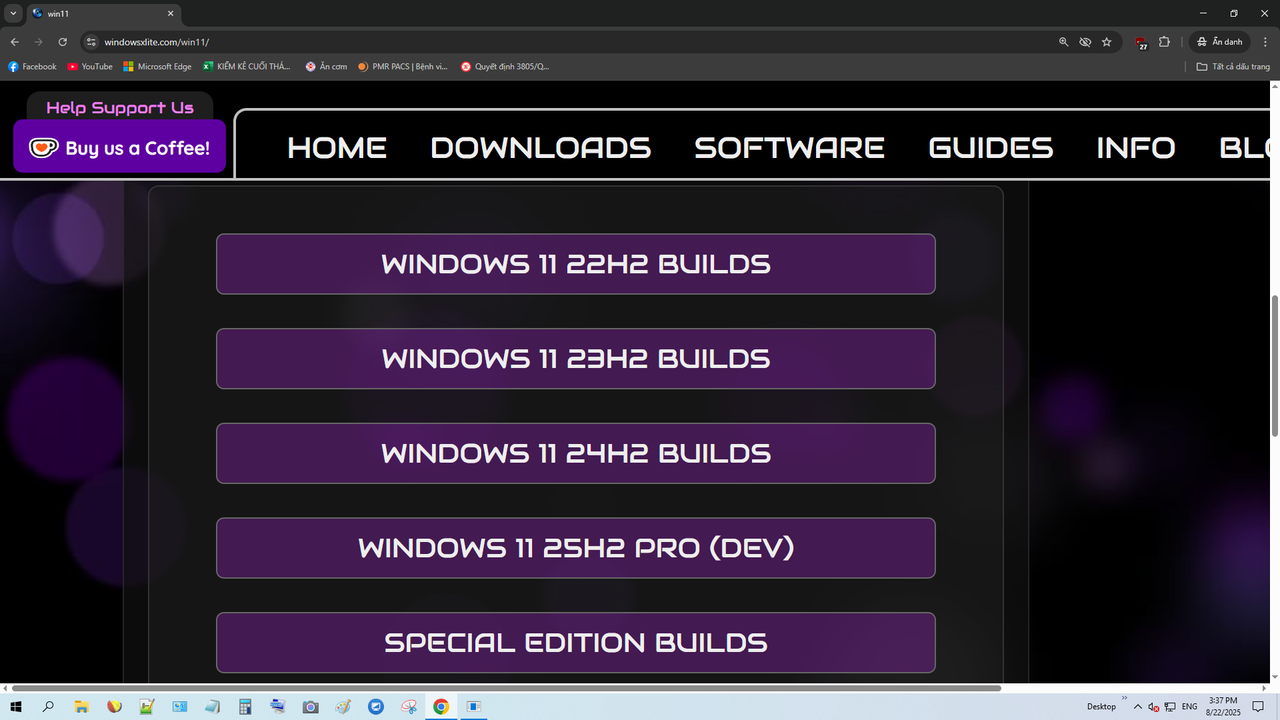
có các bản update packs mà bác
các bản Windows X-lite của James (FBConan) việc cập nhật dễ hơn ăn kẹo ạMã:https://windowsxlite.com/updatepacks/

vâng ạBác thích dùng tool V3.1 vì nó clean up luôn sau khi update đó cháu. Với bản của cháu thì up dễ dàng nhưng với bản của bạn khác thì không thể nào up cho OS khi dùng tool hoặc là dùng file msu up trực tiếp.


https://windowsxlite.com/25H2-ProV2/
Win này cài lên có phải cr hay active không bạn? Bạn chỉ giúp cách active để sử dụng với. Cám ơn bạnWindows X-Lite 'Optimum 11' 25H2 Pro v2
BUILD INFO:Mã:https://windowsxlite.com/25H2-ProV2/
• Based on Windows 11 25H2 Pro (OS Build 26200.7019)
• 3.09 GB ISO (5.55 GB Installed Size)
• Debloated and Optimized out of the box
• Optional Windows Defender
• Optional File Explorer Gallery
• Full Featured, Updatable Build
• Virtual Memory Enabled by Default
• Automatic Updates Paused Until 3000
• Includes Optional File Explorer Transparency
• Extreme Performance for your Apps and Games
• Full Support for UWP Apps, Xbox, MS Store and much more
• Full Support for Additional Language Packs, Speech, Voice, etc.
• Full support for all optional features including WSA and WSL2
• Enabled Rounded Corners, Acrylic, and Mica by default (Even in a VM!)
• Automatic Updates can be paused for up to 10 years after resuming
• Additional Improvements and Optimizations Included
• No Pre-installed UWP Apps or Web Browsers
• MS Store Installer and web browser installers Included
• Optional Edge and Widgets
💥 Designed to work with all Apps and Games, on All PCs. Old or new, weak or strong, Desktop or Laptop.
➡️ Bypasses TPM, Secure Boot, RAM, CPU, and Storage Checks
➡️ Bypasses Microsoft's Forced Account Creation during Setup / Installation
🔹Changes in v2 include:
• Based on newer OS Build (26200.7019)
• New Colorful battery icons implemented
• Improved Optimization and Cleanup
• Task Manager bug fixed (known issue with current 25H2 builds)
• Improved Language Pack Support (Full system wide translation works now)
- Removed Features Include: Edge, Smart Screen, UWP Apps, Webview & Widgets
- Disabled Features Include: Defender (Optional), Bitlocker, Windows Ink Workspace, Error Reporting, Indexing, UAC, Ads, - Telemetry, Hibernation, Power Throttling.
- Performance Prioritized! This build has been designed to Maximize Performance, Responsiveness, and Resource Savings.
![]()

- Tôi đã test rất nhiều bản của James (FBConan): nó tự activeWin này cài lên có phải cr hay active không bạn? Bạn chỉ giúp cách active để sử dụng với. Cám ơn bạn
- Tôi đã test rất nhiều bản của James (FBConan): nó tự active
- Nếu không được (rất ít thấy): thì dùng MAS kích hoạt bản quyền số hoặc dùng
W10 Digital Activation Program v1.4.2, (pass UnRAR: NTHT1md) link download:

MS vừa thay đổi thuật toán gì đó để cách dùng MAS bị block.Cám ơn bạn

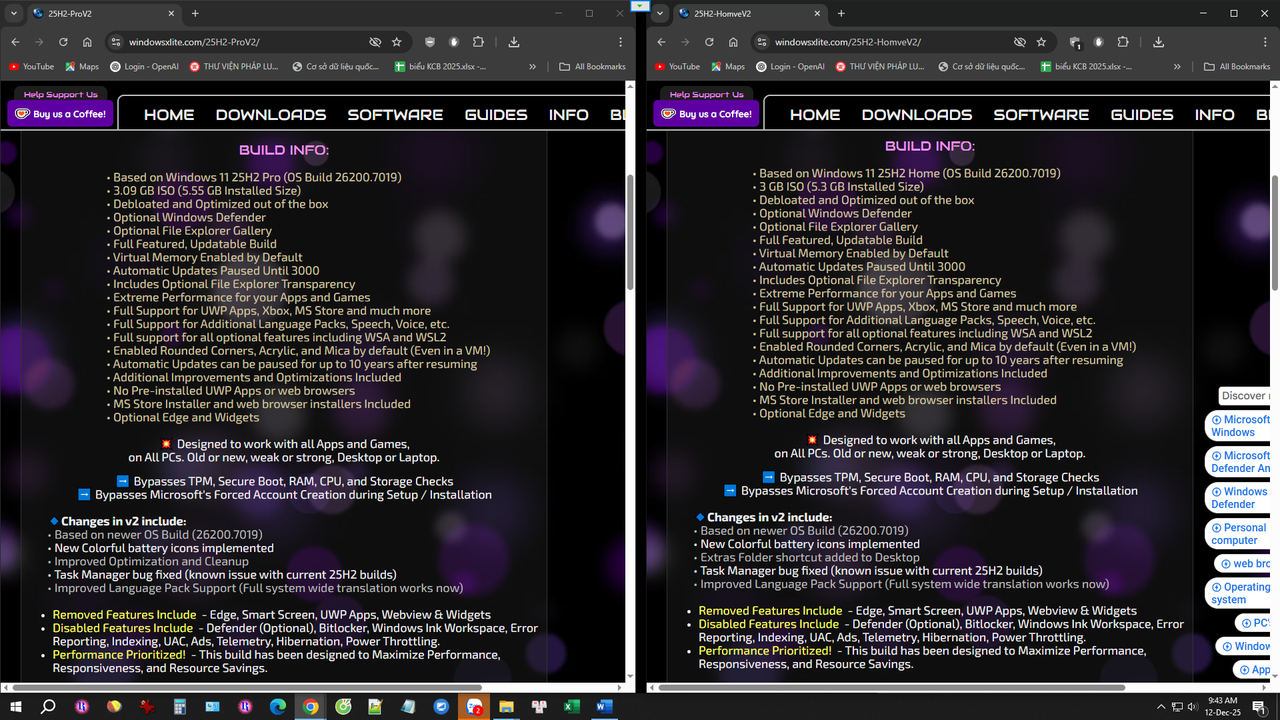
Windows X-Lite 'Optimum 11' 25H2 Pro v2 BUILD INFO: • Based on Windows 11 25H2 Pro (OS Build 26200.7019) • 3.09 GB ISO (5.55 GB Installed Size) • Debloated and Optimized out of the box • Optional Windows Defender • Optional File Explorer Gallery • Full Featured, Updatable Build • Virtual Memory Enabled by Default • Automatic Updates Paused Until 3000 • Includes Optional File Explorer Transparency • Extreme Performance for your Apps and Games • Full Support for UWP Apps, Xbox, MS Store and much more • Full Support for Additional Language Packs, Speech, Voice, etc. • Full support for all optional features including WSA and WSL2 • Enabled Rounded Corners, Acrylic, and Mica by default (Even in a VM!) • Automatic Updates can be paused for up to 10 years after resuming • Additional Improvements and Optimizations Included • No Pre-installed UWP Apps or web browsers • MS Store Installer and web browser installers Included • Optional Edge and Widgets 💥 Designed to work with all Apps and Games, on All PCs. Old or new, weak or strong, Desktop or Laptop. ➡️ Bypasses TPM, Secure Boot, RAM, CPU, and Storage Checks ➡️ Bypasses Microsoft's Forced Account Creation during Setup / Installation 🔹Changes in v2 include: • Based on newer OS Build (26200.7019) • New Colorful battery icons implemented • Extras Folder shortcut added to Desktop• Improved Optimization and Cleanup • Task Manager bug fixed (known issue with current 25H2 builds) • Improved Language Pack Support (Full system wide translation works now) • Removed Features Include: Edge, Smart Screen, UWP Apps, Webview & Widgets • Disabled Features Include: Defender (Optional), Bitlocker, Windows Ink Workspace, Error Reporting, Indexing, UAC, Ads, Telemetry, Hibernation, Power Throttling. • Performance Prioritized! This build has been designed to Maximize Performance, Responsiveness, and Resource Savings. | Windows X-Lite 'Optimum 11' 25H2 Home v2 BUILD INFO: • Based on Windows 11 25H2 Pro (OS Build 26200.7019) • 3.00 GB ISO (5.30 GB Installed Size) • Debloated and Optimized out of the box • Optional Windows Defender • Optional File Explorer Gallery • Full Featured, Updatable Build • Virtual Memory Enabled by Default • Automatic Updates Paused Until 3000 • Includes Optional File Explorer Transparency • Extreme Performance for your Apps and Games • Full Support for UWP Apps, Xbox, MS Store and much more • Full Support for Additional Language Packs, Speech, Voice, etc. • Full support for all optional features including WSA and WSL2 • Enabled Rounded Corners, Acrylic, and Mica by default (Even in a VM!) • Automatic Updates can be paused for up to 10 years after resuming • Additional Improvements and Optimizations Included • No Pre-installed UWP Apps or web browsers • MS Store Installer and web browser installers Included • Optional Edge and Widgets 💥 Designed to work with all Apps and Games, on All PCs. Old or new, weak or strong, Desktop or Laptop. ➡️ Bypasses TPM, Secure Boot, RAM, CPU, and Storage Checks ➡️ Bypasses Microsoft's Forced Account Creation during Setup / Installation 🔹Changes in v2 include: • Based on newer OS Build (26200.7019) • New Colorful battery icons implemented • Extras Folder shortcut added to Desktop• Task Manager bug fixed (known issue with current 25H2 builds) • Improved Language Pack Support (Full system wide translation works now) • Removed Features Include: Edge, Smart Screen, UWP Apps, Webview & Widgets • Disabled Features Include: Defender (Optional), Bitlocker, Windows Ink Workspace, Error Reporting, Indexing, UAC, Ads, Telemetry, Hibernation, Power Throttling. • Performance Prioritized! This build has been designed to Maximize Performance, Responsiveness, and Resource Savings |
Bác nên dùng bản siêu gọn ý, cập nhật là có mới nhất! Tuy nhiên vẫn khuyên bác là thôi cứ để nó vậy cho ngon, chứ vá phát lại thủng đúng chỗ!Trao đổi với các PRO @nho nguoi, @2012mshs thấy băn khoăn giữa 2 version Windows 11. James (FBConan) so sánh như sau
![]()
Windows X-Lite 'Optimum 11' 25H2 Pro v2
BUILD INFO:• Based on Windows 11 25H2 Pro (OS Build 26200.7019)
• 3.09 GB ISO (5.55 GB Installed Size)
• Debloated and Optimized out of the box
• Optional Windows Defender
• Optional File Explorer Gallery
• Full Featured, Updatable Build
• Virtual Memory Enabled by Default
• Automatic Updates Paused Until 3000
• Includes Optional File Explorer Transparency
• Extreme Performance for your Apps and Games
• Full Support for UWP Apps, Xbox, MS Store and much more
• Full Support for Additional Language Packs, Speech, Voice, etc.
• Full support for all optional features including WSA and WSL2
• Enabled Rounded Corners, Acrylic, and Mica by default (Even in a VM!)
• Automatic Updates can be paused for up to 10 years after resuming
• Additional Improvements and Optimizations Included
• No Pre-installed UWP Apps or web browsers
• MS Store Installer and web browser installers Included
• Optional Edge and Widgets
💥 Designed to work with all Apps and Games, on All PCs. Old or new, weak or strong, Desktop or Laptop.
➡️ Bypasses TPM, Secure Boot, RAM, CPU, and Storage Checks
➡️ Bypasses Microsoft's Forced Account Creation during Setup / Installation
🔹Changes in v2 include:
• Based on newer OS Build (26200.7019)
• New Colorful battery icons implemented• Extras Folder shortcut added to Desktop
• Improved Optimization and Cleanup
• Task Manager bug fixed (known issue with current 25H2 builds)
• Improved Language Pack Support (Full system wide translation works now)
• Removed Features Include: Edge, Smart Screen, UWP Apps, Webview & Widgets
• Disabled Features Include: Defender (Optional), Bitlocker, Windows Ink Workspace, Error Reporting, Indexing, UAC, Ads, Telemetry, Hibernation, Power Throttling.
• Performance Prioritized! This build has been designed to Maximize Performance, Responsiveness, and Resource Savings. Windows X-Lite 'Optimum 11' 25H2 Home v2
BUILD INFO:• Based on Windows 11 25H2 Pro (OS Build 26200.7019)
• 3.00 GB ISO (5.30 GB Installed Size)
• Debloated and Optimized out of the box
• Optional Windows Defender
• Optional File Explorer Gallery
• Full Featured, Updatable Build
• Virtual Memory Enabled by Default
• Automatic Updates Paused Until 3000
• Includes Optional File Explorer Transparency
• Extreme Performance for your Apps and Games
• Full Support for UWP Apps, Xbox, MS Store and much more
• Full Support for Additional Language Packs, Speech, Voice, etc.
• Full support for all optional features including WSA and WSL2
• Enabled Rounded Corners, Acrylic, and Mica by default (Even in a VM!)
• Automatic Updates can be paused for up to 10 years after resuming
• Additional Improvements and Optimizations Included
• No Pre-installed UWP Apps or web browsers
• MS Store Installer and web browser installers Included
• Optional Edge and Widgets
💥 Designed to work with all Apps and Games, on All PCs. Old or new, weak or strong, Desktop or Laptop.
➡️ Bypasses TPM, Secure Boot, RAM, CPU, and Storage Checks
➡️ Bypasses Microsoft's Forced Account Creation during Setup / Installation
🔹Changes in v2 include:
• Based on newer OS Build (26200.7019)
• New Colorful battery icons implemented• Extras Folder shortcut added to Desktop
• Task Manager bug fixed (known issue with current 25H2 builds)
• Improved Language Pack Support (Full system wide translation works now)
• Removed Features Include: Edge, Smart Screen, UWP Apps, Webview & Widgets
• Disabled Features Include: Defender (Optional), Bitlocker, Windows Ink Workspace, Error Reporting, Indexing, UAC, Ads, Telemetry, Hibernation, Power Throttling.
• Performance Prioritized! This build has been designed to Maximize Performance, Responsiveness, and Resource Savings
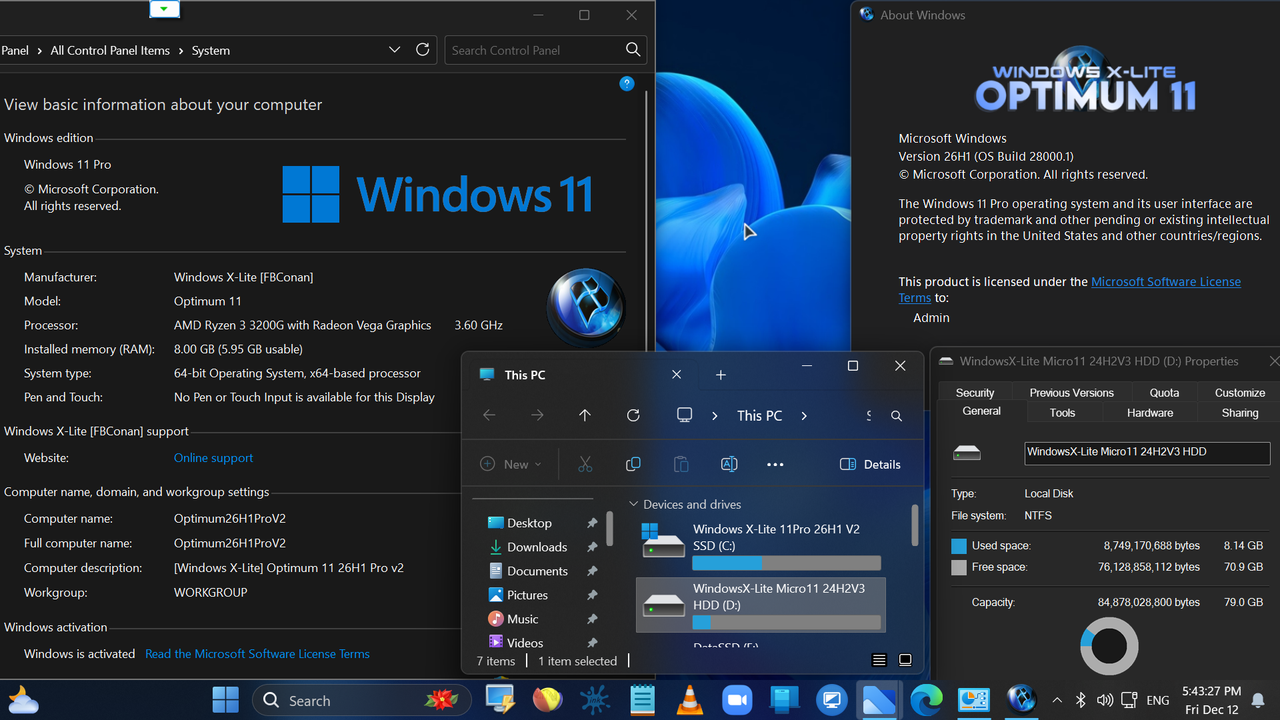
iem thì thấy bản PRO nó SANG HƠN, và YÊN TÂM hơn. Bản mod này thì chênh lệnh dung lượng sau cài đặt trên ổ cứng là không đáng kể.

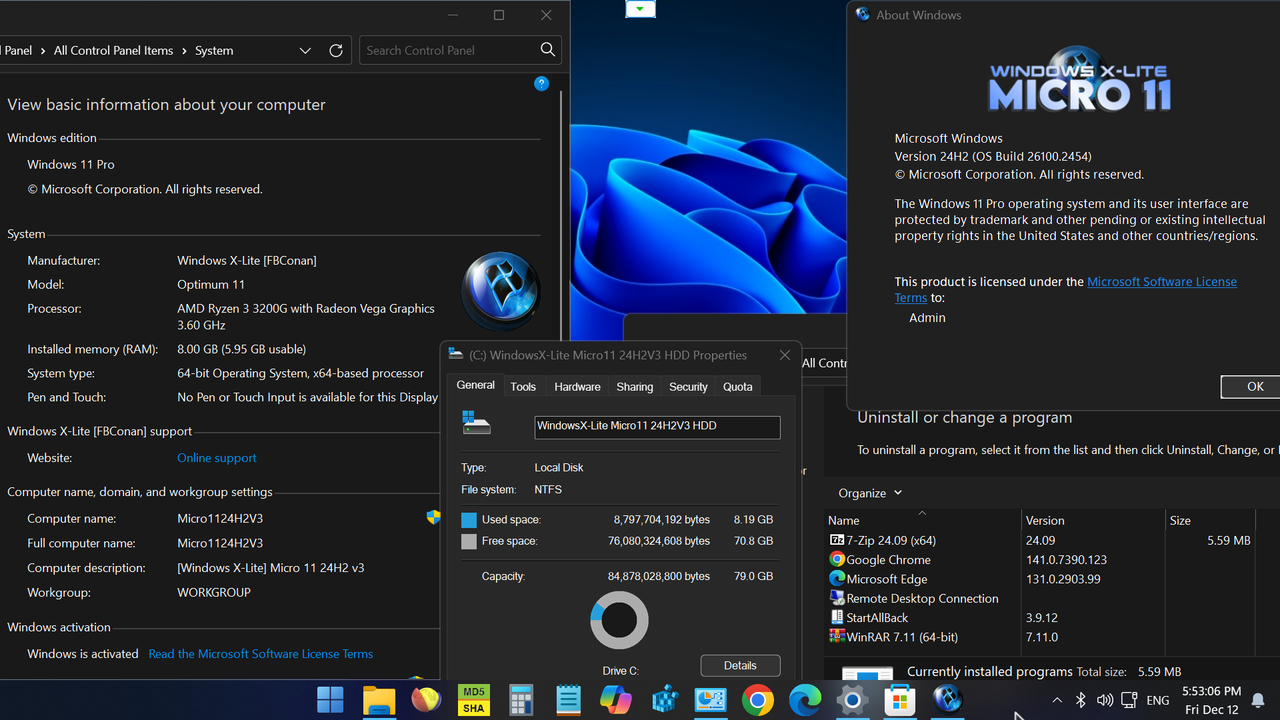
đang dùng bản Micro11 của FBConan gần 6 tháng nay: vẫn nuột nà, ổn định bác ơi!Bác nên dùng bản siêu gọn ý, cập nhật là có mới nhất! Tuy nhiên vẫn khuyên bác là thôi cứ để nó vậy cho ngon, chứ vá phát lại thủng đúng chỗ!
https://windowsxlite.com/24H2MicroV3/
Link download: https://pixeldrain.com/u/dwmX9Vc5
Micro 11 24H2 [Pro] v3 • OS Build 26100.2454 AMD64
• Proudly introducing our third Windows 11 24H2 Ultralight Release!
• Micro 11 24H2 version 3 is designed to provide you with the smallest, lightest, most responsive Windows 11 24H2 experience! With an ISO of 1.55 GB and an installed size of 3 GB this build redefines what really is a tiny build of Windows 11.
• Metered connection is enabled by default in this build. We highly recommend leaving it enabled to provide you with optimal performance and experience. This means Windows will not automatically download drivers for your PC, so we recommend downloading your drivers directly from the MFG instead.
• If you find this build lacks the support that you need, we recommend using our Optimum 11 or Ultimate 11 releases instead, which will provide you with an equally fast, light, and responsive user experience, but offer virtually the same support as an untouched build of Windows.
BUILD INFO:
• 1.55 GB ISO
• 3 GB Installed Size
• Debloated and Optimized out of the box
• Optional File Explorer Gallery
• Virtual Memory Enabled by Default
• Integrated Intel RST Drivers into Setup
• Includes Optional File Explorer Transparency
• Extreme Performance for your Apps and Games
• Full Support for UWP Apps, Xbox, MS Store and much more
• Full Support for Additional Language Packs
• Enabled Rounded Corners, Acrylic, and Mica by default (Even in a VM!)
• Additional Improvements and Optimizations Included
• No Pre-installed UWP Apps
• MS Store Installer Included
💥 Designed to work on all on All PCs. Old or new, weak or strong, Desktop or Laptop.
➡️ Bypasses TPM, Secure Boot, RAM, CPU, and Storage Checks
➡️ Bypasses Microsoft's Forced Account Creation during Setup / Installation
Removed Features: Edge, Smart Screen, UWP Apps, BitLocker, Hyper-V, WSL2, One Drive, Smart Card, Windows Defender, Windows Mail, Backup and Restore, Telemetry, Diagnostics, Troubleshooting, Maps, Optional Feature Support (WSL2, Hyper-V, Sandbox, etc.), OS Build Update Support, Component Store, Speech, Voice Activation, Some Fonts.
Enabled Features: DirectPlay, .NET Framework 3.5, SMB1
Disabled Features: Windows Ink Workspace, BitLocker, Error Reporting, Indexing, UAC, Ads, Telemetry, Hibernation, Power Throttling.
Performance Prioritized! This build has been designed to Maximize Performance, Responsiveness, and Resource Savings.
Changes in V3: Based off a newer OS Build (26100.2454), reverted file explorer icon to default Windows 11 look, updated SAB to version 3.8.13, additional improvements and optimization.
Special Note: If you get an error installing the included Microsoft Store package, close and retry until it functions as expected to fix the error.

nó đang "ngon" thì ""hãy để tôi yên"" hoặc ""đừng đụng vào tôi""đang dùng bản Micro11 của FBConan gần 6 tháng nay: vẫn nuột nà, ổn định bác ơi!
cảm ơn bácMã:https://windowsxlite.com/24H2MicroV3/ Link download: https://pixeldrain.com/u/dwmX9Vc5 Micro 11 24H2 [Pro] v3 • OS Build 26100.2454 AMD64 • Proudly introducing our third Windows 11 24H2 Ultralight Release! • Micro 11 24H2 version 3 is designed to provide you with the smallest, lightest, most responsive Windows 11 24H2 experience! With an ISO of 1.55 GB and an installed size of 3 GB this build redefines what really is a tiny build of Windows 11. • Metered connection is enabled by default in this build. We highly recommend leaving it enabled to provide you with optimal performance and experience. This means Windows will not automatically download drivers for your PC, so we recommend downloading your drivers directly from the MFG instead. • If you find this build lacks the support that you need, we recommend using our Optimum 11 or Ultimate 11 releases instead, which will provide you with an equally fast, light, and responsive user experience, but offer virtually the same support as an untouched build of Windows. BUILD INFO: • 1.55 GB ISO • 3 GB Installed Size • Debloated and Optimized out of the box • Optional File Explorer Gallery • Virtual Memory Enabled by Default • Integrated Intel RST Drivers into Setup • Includes Optional File Explorer Transparency • Extreme Performance for your Apps and Games • Full Support for UWP Apps, Xbox, MS Store and much more • Full Support for Additional Language Packs • Enabled Rounded Corners, Acrylic, and Mica by default (Even in a VM!) • Additional Improvements and Optimizations Included • No Pre-installed UWP Apps • MS Store Installer Included 💥 Designed to work on all on All PCs. Old or new, weak or strong, Desktop or Laptop. ➡️ Bypasses TPM, Secure Boot, RAM, CPU, and Storage Checks ➡️ Bypasses Microsoft's Forced Account Creation during Setup / Installation Removed Features: Edge, Smart Screen, UWP Apps, BitLocker, Hyper-V, WSL2, One Drive, Smart Card, Windows Defender, Windows Mail, Backup and Restore, Telemetry, Diagnostics, Troubleshooting, Maps, Optional Feature Support (WSL2, Hyper-V, Sandbox, etc.), OS Build Update Support, Component Store, Speech, Voice Activation, Some Fonts. Enabled Features: DirectPlay, .NET Framework 3.5, SMB1 Disabled Features: Windows Ink Workspace, BitLocker, Error Reporting, Indexing, UAC, Ads, Telemetry, Hibernation, Power Throttling. Performance Prioritized! This build has been designed to Maximize Performance, Responsiveness, and Resource Savings. Changes in V3: Based off a newer OS Build (26100.2454), reverted file explorer icon to default Windows 11 look, updated SAB to version 3.8.13, additional improvements and optimization. Special Note: If you get an error installing the included Microsoft Store package, close and retry until it functions as expected to fix the error.