Hỗ trợ tải tài nguyên từ các trang freepik, pikbest, pngtree, lovepik
We've detected that you are using AdBlock Plus or some other adblocking software which is preventing the page from fully loading.
We need money to operate the site, and almost all of it comes from our online advertising.
Please add vn-z.vn to your ad blocking whitelist or disable your adblocking software.
All the knowledge we share is completely free. If you are willing, please support us here.

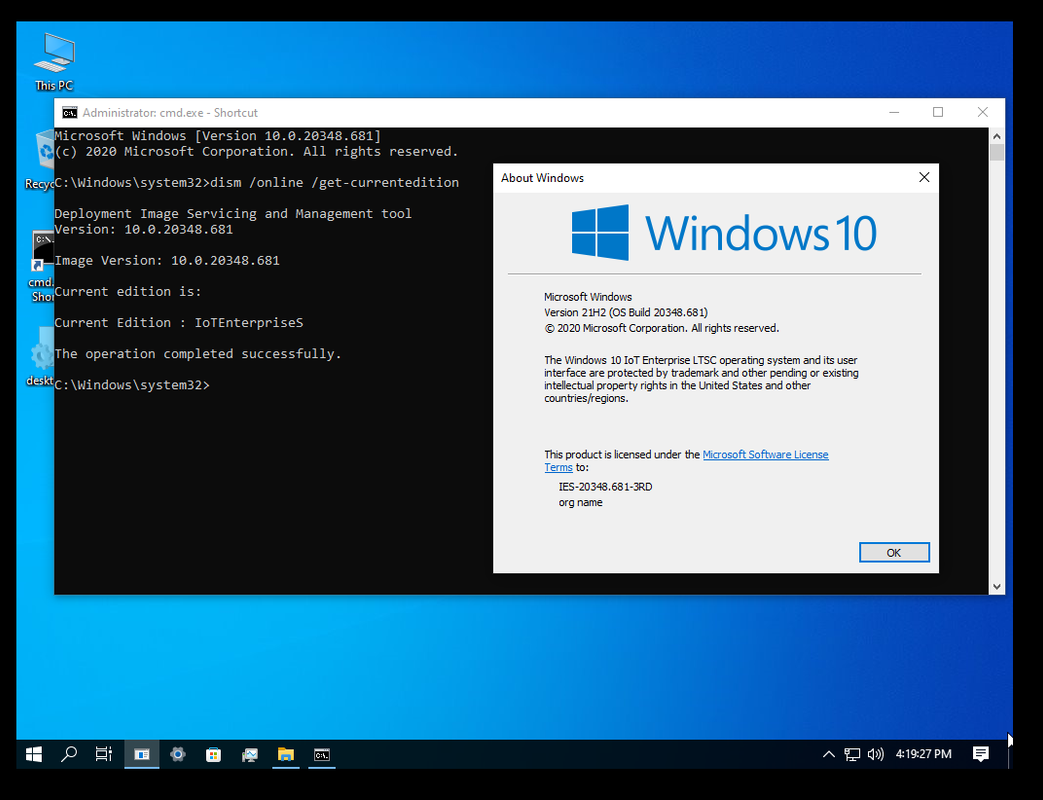
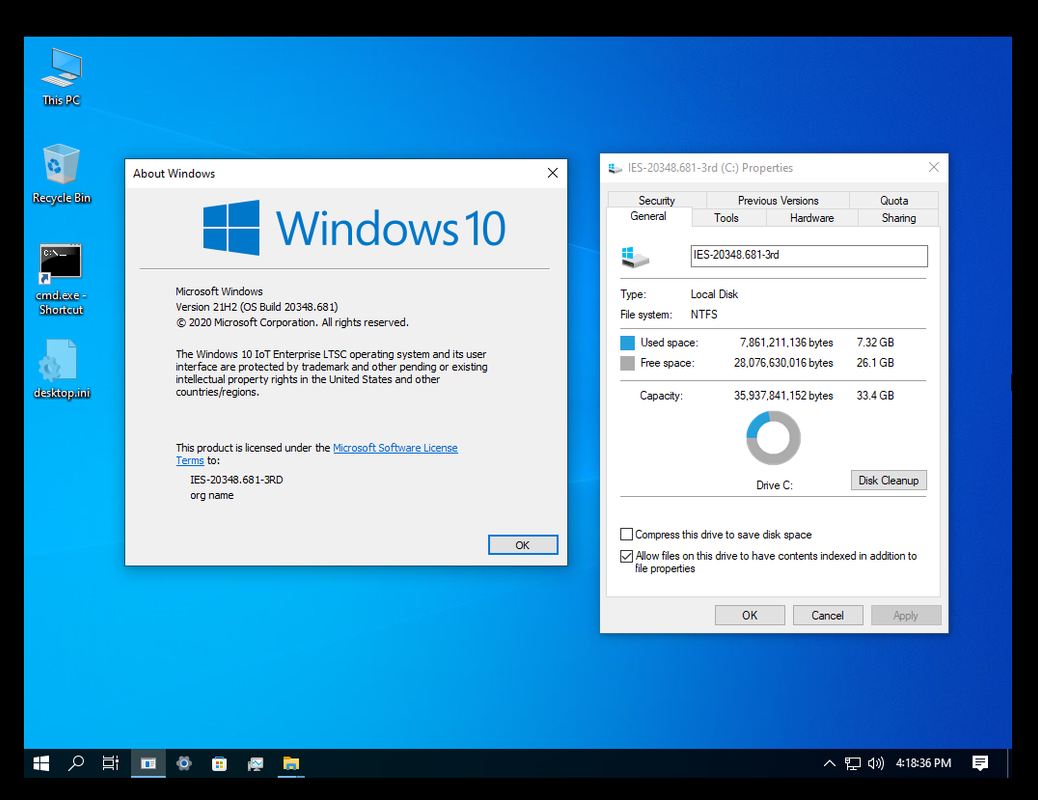
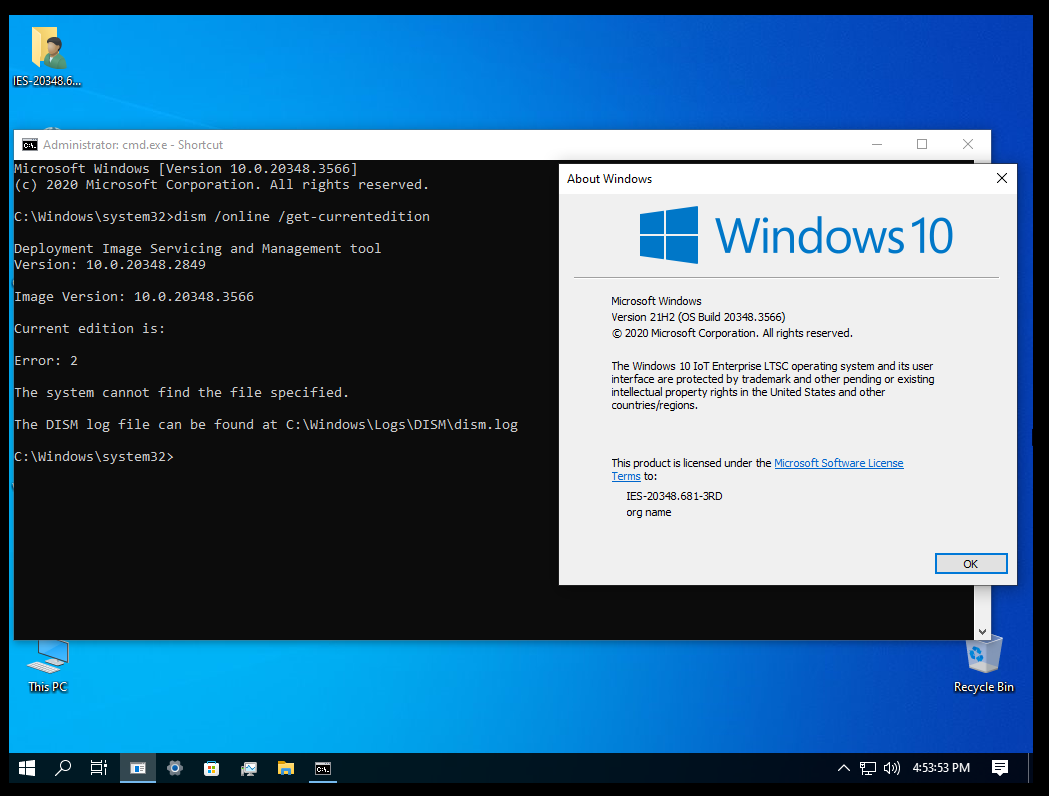
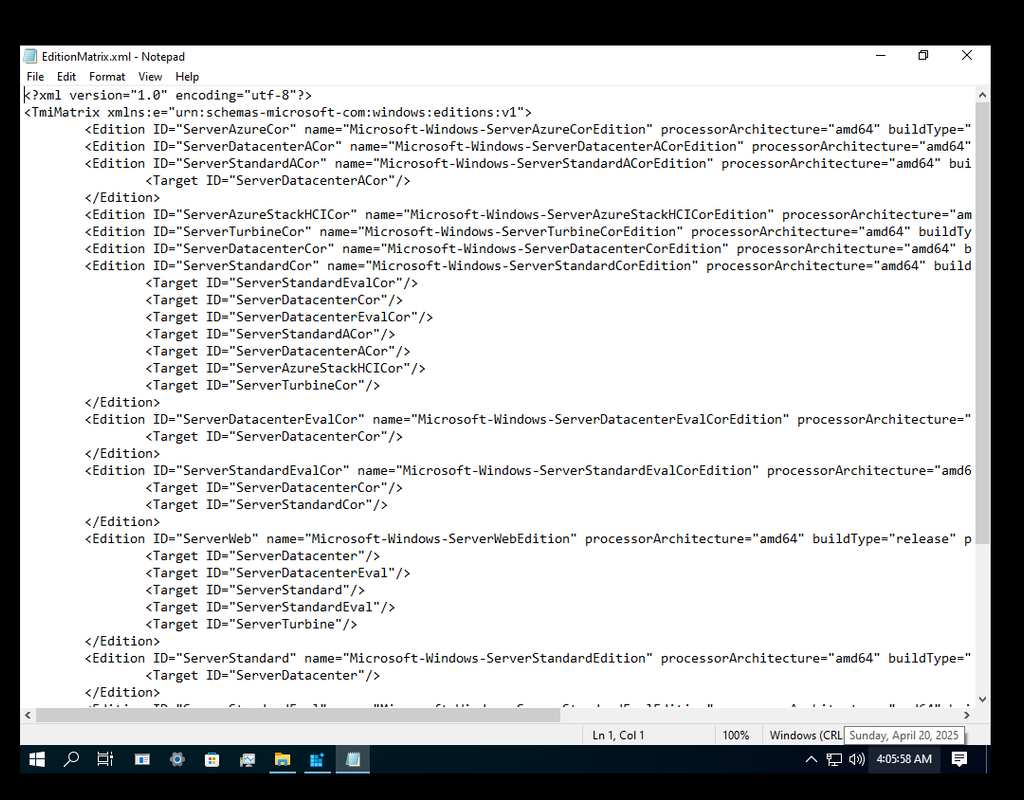
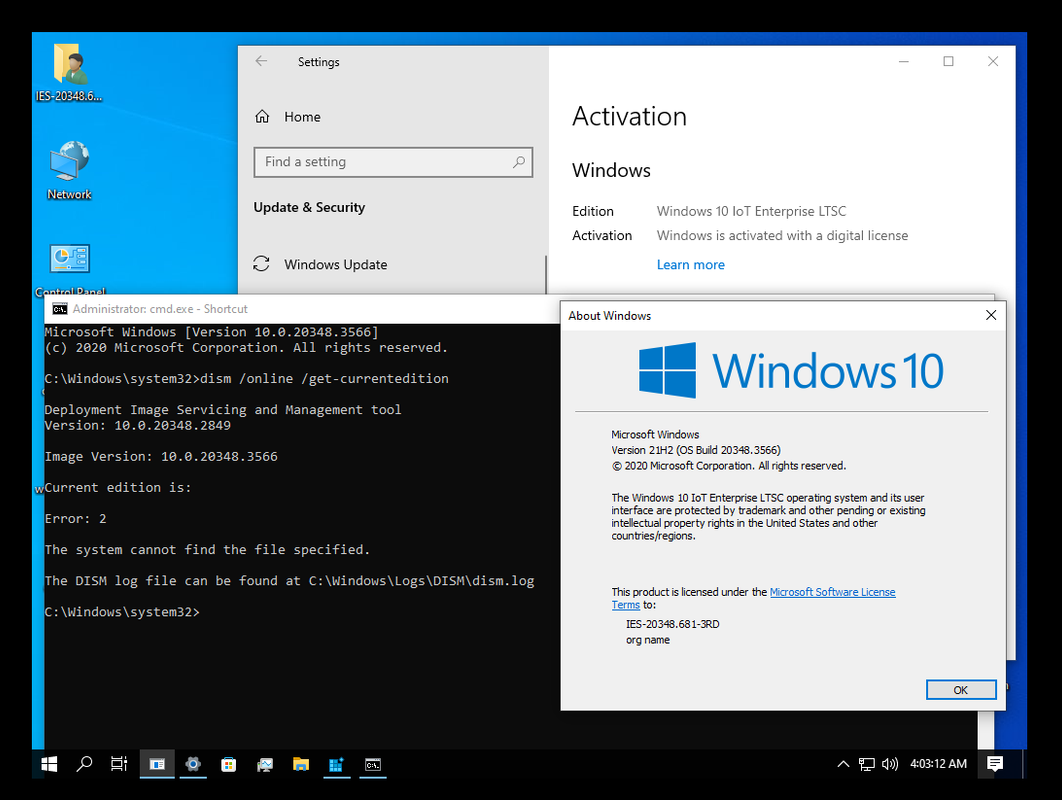
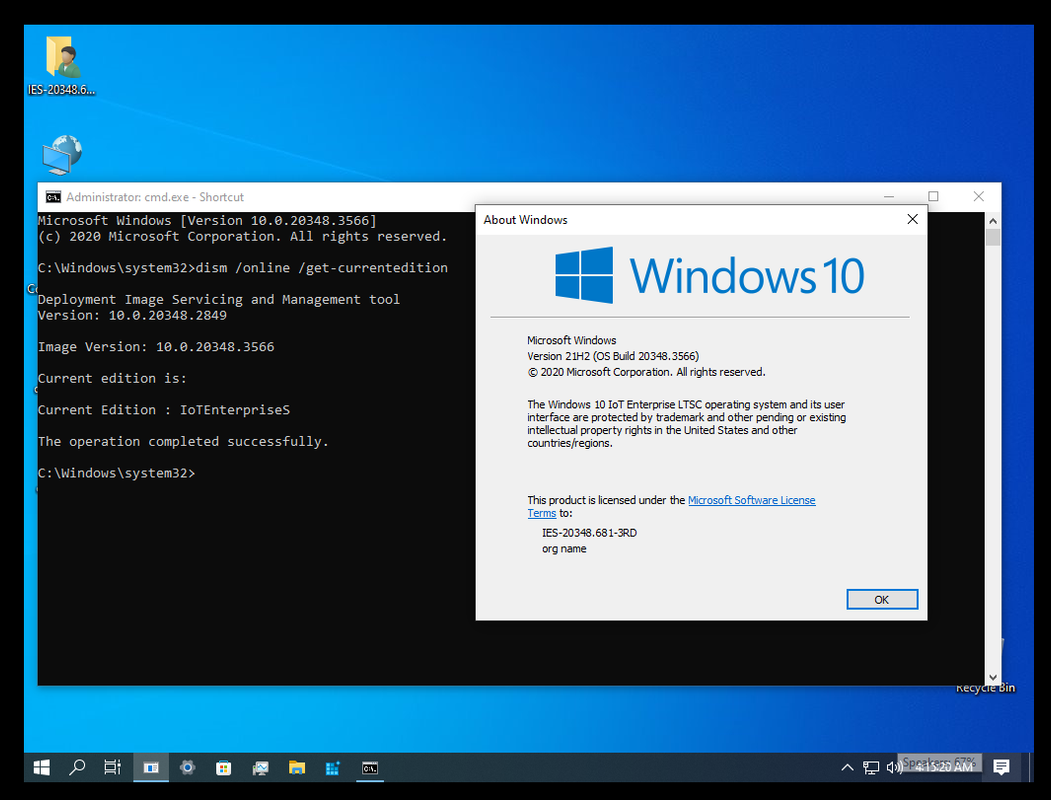
Now my OS is this:Now the real question, how do we remove Server Client and only keep EnterpriseS Client and make it a pure EnterpriseS Build without any of the Server stuff but keep the server updates at the same time? Essentially remove Server Edition but keep EnterpriseS Edition![]()
<?xml version="1.0" encoding="utf-8"?>
<TmiMatrix xmlns:e="urn:schemas-microsoft-com:windows:editions:v1">
<Edition ID="CoreN" name="Microsoft-Windows-CoreNEdition" processorArchitecture="amd64" buildType="release" publicKeyToken="31bf3856ad364e35" version="10.0.20348.1">
<Target ID="ProfessionalN"/>
</Edition>
<Edition ID="CoreCountrySpecific" name="Microsoft-Windows-CoreCountrySpecificEdition" processorArchitecture="amd64" buildType="release" publicKeyToken="31bf3856ad364e35" version="10.0.20348.1">
<Target ID="Core"/>
<Target ID="Professional"/>
</Edition>
<Edition ID="Core" name="Microsoft-Windows-CoreEdition" processorArchitecture="amd64" buildType="release" publicKeyToken="31bf3856ad364e35" version="10.0.20348.1">
<Target ID="Professional"/>
</Edition>
<Edition ID="ProfessionalN" name="Microsoft-Windows-ProfessionalNEdition" processorArchitecture="amd64" buildType="release" publicKeyToken="31bf3856ad364e35" version="10.0.20348.1"></Edition>
<Edition ID="Professional" name="Microsoft-Windows-ProfessionalEdition" processorArchitecture="amd64" buildType="release" publicKeyToken="31bf3856ad364e35" version="10.0.20348.1"></Edition>
<Edition ID="EnterpriseGN" name="Microsoft-Windows-EnterpriseGNEdition" processorArchitecture="amd64" buildType="release" publicKeyToken="31bf3856ad364e35" version="10.0.20348.1"></Edition>
<Edition ID="EnterpriseNEval" name="Microsoft-Windows-EnterpriseNEvalEdition" processorArchitecture="amd64" buildType="release" publicKeyToken="31bf3856ad364e35" version="10.0.20348.1"></Edition>
<Edition ID="EnterpriseS" name="Microsoft-Windows-EnterpriseSEdition" processorArchitecture="amd64" buildType="release" publicKeyToken="31bf3856ad364e35" version="10.0.20348.1"></Edition>
<Edition ID="EnterpriseSEval" name="Microsoft-Windows-EnterpriseSEvalEdition" processorArchitecture="amd64" buildType="release" publicKeyToken="31bf3856ad364e35" version="10.0.20348.1"></Edition>
<Edition ID="EnterpriseSN" name="Microsoft-Windows-EnterpriseSNEdition" processorArchitecture="amd64" buildType="release" publicKeyToken="31bf3856ad364e35" version="10.0.20348.1"></Edition>
<Edition ID="EnterpriseSNEval" name="Microsoft-Windows-EnterpriseSNEvalEdition" processorArchitecture="amd64" buildType="release" publicKeyToken="31bf3856ad364e35" version="10.0.20348.1"></Edition>
<Edition ID="PPIPro" name="Microsoft-Windows-PPIProEdition" processorArchitecture="amd64" buildType="release" publicKeyToken="31bf3856ad364e35" version="10.0.20348.1"></Edition>
<Edition ID="EnterpriseG" name="Microsoft-Windows-EnterpriseGEdition" processorArchitecture="amd64" buildType="release" publicKeyToken="31bf3856ad364e35" version="10.0.20348.1"></Edition>
<Edition ID="EnterpriseEval" name="Microsoft-Windows-EnterpriseEvalEdition" processorArchitecture="amd64" buildType="release" publicKeyToken="31bf3856ad364e35" version="10.0.20348.1"></Edition>
<Edition ID="Starter" name="Microsoft-Windows-StarterEdition" processorArchitecture="amd64" buildType="release" publicKeyToken="31bf3856ad364e35" version="10.0.20348.1">
<Target ID="Core"/>
<Target ID="CoreCountrySpecific"/>
<Target ID="EnterpriseEval"/>
<Target ID="EnterpriseS"/>
<Target ID="EnterpriseSEval"/>
<Target ID="PPIPro"/>
<Target ID="Professional"/>
<Target ID="EnterpriseG"/>
</Edition>
<Edition ID="StarterN" name="Microsoft-Windows-StarterNEdition" processorArchitecture="amd64" buildType="release" publicKeyToken="31bf3856ad364e35" version="10.0.20348.1">
<Target ID="CoreN"/>
<Target ID="EnterpriseNEval"/>
<Target ID="EnterpriseSN"/>
<Target ID="EnterpriseSNEval"/>
<Target ID="ProfessionalN"/>
<Target ID="EnterpriseGN"/>
</Edition>
</TmiMatrix>


Wish some kind of tweak would work for your 25398 AzureSackHCICor with GUI. Would not have a clue as to go about it.Replace the EditionMatrix.xml with the modified one and reboot


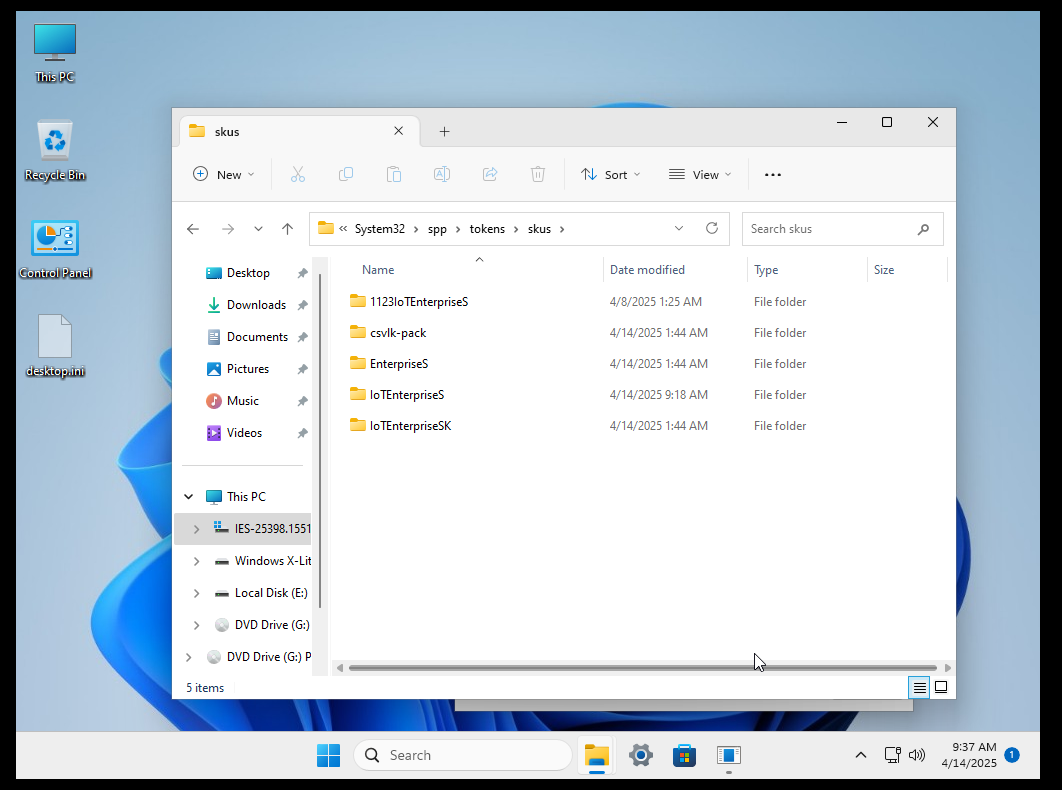
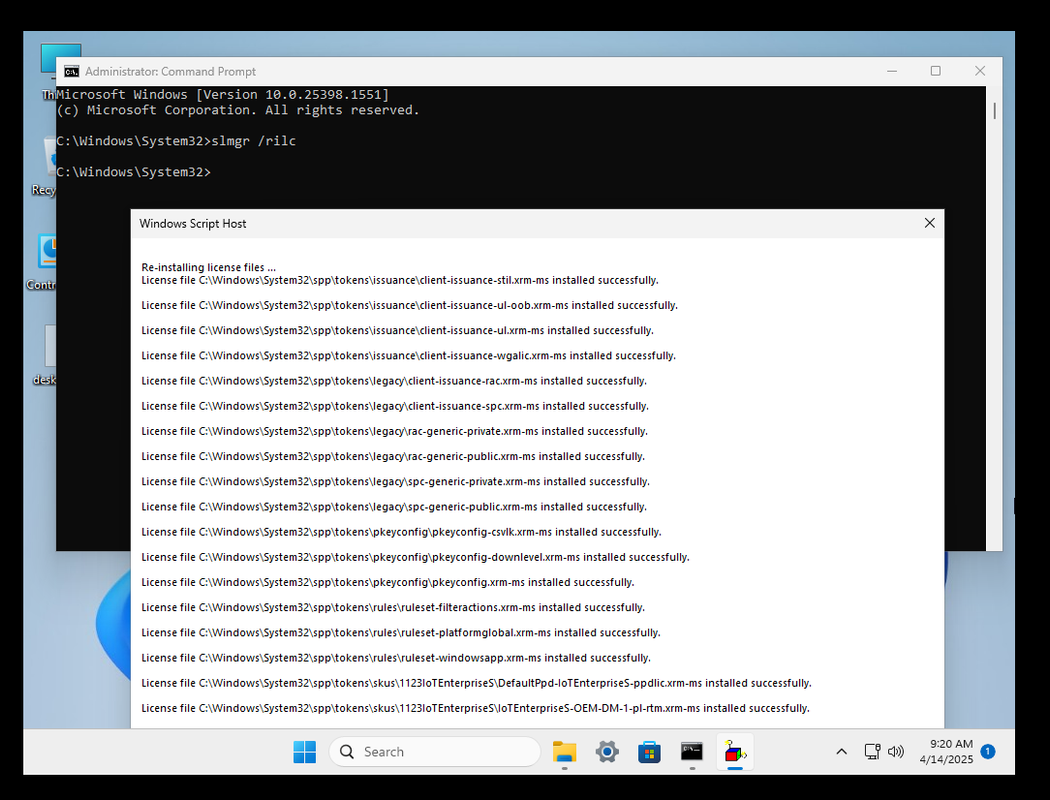
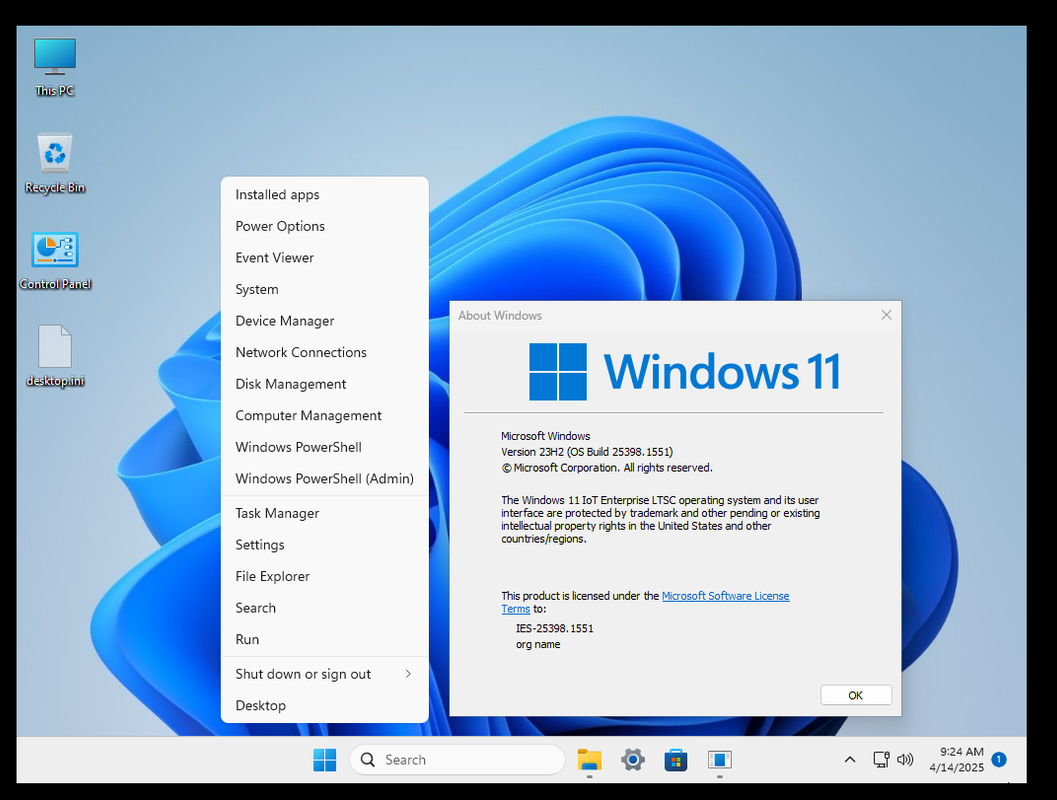
copy cái skus của 26100 nghe bên MDL nói hình như bị mất digital license chỉ kích hoạt đc bằng KMS thì phảiCháu @tuannv1508 , bác không biết cháu có cách nào để fix WinX hay không nhưng bác có bạn @Gaucon0204 hướng dẫn cho bác cách sửa này:
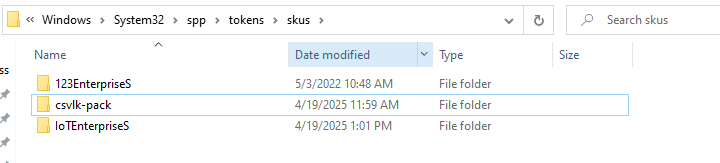
Vào spp\tokens\skus xoá sku IoTEnterpriseS, bác thì không xoá bác chỉ rename.
Chép sku IoTEnterpriseS của bản 26100-24H2 vào, sau đó chạy lệnh rilc.
Restart lại máy và đợi một lúc mở lại được WinX.
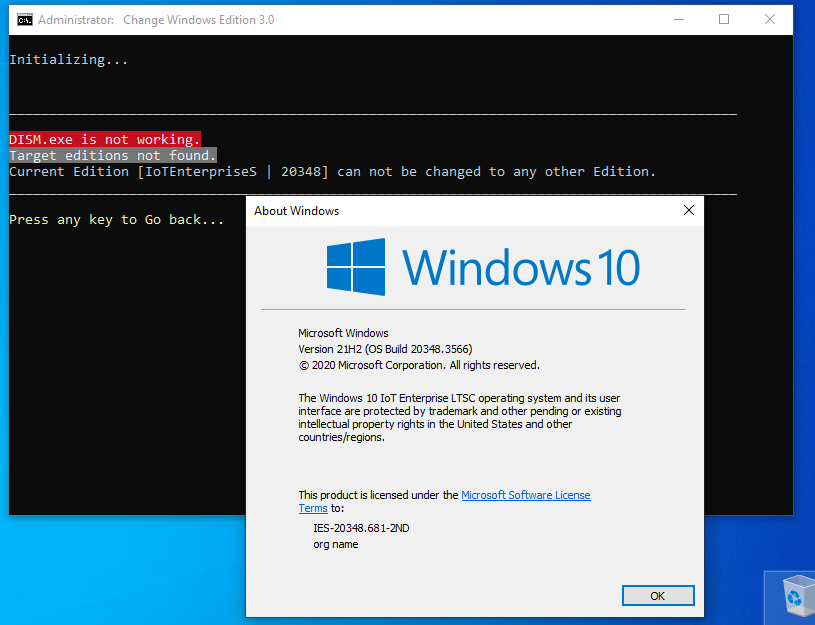
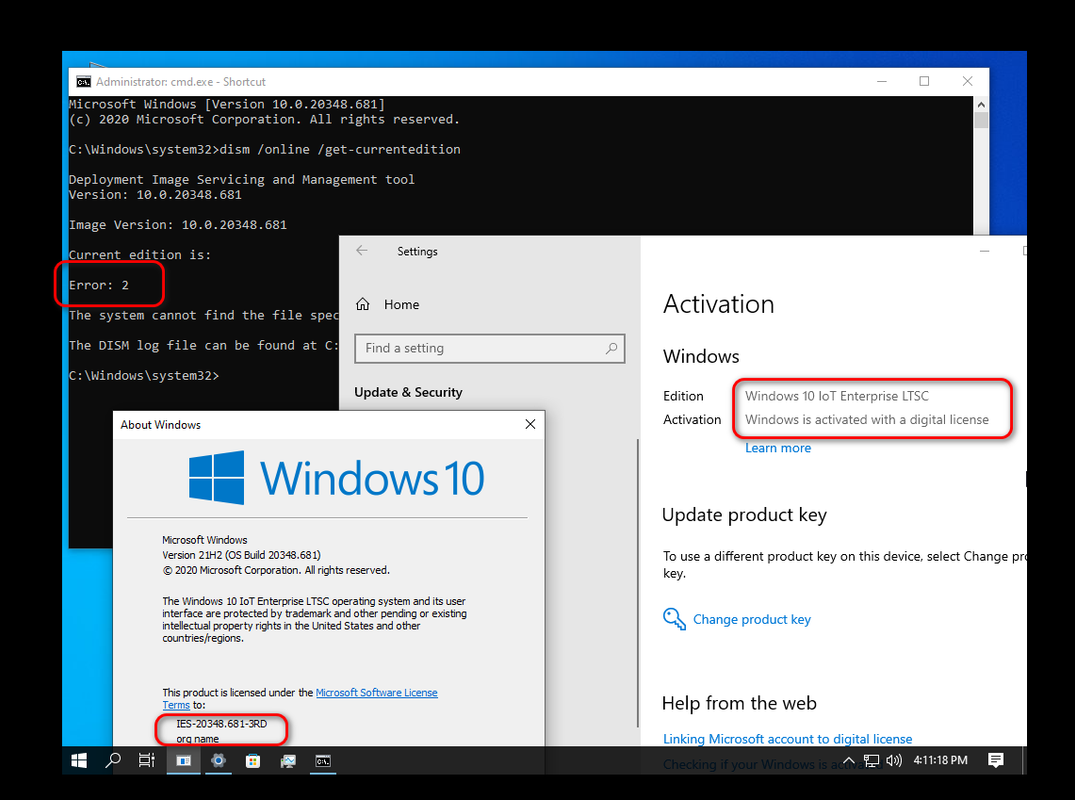
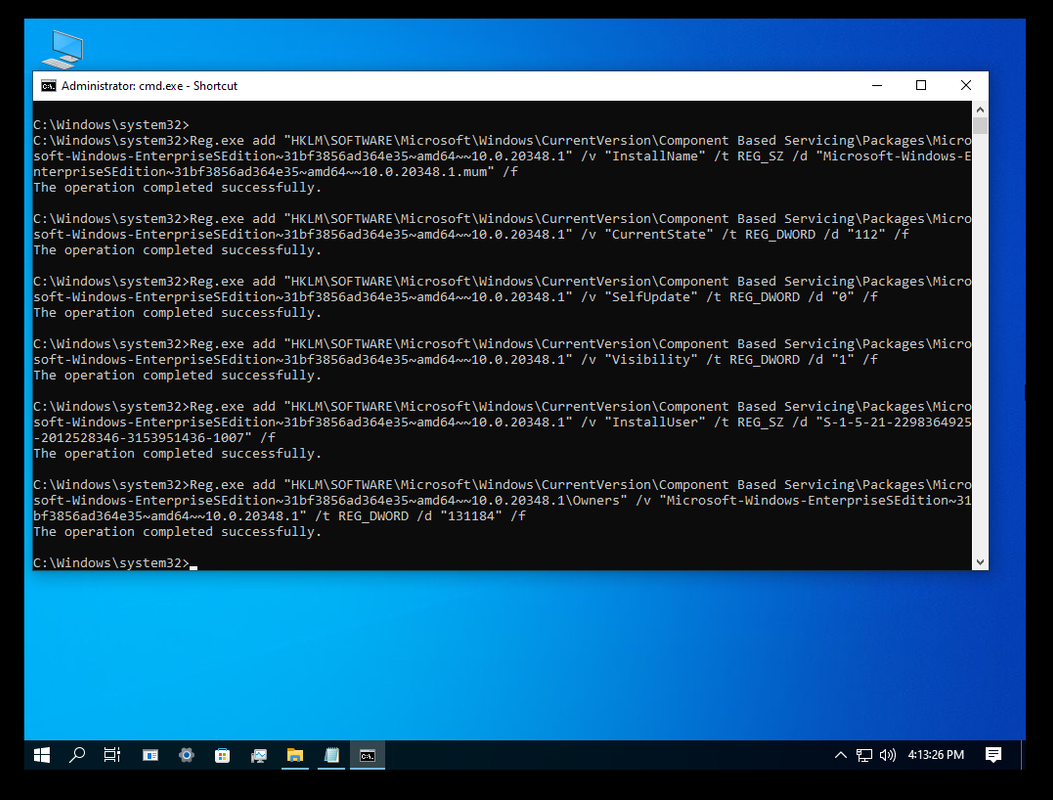
Hình minh hoạ:
![]()
![]()
![]()

These versions are fine but building the IoTEnterpriseK version is problematic.You can definitely do it...
![]()

Không phải cháu ơi, ý là bản đó đã kích hoạt DL với key cũ 2021 rồi, sau đó mình chỉ xoá sku cũ đi, đổi sku IoTS 2024 vào và chạy lệnh rilc thôi cháu, nó không ảnh hưởng gì tới activation hết. nó vẫn còn DL. Cháu thử lại xem nhé.copy cái skus của 26100 nghe bên MDL nói hình như bị mất digital license chỉ kích hoạt đc bằng KMS thì phải
Cháu dạo này cũng rất bận, chưa có thời gian kiểm tra lại bác ạ
link này chết rồi bạn ơ !?Filen Drive
Filen – Next Generation End-To-End Encrypted Cloud Platform. Get started with 10 GB of free storage space.drive.filen.io
Làm phiền, xin a chỉ cho e cách làm bản windows 10 phiên bản 1909 Enterprise G được không a ?Không phải cháu ơi, ý là bản đó đã kích hoạt DL với key cũ 2021 rồi, sau đó mình chỉ xoá sku cũ đi, đổi sku IoTS 2024 vào và chạy lệnh rilc thôi cháu, nó không ảnh hưởng gì tới activation hết. nó vẫn còn DL. Cháu thử lại xem nhé.

Tôi không biết cách làm, việc build này chỉ có các bạn PRO như là @dungltcd, @if i could tell you, @nho nguoi, @2012mshs, @zendamo bạn thử nhắn tin hỏi các bạn này xem sao nhé. Hiện giờ có 2 bạn còn online thường xuyên là @2012mshs và @zendamo thôi bạn nhé.Làm phiền, xin a chỉ cho e cách làm bản windows 10 phiên bản 1909 Enterprise G được không a ?


Mình cũng i5 8250Ucó bản office ltsc pro plus 2024 chính thức rồi các bác nhỉ. em đang office ltsc 2021. đang lững lự không biết có lên hay ko? có đọc sơ qua trên trang chủ rồi nhưng vấn đề kích hoạt chưa rõ lắm. em windows 10 ltsc 2021 + office ltsc 2021. có lên không các bác nhỉ
-------------------------
p/s: đang ham hố đú theo các bác xem thế nào. máy cùi i5 8th hơi rén ạ

trước em cũng office 365 với tk MS E5. nhưng do cài lại và ko dùng nên ko còn được gia hạn nữa. thế là pp 365. cài office ltsc 2021 và dùng đến giờ. phải nói là Office 365 nhiều cái khá hay bác ah

Nó nh hàm mới hơn thích hợp làm kế toán 🤣🤣🤣trước em cũng office 365 với tk MS E5. nhưng do cài lại và ko dùng nên ko còn được gia hạn nữa. thế là pp 365. cài office ltsc 2021 và dùng đến giờ. phải nói là Office 365 nhiều cái khá hay bác ah