

NTHT1MD
Rìu Chiến Chấm

Trang chủ
File: WinPE11_10_Sergei_Strelec_x64_2025.11.19_English.rar
Size: 3483074735 bytes
Modified: Sunday, November 23, 2025, 1:34:31 PM
MD5: 639664632D18135F1EB958B143F65F64
SHA1: BB2B856B8B289D6DBEC884093A1A69917C30D993
CRC32: 1402D63A
File: WinPE11_10_Sergei_Strelec_x64_2025.11.19_English.iso
Size: 3495262208 bytes
Modified: Wednesday, November 19, 2025, 1:00:46 AM
MD5: 235444145BE225FCB109C5F3D7B07A14
SHA1: 88F6EBBED0F7CC9F0E93A3CF1E09EC620A6A2CD6
CRC32: B60C0F1F
System requirements:
1. RAM 2GB / Native 512 MB
2. PC with the ability to boot from CD/DVD-drive or USB.
Mã:
https://sergeistrelec.name/winpe-10-8-sergei-strelec-english/270-winpe-11-10-sergei-strelec-x64-20251119-english-version.htmlLink chính: Link re-up (Google Drive)Link dự phòng (từ trang web chính chủ) Link pixeldrain.com tốc độ caoMật khẩu giải nén:
Mã:
strelecCheck hash:Thêm link reup [Google Drive]: tải tại đây
mật khẩu giải nén: strelec
MD5 *zip: EEEF718BD5C069C9D98D748545382F80
File: WinPE11_10_Sergei_Strelec_x64_2025.11.19_English.rar
Size: 3483074735 bytes
Modified: Sunday, November 23, 2025, 1:34:31 PM
MD5: 639664632D18135F1EB958B143F65F64
SHA1: BB2B856B8B289D6DBEC884093A1A69917C30D993
CRC32: 1402D63A
File: WinPE11_10_Sergei_Strelec_x64_2025.11.19_English.iso
Size: 3495262208 bytes
Modified: Wednesday, November 19, 2025, 1:00:46 AM
MD5: 235444145BE225FCB109C5F3D7B07A14
SHA1: 88F6EBBED0F7CC9F0E93A3CF1E09EC620A6A2CD6
CRC32: B60C0F1F
Mã:
Checksums (*.iso file):
CRC32: B60C0F1F
MD5: 235444145BE225FCB109C5F3D7B07A14
SHA-1: 88F6EBBED0F7CC9F0E93A3CF1E09EC620A6A2CD6
System requirements:
1. RAM 2GB / Native 512 MB
2. PC with the ability to boot from CD/DVD-drive or USB.
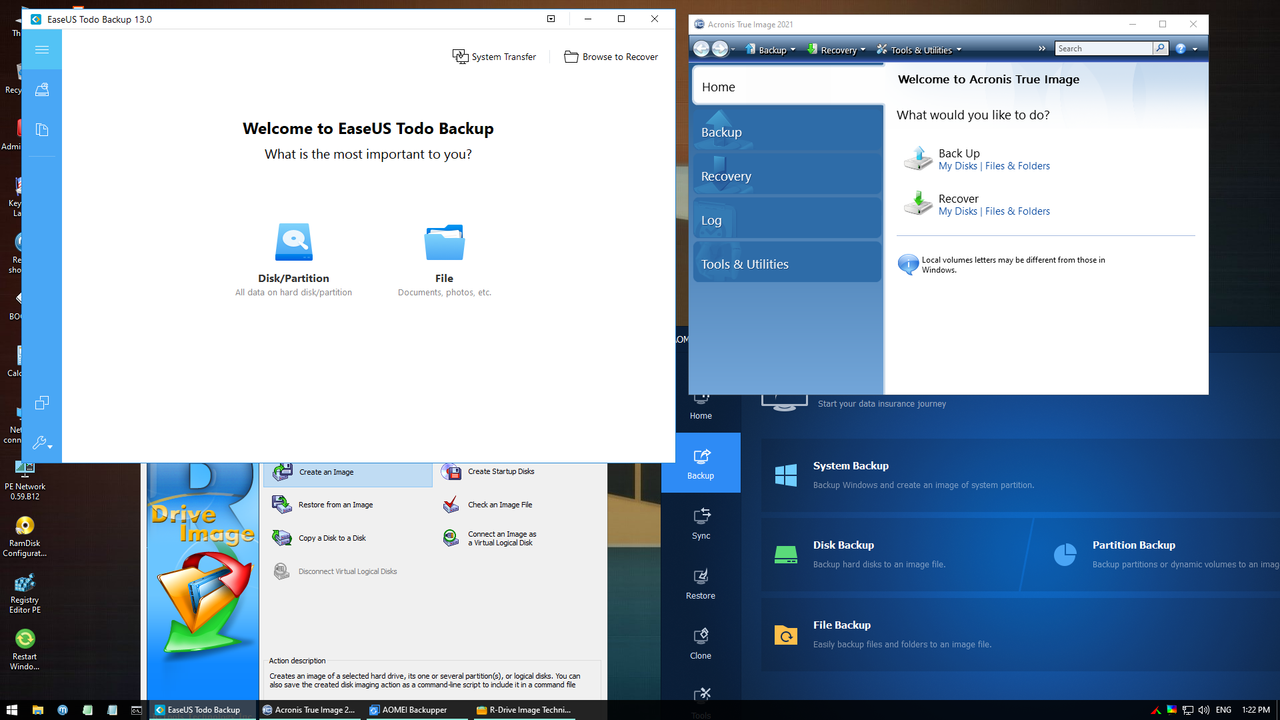
Backup and Restore
Acronis True Image 30.1.1 Build 42386
Acronis True Image 2019 Build 17750
Acronis True Image 2016 Build 6595
Acronis True Image 2014 Build 6673
Acronis Cyber Protect 15.0.27009
EaseUS Todo Backup 16.3.0 Build 20250122
Active Disk Image 25.0.6
StorageCraft Recovery Environment 5.2.5.37836
R-Drive Image 7.3.7312
Veritas System Recovery 22.0.0.62226
Symantec Ghost 12.0.0.11761
TeraByte Image for Windows 3.64
AOMEI Backupper 7.5.0
Hasleo Backup Suite 5.5.2.1
Drive SnapShot 1.50.0.1749
Macrium Reflect 10.0.8665
Macrium Reflect 8.1.8631
QILING Disk Master 8.5
Disk2vhd 2.02
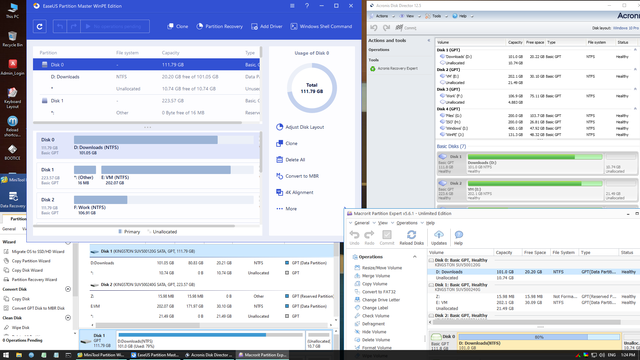
Hard disk
Acronis Disk Director 12.5 Build 163
Paragon Hard Disk Manager 17.20.17
Paragon Hard Disk Manager 15 10.1.25.1137
MiniTool Partition Wizard 13.0
Aomei Partition Assistant 10.9.1
AOMEI Dynamic Disk Manager 1.2.0
NIUBI Partition Editor 10.2.0
EASEUS Partition Master 19.15.0 Build 202510091552
DiskGenius 6.0.1.1645
Active Partition Manager 25.0.1
Defraggler 2.22.995
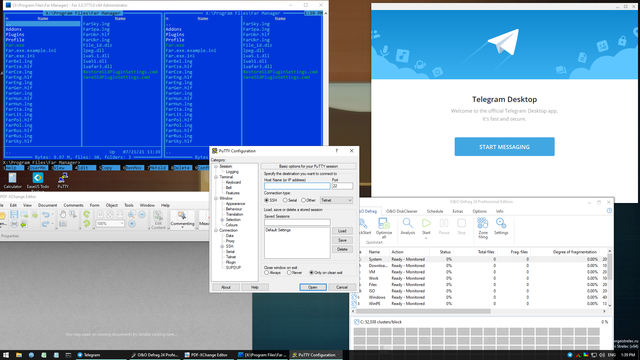
O&O Defrag 23.0
HDD Low Level Format Tool 4.50
Active KillDisk 25.0.23
Active Disk Editor 25.0.7
DiskCopy 1.4.4.0
Diskpart GUI Micro 2.0
Diagnostics
HD Tune 6.00
Check Disk GUI
Victoria 5.37
Hard Disk Sentinel 6.30
CrystalDiskInfo 9.7.2
CrystalDiskMark 9.0.1
AIDA64 8.00.8000
BurnInTest 8.1 Build 1025
PerformanceTest 10.2 Build 1002
CPU-Z 2.17
HWiNFO 8.34
HDDScan 4.1.0.29
PassMark MonitorTest 4.0 Build 1002
OCCT 10.0.5
Keyboard Test Utility 1.4.0
HDD Regenerator 2024
HDD Regenerator 2011
IsMyLcdOK 6.11
Drevitalize 4.10
Linpack Xtreme 1.1.8
LinX 0.6.5
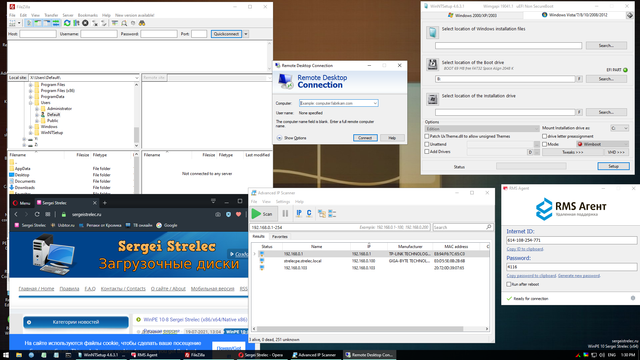
Network programs
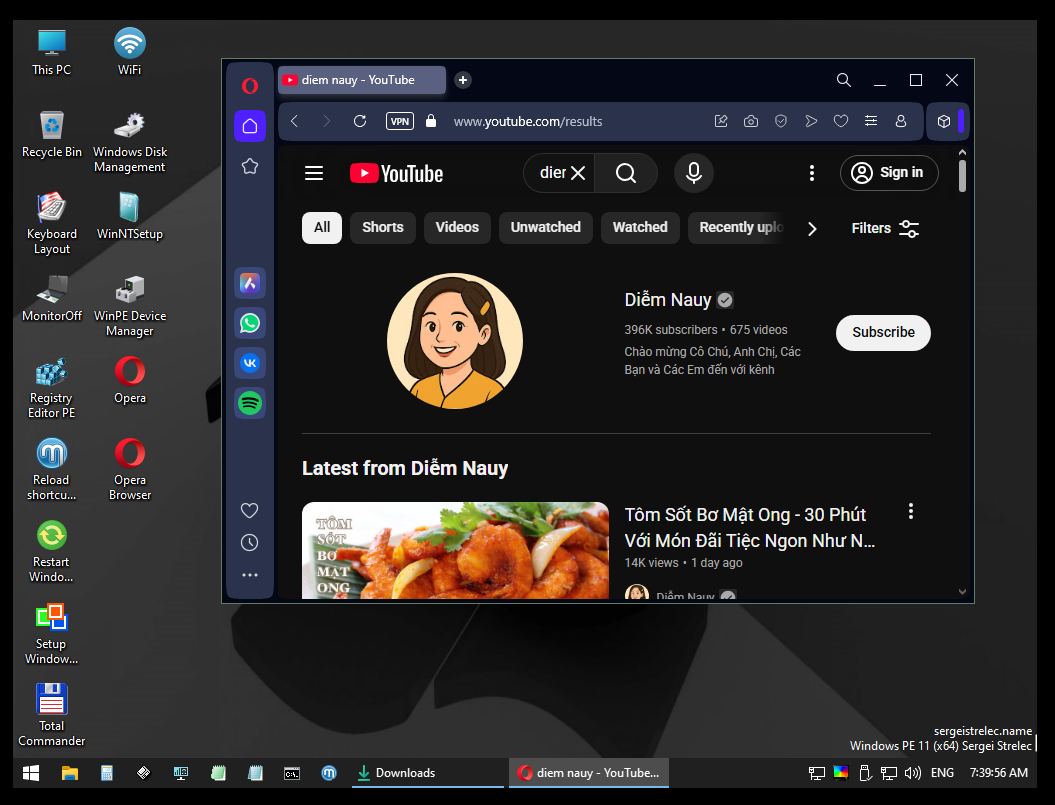
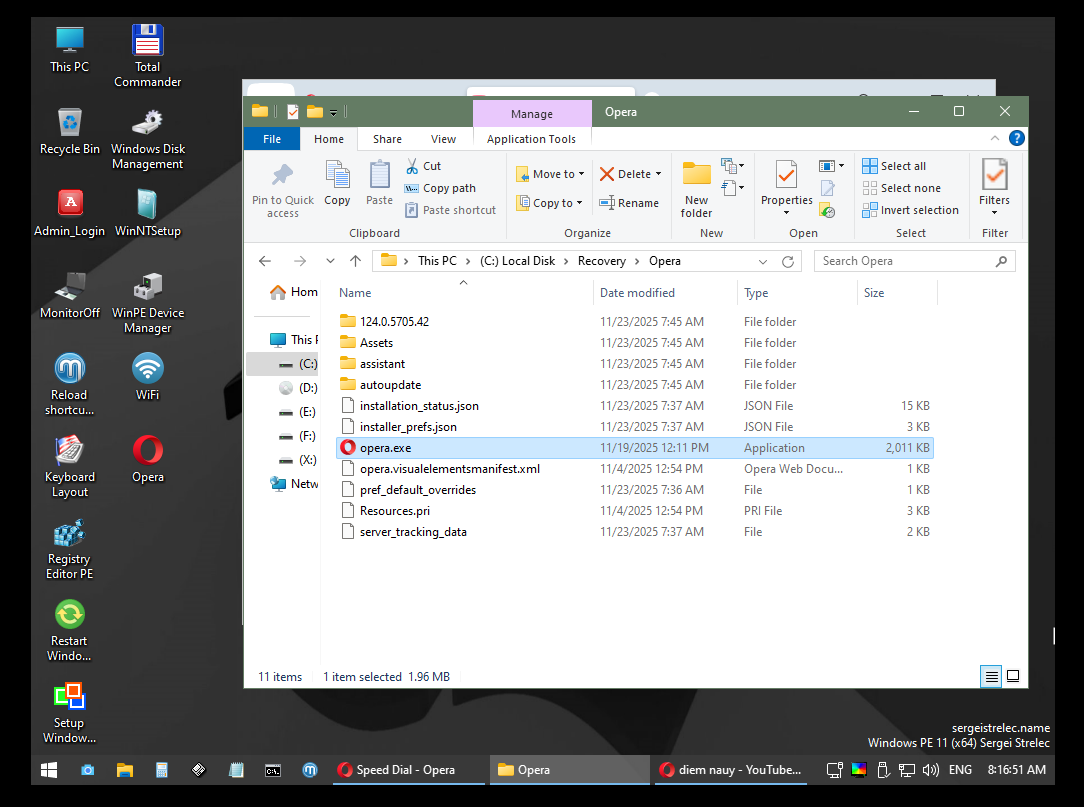
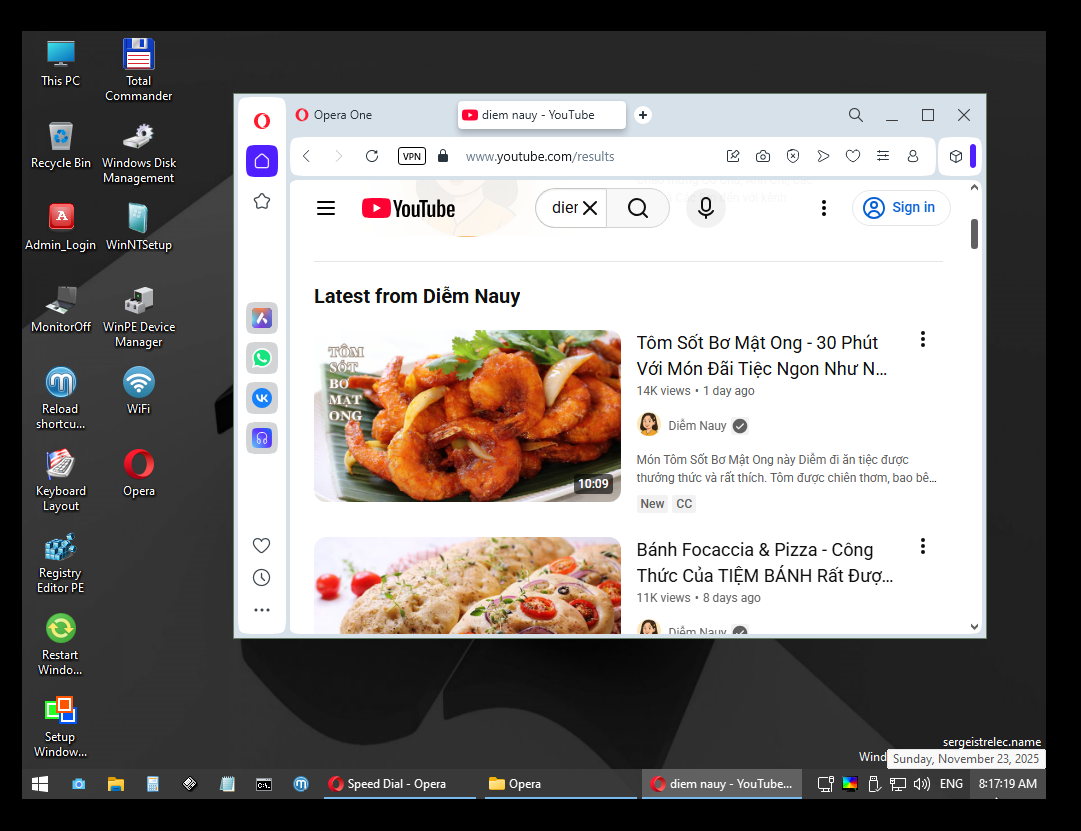
Opera
PENetwork 0.59.B12
TeamViewer 15
Ammyy Admin 3.9
AeroAdmin 4.9.3786
AnyDesk 9.6.5
Supremo 4.11.4.2831
µTorrent 3.5.5
FileZilla 3.68.1
Internet Download Accelerator 6.18.1.1633
PuTTY 0.83
FtpUse 2.2
OpenVPN 2.6.13
UltraVNC 1.6.4.0
TightVNC 2.8.84
Radmin 3.5.2.1
Radmin VPN 2.0.4899.9
Advanced IP Scanner 2.5.4594.1
ZOC Terminal 7.25.5
Resetting passwords
Windows Login Unlocker 2.3.0.6404
Reset Windows Password 9.3.0.93
PCunlocker 5.6
Simplix Password Reset 5.1
Other programs
UltraISO 9.7.5.3716
PowerISO 9.0
gBurner 5.5
Total Commander 9.00
FastStone Capture 7.7
IrfanView 4.38
STDU Viewer
Microsoft Office 2007
Bootice 1.3.4
Unlocker 1.9.2
7-zip
WinNTSetup 5.4.1
78Setup 2.4 (author conty9)
Double Driver 4.1.0
Imagex
GImageX 2.1.1
USB Safely Remove 7.0.5.1320
Media Player Classic
EasyBCD 2.4.0.237
EasyUEFI 5.9.0
Far Manager 3.0 Build 6161
Dism++ 10.1.1002.1
WinHex 20.8 SR1
CIHexViewer 2.0
TeraCopy 3.6.0.4
FastCopy 3.85
Everything 1.4.1.1026
WinDirStat 2.2.2
TreeSize 9.0.1.1830
HardLink ShellExtension 3.9.2.4
NirLauncher 1.30.12
Remote Registry Editor
Registry Editor PE
Runtime Captain Nemo 7.00
Acronis Shell Extension
OemKey
ShowKeyPlus 1.1.18.0
CMOS De-Animator 3
Paragon HFS+ for Windows 11.4.298
Paragon Linux File Systems for Windows 5.2.1183
Windows Recovery Environment (WinPE 10, 11)
Data Recovery
R-Studio 9.4 Build 191460
Active File Recovery 25.0.12
Active Partition Recovery 25.0.4
Runtime GetDataBack 5.76
Runtime GetDataBack for NTFS 4.33
Runtime GetDataBack for FAT 4.33
Runtime Raid Reconstructor 5.16
EASEUS Data Recovery 19.3.0 Build 20250114
TestDisk 7.2
Recover Keys 12.0.6.311
ShadowCopyView 1.16
Restore WLAN passwords
MS-DOS programs
HDD Regenerator 2011
HDDaRTs 20.03.2025 (author program Ander_73 )
BIBM++ 1.92 (author program Ander_73 )
MemTest86 11.3 Build 1000 (UEFI)
HDD Regenerator 2011
MHDD 4.6
Victoria 3.52
Memtest86+ 7.20 (UEFI/DOS)
HDAT2 7.6
GoIdMemory PRO 7.85
Active Password Changer Professional 5.0
Ghost 11.5
BootIt Bare Metal 1.92
DiskGenius 5.2.0.878
Kon-Boot for Windows 2.5.0
Hard Disk Sentinel for DOS 1.21
Drevitalize 3.32
CHZ Monitor Test 2.0
Antivirus:
SmartFix Tool Official website
The SSTR/MInst/Portable/Antivirus folder is pacifiers instead of SmartFix Tool.
Need to download the latest version and replace the pacifiers.
You can also upgrade from WinPE if you have an Internet connection.
Kaspersky Rescue Disk 2018 - Download from the official site and unzip the ISO image to a folder Linux/krd2018 оn the USB Drive.
Kaspersky Rescue Disk 2018
Dr.Web LiveDisk - Download ISO image from the official site and unpack to a folder on a USB flash drive Linux/DrWeb.
Dr.Web LiveDisk
Dr.Web CureIt! and Kaspersky Virus Removal Tool
In the SSTR/MInst/Portable/Antivirus folder instead of Dr.Web CureIt! and Kaspersky Virus Removal Tool are empty.
Download the latest version from the official site and put it into the SSTR/MInst/Portable/Antivirus folder
instead of blank (replace) Start from the Start menu
You can always download the latest versions here:
Dr.Web CureIt!
Kaspersky Virus Removal Tool
If you have a network, the current versions can be downloaded and run under WinPE, which has the appropriate shortcuts in the Start menu.
Acronis True Image 30.1.1 Build 42386
Acronis True Image 2019 Build 17750
Acronis True Image 2016 Build 6595
Acronis True Image 2014 Build 6673
Acronis Cyber Protect 15.0.27009
EaseUS Todo Backup 16.3.0 Build 20250122
Active Disk Image 25.0.6
StorageCraft Recovery Environment 5.2.5.37836
R-Drive Image 7.3.7312
Veritas System Recovery 22.0.0.62226
Symantec Ghost 12.0.0.11761
TeraByte Image for Windows 3.64
AOMEI Backupper 7.5.0
Hasleo Backup Suite 5.5.2.1
Drive SnapShot 1.50.0.1749
Macrium Reflect 10.0.8665
Macrium Reflect 8.1.8631
QILING Disk Master 8.5
Disk2vhd 2.02
Hard disk
Acronis Disk Director 12.5 Build 163
Paragon Hard Disk Manager 17.20.17
Paragon Hard Disk Manager 15 10.1.25.1137
MiniTool Partition Wizard 13.0
Aomei Partition Assistant 10.9.1
AOMEI Dynamic Disk Manager 1.2.0
NIUBI Partition Editor 10.2.0
EASEUS Partition Master 19.15.0 Build 202510091552
DiskGenius 6.0.1.1645
Active Partition Manager 25.0.1
Defraggler 2.22.995
O&O Defrag 23.0
HDD Low Level Format Tool 4.50
Active KillDisk 25.0.23
Active Disk Editor 25.0.7
DiskCopy 1.4.4.0
Diskpart GUI Micro 2.0
Diagnostics
HD Tune 6.00
Check Disk GUI
Victoria 5.37
Hard Disk Sentinel 6.30
CrystalDiskInfo 9.7.2
CrystalDiskMark 9.0.1
AIDA64 8.00.8000
BurnInTest 8.1 Build 1025
PerformanceTest 10.2 Build 1002
CPU-Z 2.17
HWiNFO 8.34
HDDScan 4.1.0.29
PassMark MonitorTest 4.0 Build 1002
OCCT 10.0.5
Keyboard Test Utility 1.4.0
HDD Regenerator 2024
HDD Regenerator 2011
IsMyLcdOK 6.11
Drevitalize 4.10
Linpack Xtreme 1.1.8
LinX 0.6.5
Network programs
Opera
PENetwork 0.59.B12
TeamViewer 15
Ammyy Admin 3.9
AeroAdmin 4.9.3786
AnyDesk 9.6.5
Supremo 4.11.4.2831
µTorrent 3.5.5
FileZilla 3.68.1
Internet Download Accelerator 6.18.1.1633
PuTTY 0.83
FtpUse 2.2
OpenVPN 2.6.13
UltraVNC 1.6.4.0
TightVNC 2.8.84
Radmin 3.5.2.1
Radmin VPN 2.0.4899.9
Advanced IP Scanner 2.5.4594.1
ZOC Terminal 7.25.5
Resetting passwords
Windows Login Unlocker 2.3.0.6404
Reset Windows Password 9.3.0.93
PCunlocker 5.6
Simplix Password Reset 5.1
Other programs
UltraISO 9.7.5.3716
PowerISO 9.0
gBurner 5.5
Total Commander 9.00
FastStone Capture 7.7
IrfanView 4.38
STDU Viewer
Microsoft Office 2007
Bootice 1.3.4
Unlocker 1.9.2
7-zip
WinNTSetup 5.4.1
78Setup 2.4 (author conty9)
Double Driver 4.1.0
Imagex
GImageX 2.1.1
USB Safely Remove 7.0.5.1320
Media Player Classic
EasyBCD 2.4.0.237
EasyUEFI 5.9.0
Far Manager 3.0 Build 6161
Dism++ 10.1.1002.1
WinHex 20.8 SR1
CIHexViewer 2.0
TeraCopy 3.6.0.4
FastCopy 3.85
Everything 1.4.1.1026
WinDirStat 2.2.2
TreeSize 9.0.1.1830
HardLink ShellExtension 3.9.2.4
NirLauncher 1.30.12
Remote Registry Editor
Registry Editor PE
Runtime Captain Nemo 7.00
Acronis Shell Extension
OemKey
ShowKeyPlus 1.1.18.0
CMOS De-Animator 3
Paragon HFS+ for Windows 11.4.298
Paragon Linux File Systems for Windows 5.2.1183
Windows Recovery Environment (WinPE 10, 11)
Data Recovery
R-Studio 9.4 Build 191460
Active File Recovery 25.0.12
Active Partition Recovery 25.0.4
Runtime GetDataBack 5.76
Runtime GetDataBack for NTFS 4.33
Runtime GetDataBack for FAT 4.33
Runtime Raid Reconstructor 5.16
EASEUS Data Recovery 19.3.0 Build 20250114
TestDisk 7.2
Recover Keys 12.0.6.311
ShadowCopyView 1.16
Restore WLAN passwords
MS-DOS programs
HDD Regenerator 2011
HDDaRTs 20.03.2025 (author program Ander_73 )
BIBM++ 1.92 (author program Ander_73 )
MemTest86 11.3 Build 1000 (UEFI)
HDD Regenerator 2011
MHDD 4.6
Victoria 3.52
Memtest86+ 7.20 (UEFI/DOS)
HDAT2 7.6
GoIdMemory PRO 7.85
Active Password Changer Professional 5.0
Ghost 11.5
BootIt Bare Metal 1.92
DiskGenius 5.2.0.878
Kon-Boot for Windows 2.5.0
Hard Disk Sentinel for DOS 1.21
Drevitalize 3.32
CHZ Monitor Test 2.0
Antivirus:
SmartFix Tool Official website
The SSTR/MInst/Portable/Antivirus folder is pacifiers instead of SmartFix Tool.
Need to download the latest version and replace the pacifiers.
You can also upgrade from WinPE if you have an Internet connection.
Kaspersky Rescue Disk 2018 - Download from the official site and unzip the ISO image to a folder Linux/krd2018 оn the USB Drive.
Kaspersky Rescue Disk 2018
Dr.Web LiveDisk - Download ISO image from the official site and unpack to a folder on a USB flash drive Linux/DrWeb.
Dr.Web LiveDisk
Dr.Web CureIt! and Kaspersky Virus Removal Tool
In the SSTR/MInst/Portable/Antivirus folder instead of Dr.Web CureIt! and Kaspersky Virus Removal Tool are empty.
Download the latest version from the official site and put it into the SSTR/MInst/Portable/Antivirus folder
instead of blank (replace) Start from the Start menu
You can always download the latest versions here:
Dr.Web CureIt!
Kaspersky Virus Removal Tool
If you have a network, the current versions can be downloaded and run under WinPE, which has the appropriate shortcuts in the Start menu.
This will work in both BIOS and UEFI mode
In BIOS mode in the boot menu, you need to go to the Grub4Dos menu (down arrow)
In EFI mode, the default Microsoft standard EFI boot loader is used.
You must manually switch the bootloader to GRUB2
To expand functionality when booting in UEFI mode, you can switch to the GRUB2 bootloader.
However, booting with Secure Boot enabled on all computers is not guaranteed.
Switch between EFI loaders Microsoft or GRUB2, you need to run the batch file on a flash drive in the EFI/boot folder
_MICROSOFT_EFI.bat - switches to the Microsoft bootloader
_GRUB2_EFI.bat - switches to GRUB2 bootloader
You can always see which boot loader is active by file in the EFI/boot folder
[MICROSOFT_MODE] - Microsoft loaders are active
[GRUB2_MODE] - GRUB2 boot loaders are active
When using the GRUB2 boot loader in EFI, you can add Acronis True Image 2018/2019/2020, Acronis Disk Director 12, Kaspersky Rescue Disk 2018, Сlonezilla, and TeraByte Image for Linux, Parted Magic, Ubuntu Desktop amd64. (download both in UEFI and BIOS)
Note: For Acronis True Image, it is not necessary to extract the entire ISO image. It is now large in size and will be
take up a lot of space.
For the x64 version, just extract the files from the ISO image to the folders below:
dat10.dat, dat11.dat and dat12.dat
Acronis True Image 2024
Unpack the ISO image into a folder on the USB flash drive
Linux/Acronis2024
Acronis True Image 2021
Unpack the ISO image into a folder on the USB flash drive
Linux/Acronis2021
Acronis True Image 2020
Unpack the ISO image into a folder on the USB flash drive
Linux/Acronis2020
Acronis True Image 2019
Unpack the ISO image into a folder on the USB flash drive
Linux/Acronis2019
Acronis True Image 2018
Unpack the ISO image into a folder on the USB flash drive
Linux/Acronis2018
Acronis Disk Director 12
Unpack the ISO image into a folder on the USB flash drive
Linux/ADD12
Kaspersky Rescue Disk 2018
Download ISO image from the official site http://rescuedisk.kaspersky-labs.com/updatable/2018/krd.iso
and unpack the image to the Linux/krd2018 folder on the USB flash drive.
Parted Magic 2020
ISO image rename in pmagic.iso and copy the folder
Linux/pmagic
Ubuntu Desktop amd64
Unpack the ISO image into a folder on the USB flash drive
Linux/ubuntu
Clonezilla
Download ISO image from official site, rename it to clonezilla.iso and copy ISO image to folder
Linux/clonezilla32 or Linux/clonezilla64 according to the size of the image.
TeraByte Image for Linux
Unpack the ISO image, respectively, the bit depth in the folder on the USB flash drive
Linux/TeraByteImageLinux32 or Linux/TeraByteImageLinux64
In BIOS mode in the boot menu, you need to go to the Grub4Dos menu (down arrow)
In EFI mode, the default Microsoft standard EFI boot loader is used.
You must manually switch the bootloader to GRUB2
To expand functionality when booting in UEFI mode, you can switch to the GRUB2 bootloader.
However, booting with Secure Boot enabled on all computers is not guaranteed.
Switch between EFI loaders Microsoft or GRUB2, you need to run the batch file on a flash drive in the EFI/boot folder
_MICROSOFT_EFI.bat - switches to the Microsoft bootloader
_GRUB2_EFI.bat - switches to GRUB2 bootloader
You can always see which boot loader is active by file in the EFI/boot folder
[MICROSOFT_MODE] - Microsoft loaders are active
[GRUB2_MODE] - GRUB2 boot loaders are active
When using the GRUB2 boot loader in EFI, you can add Acronis True Image 2018/2019/2020, Acronis Disk Director 12, Kaspersky Rescue Disk 2018, Сlonezilla, and TeraByte Image for Linux, Parted Magic, Ubuntu Desktop amd64. (download both in UEFI and BIOS)
Note: For Acronis True Image, it is not necessary to extract the entire ISO image. It is now large in size and will be
take up a lot of space.
For the x64 version, just extract the files from the ISO image to the folders below:
dat10.dat, dat11.dat and dat12.dat
Acronis True Image 2024
Unpack the ISO image into a folder on the USB flash drive
Linux/Acronis2024
Acronis True Image 2021
Unpack the ISO image into a folder on the USB flash drive
Linux/Acronis2021
Acronis True Image 2020
Unpack the ISO image into a folder on the USB flash drive
Linux/Acronis2020
Acronis True Image 2019
Unpack the ISO image into a folder on the USB flash drive
Linux/Acronis2019
Acronis True Image 2018
Unpack the ISO image into a folder on the USB flash drive
Linux/Acronis2018
Acronis Disk Director 12
Unpack the ISO image into a folder on the USB flash drive
Linux/ADD12
Kaspersky Rescue Disk 2018
Download ISO image from the official site http://rescuedisk.kaspersky-labs.com/updatable/2018/krd.iso
and unpack the image to the Linux/krd2018 folder on the USB flash drive.
Parted Magic 2020
ISO image rename in pmagic.iso and copy the folder
Linux/pmagic
Ubuntu Desktop amd64
Unpack the ISO image into a folder on the USB flash drive
Linux/ubuntu
Clonezilla
Download ISO image from official site, rename it to clonezilla.iso and copy ISO image to folder
Linux/clonezilla32 or Linux/clonezilla64 according to the size of the image.
TeraByte Image for Linux
Unpack the ISO image, respectively, the bit depth in the folder on the USB flash drive
Linux/TeraByteImageLinux32 or Linux/TeraByteImageLinux64
Supported methods and protocols: TCP/IP, NetBIOS, PPPoE, and WLAN (Wi-Fi), WebDAV.
If you want use Wi-Fi - you need to install "wireless network-adapter driver". Choose "Drivers" section in the "Start Menu".
Connecting to Wi-Fi require to use "PE Network Manger", click on tab "Wi-Fi" on it.
If you want use Wi-Fi - you need to install "wireless network-adapter driver". Choose "Drivers" section in the "Start Menu".
Connecting to Wi-Fi require to use "PE Network Manger", click on tab "Wi-Fi" on it.
To import WLAN profiles on your computer or client computer, export the WLAN profile (s)
(you can immediately go to the SSTR\WLANProfile folder) program Marat Galiullina Smart WiFi Solution (available in the archive)
Or by means of Windows (Command line launch - PCM - On behalf of the administrator.)
Command example:
netsh wlan export profile key=clear folder= С:\WLANProfile
WLAN profiles put in a folder on your USB flash drive SSTR\WLANProfile
The number of profiles does not matter.
After loading WinPE, WLAN drivers will be installed and WLAN profiles imported. You will only need to select the necessary network in the PENetwork program, and click - Connect
You can also import manually after downloading, from the shortcut on the Desktop, or the Start menu, after installing the Wlan driver.
Connecting network drives:
<!--dle_spoiler Show / Hide text --><div class="title_spoiler">
When connecting a network disk through the Windows Explorer interface, i.e. through the standard window when calling the command - Connect network disk, in the User name field, it is necessary to write data in the following format
computer name/username, not just username.
or
IP address/username, not just username
example:
STRELEC-PC\SEREGA
or
192.168.0.100\SEREGA
This is due to the peculiarities and limitations of Windows Explorer working from a system account
The recommended method, from the command line (.som, .bat file), using the net.exe utility
In this option, the connection is much faster.
The command parameters in this variant are standard.
example:
net use Z: \\STRELEC-PC\share /USER:serega strelec
or
net use Z: \\192.168.0.100\share /USER:serega strelec
where
192.168.0.100\share - address.
serega - username
strelec - password
When connecting from the Administrator account, the settings in both options are standard.
(you can immediately go to the SSTR\WLANProfile folder) program Marat Galiullina Smart WiFi Solution (available in the archive)
Or by means of Windows (Command line launch - PCM - On behalf of the administrator.)
Command example:
netsh wlan export profile key=clear folder= С:\WLANProfile
WLAN profiles put in a folder on your USB flash drive SSTR\WLANProfile
The number of profiles does not matter.
After loading WinPE, WLAN drivers will be installed and WLAN profiles imported. You will only need to select the necessary network in the PENetwork program, and click - Connect
You can also import manually after downloading, from the shortcut on the Desktop, or the Start menu, after installing the Wlan driver.
Connecting network drives:
<!--dle_spoiler Show / Hide text --><div class="title_spoiler">
When connecting a network disk through the Windows Explorer interface, i.e. through the standard window when calling the command - Connect network disk, in the User name field, it is necessary to write data in the following format
computer name/username, not just username.
or
IP address/username, not just username
example:
STRELEC-PC\SEREGA
or
192.168.0.100\SEREGA
This is due to the peculiarities and limitations of Windows Explorer working from a system account
The recommended method, from the command line (.som, .bat file), using the net.exe utility
In this option, the connection is much faster.
The command parameters in this variant are standard.
example:
net use Z: \\STRELEC-PC\share /USER:serega strelec
or
net use Z: \\192.168.0.100\share /USER:serega strelec
where
192.168.0.100\share - address.
serega - username
strelec - password
When connecting from the Administrator account, the settings in both options are standard.
Sửa lần cuối:




 .
.


