
NTHT1MD
Rìu Chiến Chấm

Windows X-Lite 'Optimum 11' 26H1 v2 (Canary Build 28000.1)
Link download:
Checksums:
File: [Windows X-Lite] Optimum 11 26H1 Pro v2.7z
Size: 2555783617 bytes
Modified: Sunday, November 30, 2025, 6:43:08 PM
MD5: C98EDA4D22826C95C30E3B0461251C09
SHA1: 7CF231BD9E98F81B3DAE5D4E4ECED152CD50D8E1
CRC32: F98E5895
File: [Windows X-Lite] Optimum 11 26H1 Pro v2.iso
Size: 2576439296 bytes
Modified: Thursday, November 27, 2025, 10:48:41 AM
MD5: F83B9DF2C758E9873887DD8AD4743438
SHA1: 6478BA6CC2CC6A7CA314305F7C7CAE45B10A2E50
CRC32: 1E7F01B8
.png)
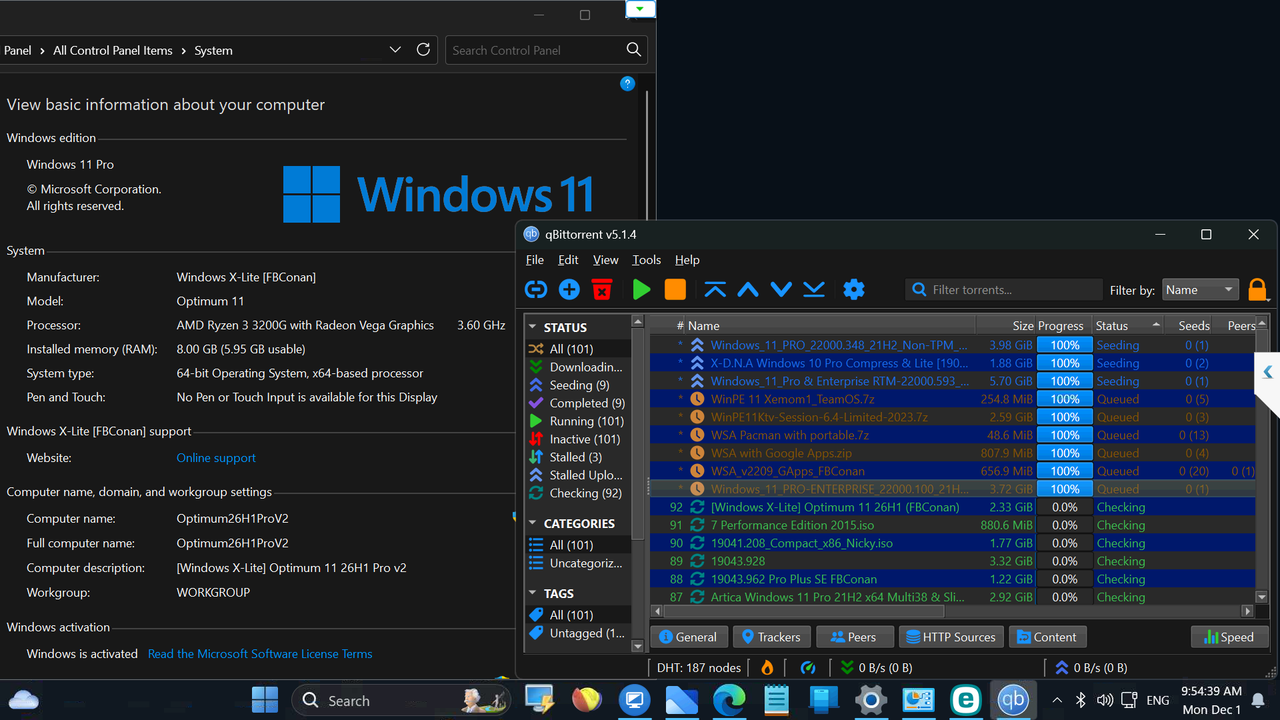
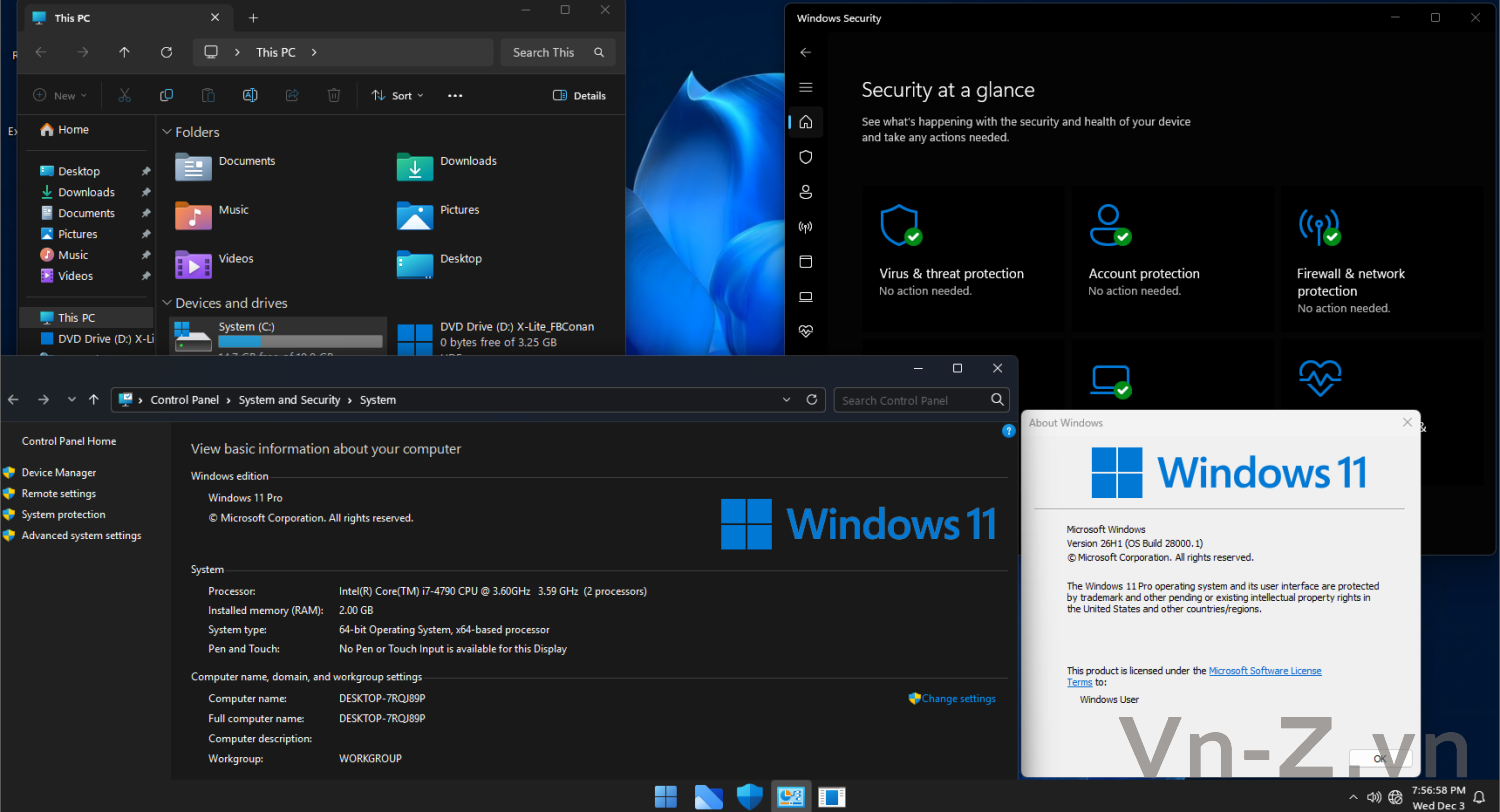
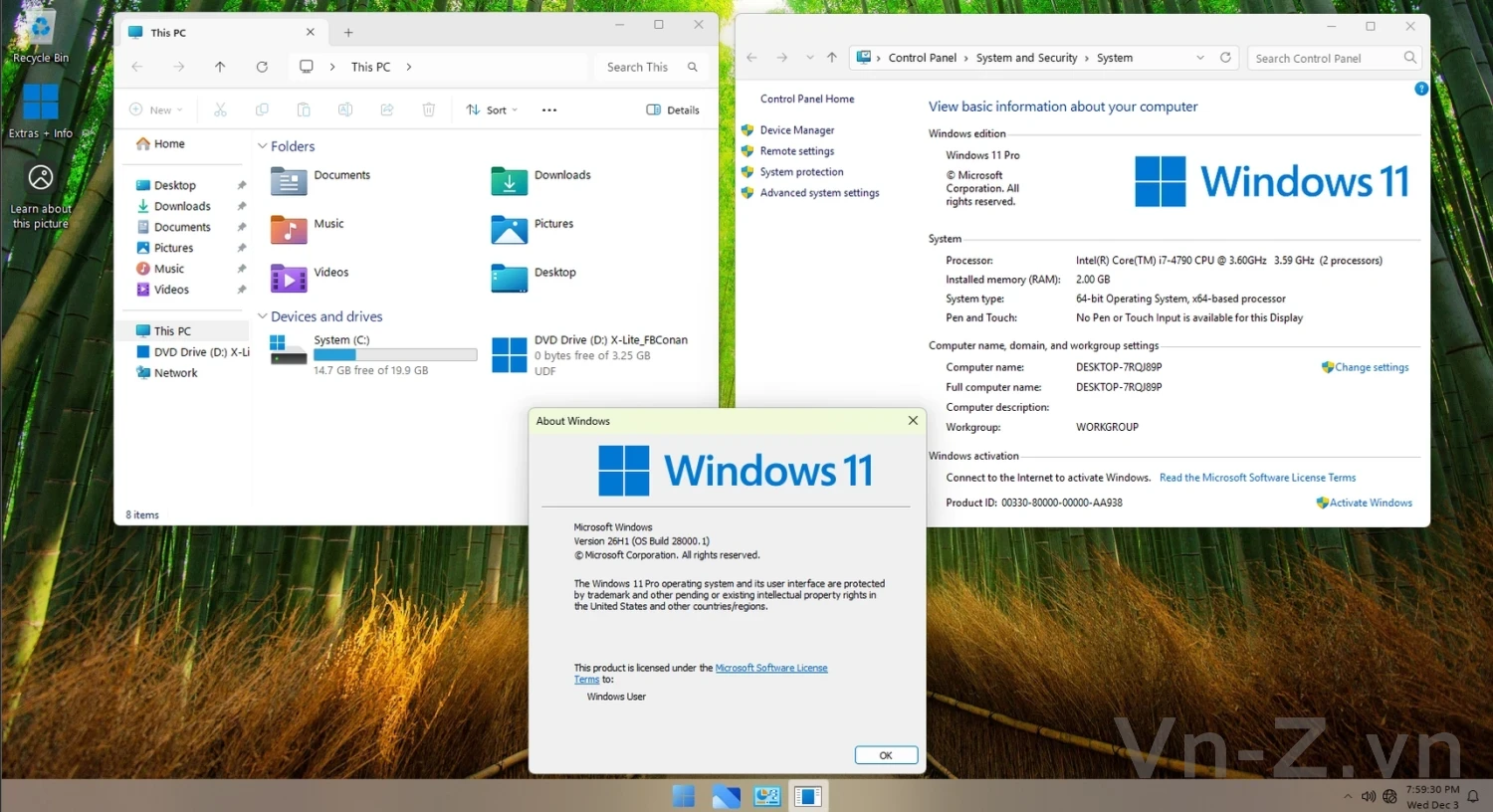
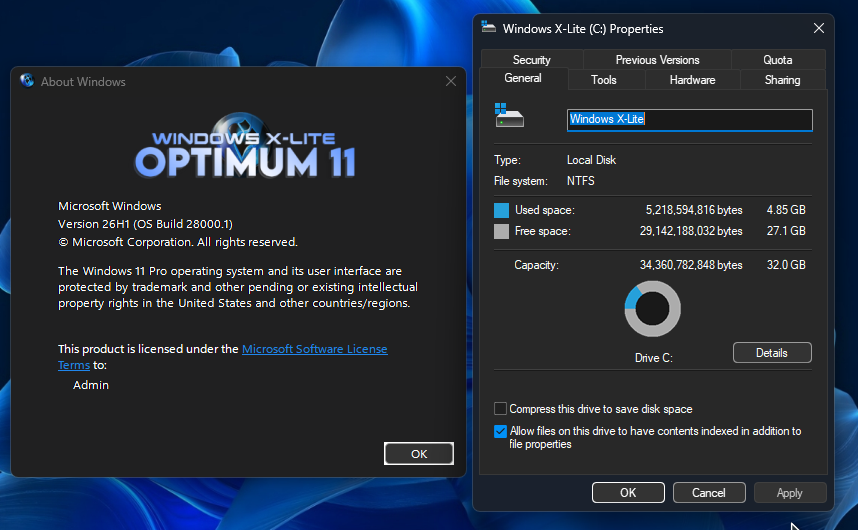
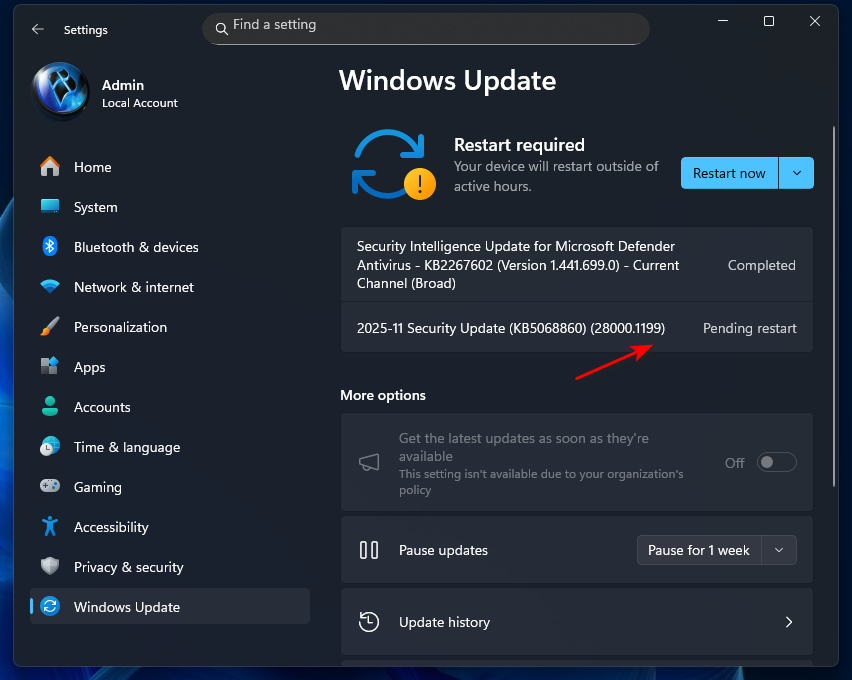
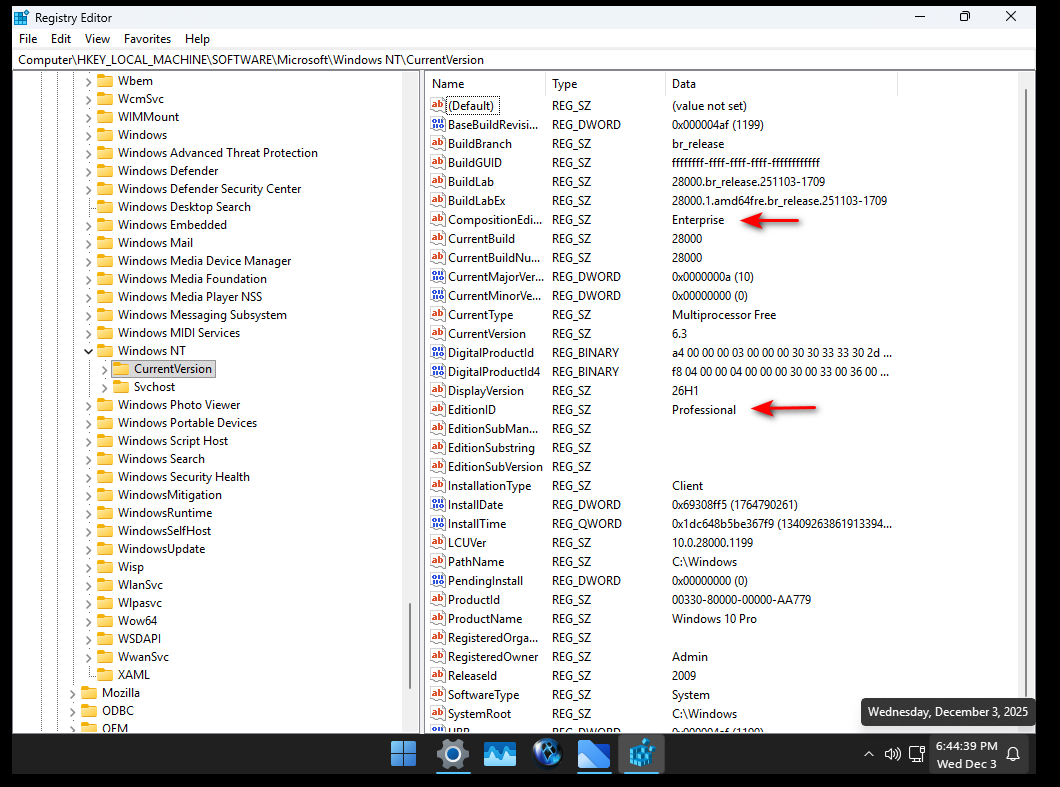
Screenshot
.png)
.png)
BUILD INFO:
• Based on Windows 11 26H1 Pro (Canary Build 28000.1)
• 2.4 GB ISO (4.4 GB Installed Size)
• Task Manager Bug Patched
• Pre-enrolled into the Windows Insider Program (Canary Channel)
• Debloated and Optimized out of the box
• Optional Windows Defender
• Optional File Explorer Gallery
• Full Featured, Updatable Build
• Virtual Memory Enabled by Default
• Automatic Updates Paused Until 3000
• Includes Optional File Explorer Transparency
• Extreme Performance for your Apps and Games
• Full Support for UWP Apps, Xbox, MS Store and much more
• Full Support for Additional Language Packs, Speech, Voice, etc.
• Full support for all optional features including WSA and WSL2
• Enabled Rounded Corners, Acrylic, and Mica by default (Even in a VM!)
• Automatic Updates can be paused for up to 10 years after resuming
• Additional Improvements and Optimizations Included
• No Pre-installed UWP Apps or web browsers
• MS Store Installer and web browser installers Included
• Optional Edge and Widgets
💥 Designed to work with all Apps and Games, on All PCs. Old or new, weak or strong, Desktop or Laptop.
➡️ Bypasses TPM, Secure Boot, RAM, CPU, and Storage Checks
➡️ Bypasses Microsoft's Forced Account Creation during Setup / Installation
- Multi Build ISO With Selective Windows Defender During Setup
+ Removed Features Include: Edge, Smart Screen, UWP Apps, Webview & Widgets
+ Disabled Features Include: Defender (Optional), Windows Ink Workspace, BitLocker, Error Reporting, Indexing, UAC, Ads, Telemetry, Hibernation, Power Throttling.
+ Performance Prioritized: This build has been designed to Maximize Performance, Responsiveness, and Resource Savings.
INSTALLATION
• Use Rufus ONLY to write the ISO to a USB Drive.
• Boot from the USB Drive, and Perform a Clean Installation to your desired partition.
• *Your PC Will Reboot Once, Shortly After Installation Completes.
• We Recommend you download and install DX9 and VC++ Runtimes from our software Page:
• For AMD Ryzen PC's, please download the latest Chipset Drivers from our software Page:
• To Troubleshoot any issues you may have, please read our guides Page for help!:
Widgets Enabler
• If You'd like to enable Widgets (News and Interests Feed) in this build, you'll first need to install the Edge browser and Webview2 Runtime, which are both included inside the extras folder in this release. You'll also need to run the shortcut labeled 'Widgets On' in the extras folder, then download and install the Widgets App linked below, followed by restarting your PC to complete changes.

File Explorer Gallery Enabler
• If you'd like to enable File Explorer's new 'Gallery' feature,
download our 'Gallery Enabler' for everything you need
to enable Gallery in this release!

Mã:
https://windowsxlite.com/26H1Pro_V2/
Mã:
https://pixeldrain.com/u/ZdPxkVmHFile: [Windows X-Lite] Optimum 11 26H1 Pro v2.7z
Size: 2555783617 bytes
Modified: Sunday, November 30, 2025, 6:43:08 PM
MD5: C98EDA4D22826C95C30E3B0461251C09
SHA1: 7CF231BD9E98F81B3DAE5D4E4ECED152CD50D8E1
CRC32: F98E5895
File: [Windows X-Lite] Optimum 11 26H1 Pro v2.iso
Size: 2576439296 bytes
Modified: Thursday, November 27, 2025, 10:48:41 AM
MD5: F83B9DF2C758E9873887DD8AD4743438
SHA1: 6478BA6CC2CC6A7CA314305F7C7CAE45B10A2E50
CRC32: 1E7F01B8
Screenshot
BUILD INFO:
• Based on Windows 11 26H1 Pro (Canary Build 28000.1)
• 2.4 GB ISO (4.4 GB Installed Size)
• Task Manager Bug Patched
• Pre-enrolled into the Windows Insider Program (Canary Channel)
• Debloated and Optimized out of the box
• Optional Windows Defender
• Optional File Explorer Gallery
• Full Featured, Updatable Build
• Virtual Memory Enabled by Default
• Automatic Updates Paused Until 3000
• Includes Optional File Explorer Transparency
• Extreme Performance for your Apps and Games
• Full Support for UWP Apps, Xbox, MS Store and much more
• Full Support for Additional Language Packs, Speech, Voice, etc.
• Full support for all optional features including WSA and WSL2
• Enabled Rounded Corners, Acrylic, and Mica by default (Even in a VM!)
• Automatic Updates can be paused for up to 10 years after resuming
• Additional Improvements and Optimizations Included
• No Pre-installed UWP Apps or web browsers
• MS Store Installer and web browser installers Included
• Optional Edge and Widgets
💥 Designed to work with all Apps and Games, on All PCs. Old or new, weak or strong, Desktop or Laptop.
➡️ Bypasses TPM, Secure Boot, RAM, CPU, and Storage Checks
➡️ Bypasses Microsoft's Forced Account Creation during Setup / Installation
- Multi Build ISO With Selective Windows Defender During Setup
+ Removed Features Include: Edge, Smart Screen, UWP Apps, Webview & Widgets
+ Disabled Features Include: Defender (Optional), Windows Ink Workspace, BitLocker, Error Reporting, Indexing, UAC, Ads, Telemetry, Hibernation, Power Throttling.
+ Performance Prioritized: This build has been designed to Maximize Performance, Responsiveness, and Resource Savings.
INSTALLATION
• Use Rufus ONLY to write the ISO to a USB Drive.
• Boot from the USB Drive, and Perform a Clean Installation to your desired partition.
• *Your PC Will Reboot Once, Shortly After Installation Completes.
• We Recommend you download and install DX9 and VC++ Runtimes from our software Page:
Mã:
https://windowsxlite.com/software/
Mã:
https://windowsxlite.com/software/
Mã:
https://windowsxlite.com/guides/Widgets Enabler
• If You'd like to enable Widgets (News and Interests Feed) in this build, you'll first need to install the Edge browser and Webview2 Runtime, which are both included inside the extras folder in this release. You'll also need to run the shortcut labeled 'Widgets On' in the extras folder, then download and install the Widgets App linked below, followed by restarting your PC to complete changes.
Mã:
https://pixeldrain.com/u/hKYmMcHkFile Explorer Gallery Enabler
• If you'd like to enable File Explorer's new 'Gallery' feature,
download our 'Gallery Enabler' for everything you need
to enable Gallery in this release!
Mã:
https://pixeldrain.com/u/zF4Q8793
Sửa lần cuối:
.png)
.png)
-W10-Digital-Activation.png)
-W10-Digital-Activation.png)